Are you running the same campaigns over and over again, and struggling to keep engagement high? This could be the game changer you need.
In our first post in our gamification series, What is Gamification?, we defined various gamification strategies and tactics. In our second post, When to Play and How to Win, we tackled how to go about choosing the strategies and tactics that are right for your brand. In this third post, we offer three gamification ideas to get you started.
“Find the ____,” “Ask and you will receive” and “Pick Your Offer” are three reciprocal gamification tactics you can use to drive engagement. They’re good for those new to gamification because they can all be tried out with little or no development work, and don’t require a loyalty or refer-a-friend program. Here we explain when to use them, how they work, and how to do them well.
“Find the _____”
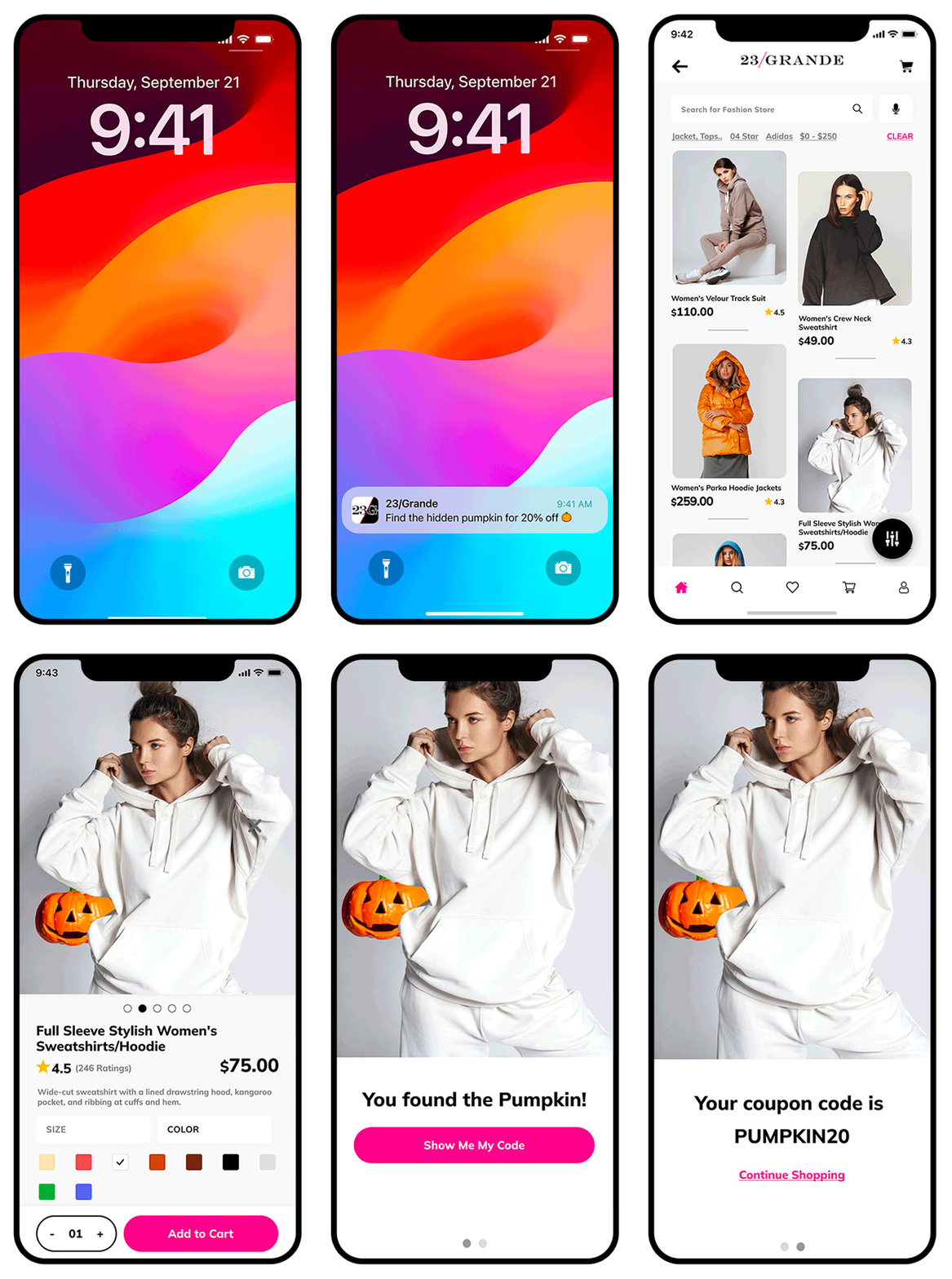
Hide an image in your app — a pumpkin, Easter egg or whatever you choose — and reward the customer if they find it.
User flow & setup
When to use it
Use “Find the ___” to encourage discovery of a particular section of your app, such as new arrivals (retail), sports news, the app inbox or message center, or a rewards program.
How it works
Airship makes it super easy to create App Screens, which can trigger in-app messages or multi-screen experiences as soon as a customer lands on them. For this engagement tactic, create a rich Airship Scene to introduce the gamification tactic to the customer once they visit the selected App Screen. Scenes are part of Airship’s App Experience Platform and can easily be created using our drag & drop editor — all without needing code, development resources or an app release. The Scene just needs an image of the hidden item, and can include a second screen with a promo code.
Not yet on the Airship platform (AXP)? Not a problem. It’s possible to create an In-App Automation instead of an interactive, multi-screen Scene. All you need to do is select the “Set Tag” option for the button underneath your image. Airship will automatically add that Tag to the users who click the button. Then simply create another message with the reward and set it to trigger based on that Tag.
How to do it well
“Ask and you will receive”
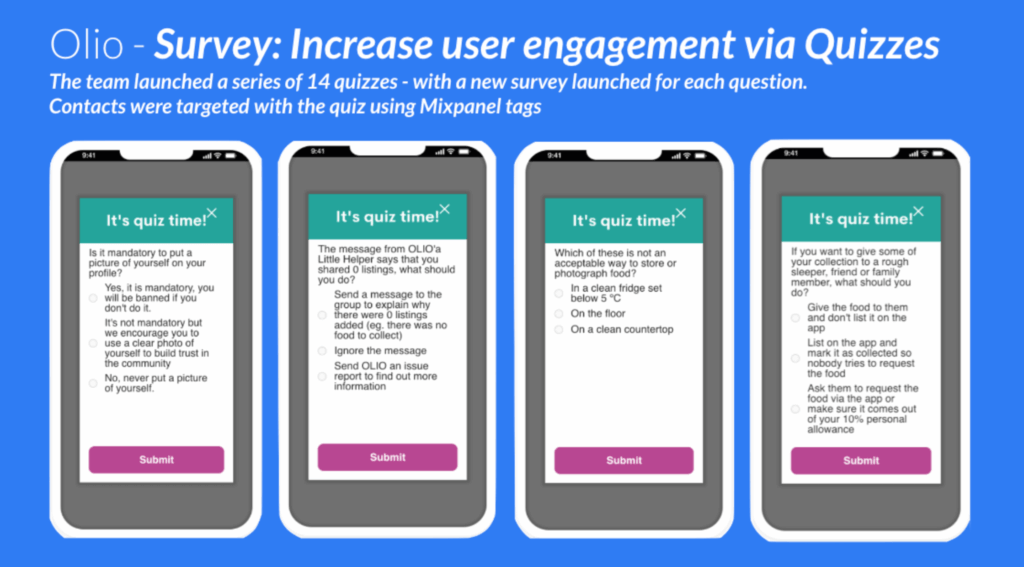
Quiz your customers so you can engage them through questions.
When to use it
Use this tactic when you have something specific you want to learn about your app customers, or want to check their level of understanding about something.
For example:
Also consider using this tactic when you want to drive repeat app opens on consecutive days or weeks. You could easily set up multiple quizzes to run each day of a specific week, for example, and encourage your users to “try again” tomorrow. You may even want to reward those who get all of the questions right.
How it works
Airship Surveys let you create and launch simple surveys you can use to engage and educate your customers. Now that Surveys can be included in Scenes, it’s easy to embed a survey question in, for example, a product education walkthrough. This also lets you show a screen after a customer finishes answering the question(s), so you can say thank you or deliver any incentive you may have promised.
To drive repeat app opens over a specific period, you could ask a series of questions on consecutive days in your app and reward customers who get them all right. Airship lets you segment the customers who selected the right answers, so you can follow up with a specific message to those customers.
“Pick your offer”
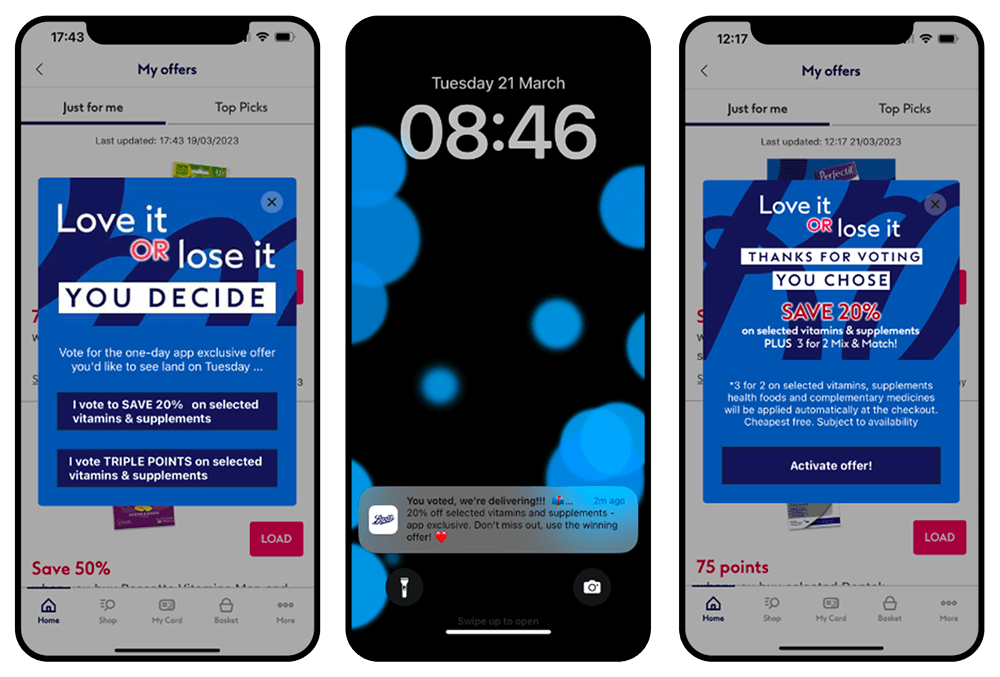
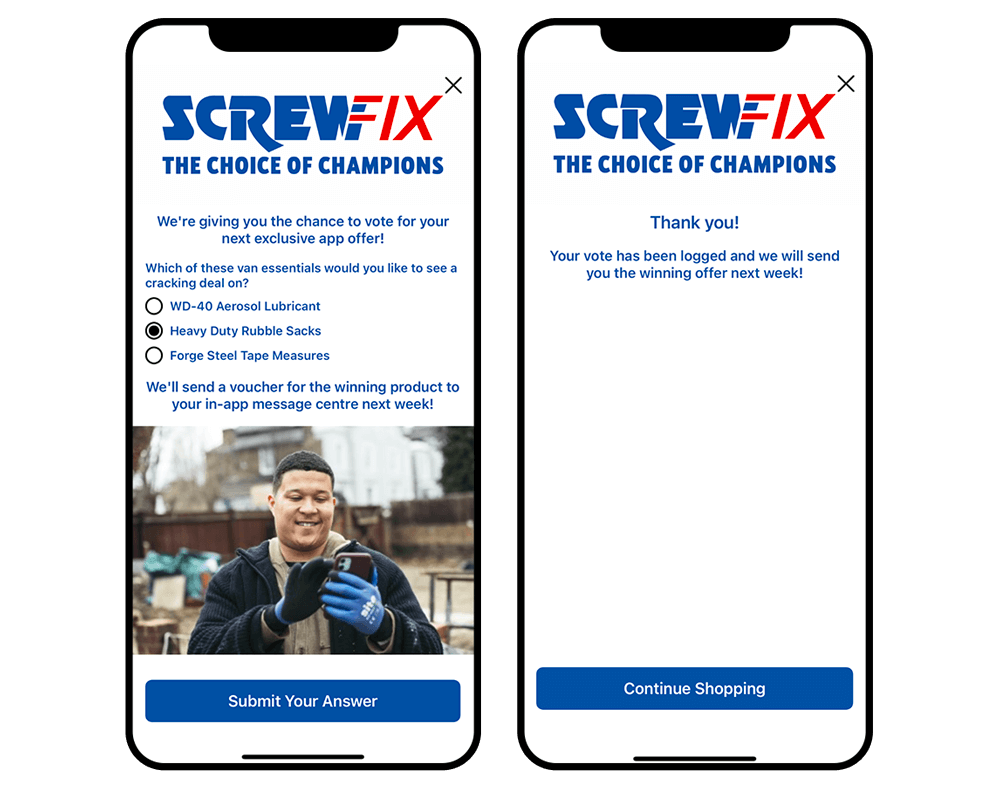
Serve customers a choice of offers with an in-app message, and launch the one with the most votes.
When to use it
Use the “Pick Your Offer” tactic If you’re unsure which offers will be most popular with your customers and you want to ensure a high offer uptake. This engagement tactic is also an opportunity to demonstrate to your customers that you’re listening to them and that their views matter to you.
How it works
Show customers an in-app message outlining the options they have, using Airship Scenes to provide more information about each of the options. Each option could have its own screen for the customer to swipe through, with the last screen being the “vote” screen. On the vote screen, provide one button per option so the customer simply has to tap their preferred one. You can use a final screen to reiterate timelines of when the offer will be available, and how customers will be able to access it.
All you’ll need to do is check which button has the most clicks, and act accordingly.
Don’t have AXP yet? You can also do this with an In-App Automation, keeping offers simple to understand so you can list them all on one screen.
How to do it well
Want to learn more about Gamification Engagement Tactics? Read our other blogs in the series, including What is Gamification? and When to Play and How to Win. For help defining your mobile app strategy, gamification tactics and user experiences, please reach out to your Airship Account Manager. Our Strategic Services can assist you every step of the way.