 May 11, 2026
Google Wallet Auto Linked Passes
Deliver additional passes directly into a user’s Google Wallet by linking them to a pass the user already has. Linked passes appear automatically with no action required from the user.
Google’s Auto Linked Passes feature links additional passes to a pass a user already has, and Google Wallet groups them together automatically. No save, no install, no extra steps for the user.
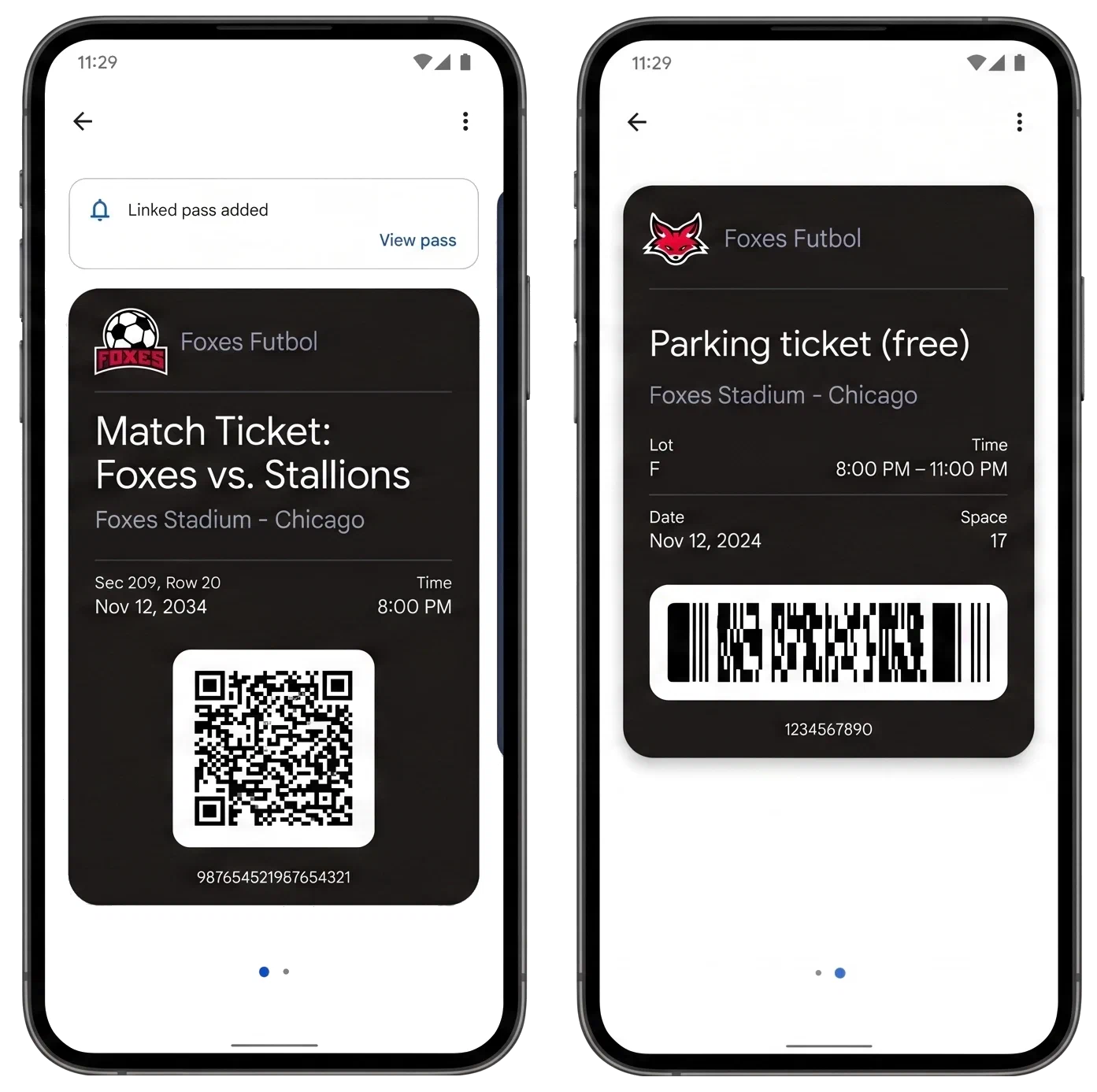
Whenever a customer’s journey involves multiple complementary passes, link them up:
- Boarding pass + loyalty card — Issue a boarding pass and link it to a frequent flyer’s existing loyalty card so both appear together.
- Event ticket + parking pass — Link a parking pass to an event ticket at the time of purchase so the user has both passes grouped and ready on arrival.
- Boarding pass + lounge access — Link a lounge access pass to a business class traveler’s boarding pass so both are ready when needed.
- Member card + coupon — Link a promotional offer to a customer’s existing member card so it appears in their wallet without a separate distribution step.
Auto-linking removes a distribution step for you and a manual step for your users. Passes show up where they’re needed, so your customers never have to go looking.
Documentation
For all the details, see Google Wallet Auto Linked Passes.