 Apr 23, 2026
Scene Text Styling and Video Controls
Fine-tune your in-app experiences with new text styling options and background video controls that help you deliver Scenes that feel polished and on-brand.
Additional typography settings, Markdown styling options, and background video controls give you more creative freedom when designing Scenes.
Typography settings and Markdown styling

Control the font weight, line height, and letter spacing in your Scenes. You can set them for text styles in your brand guidelines or when configuring the List, NPS, Question, and Text content elements.
And while you’re at it, use highlight, superscript, and subscript Markdown styles in any Scene text field.
To learn how to set them up, see Text, button, and input styles in Setting brand guidelines and Text properties and Markdown styling in Configuring Scene content.
The typography settings require minimum SDKs iOS 20.1 and Android 20.1. Highlight requires minimum SDKs iOS 20.2 and Android 20.1. Superscript and subscript require minimum SDKs iOS 20.6 and Android 20.6.
Background video controls
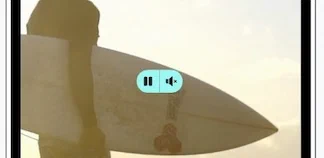
Add play/pause and mute/unmute buttons for background video in your Scenes. Configure their placement, size, and appearance in the screen’s design properties.
For more information, see Video controls for background media in Configuring screens.
These controls require minimum SDKs iOS 20.6.2 and Android 20.5.