Once set, all associated identifiers are returned in RTDS under the "identifiers" key:
See also: RTDS API: Device Information.
## Configuring the Outbound Integration > **Warning:** Airship sends events to Adobe with timestamps. If your Adobe Analytics Report Suite has timestamps disabled, Adobe will drop Airship events. See [Timestamps Optional](https://docs.adobe.com/content/help/en/analytics/admin/admin-tools/timestamp-optional.html) for more information. You will need your Adobe Analytics Report Suite ID and Tracking Server URL. If you do not have these, contact your iOS, Android, or Web developer. In Airship: 1. Next to your project name, select the dropdown menu ( ), then **Settings**. 1. Under **Project settings**, select **Partner Integrations**. 1. Select **Adobe Analytics**. 1. Select **Configure** for the outbound integration and follow the onscreen instructions to: * Enter your Report Suite ID * Enter your Tracking Server URL * Select the Airship events to send to your Report Suite After configuring your app and your integration, you can create event-based Segments in Adobe Analytics. See [Recommended Attribute Mapping](#connect-aa-mapping) for recommended mapping of Data Streaming events to Adobe Analytics events. ### Recommended Property Mapping {#connect-aa-mapping} > **Important:** If you set up your integration before March 11, 2020, your event fields will not belong to a global `airship` object. You must create a new integration to use the `airship.` namespace. In Adobe Analytics, you capture the data that is valuable to you using context data and processing rules. Airship uses Adobe's [Data Insertion API](https://helpx.adobe.com/analytics/kb/data-insertion-api-post-method-adobe-analytics.html) to send data to Adobe Analytics. Airship uses the `contextData` field so that you can include every piece of relevant data from an Airship event without consuming the limited number of variables and properties that Adobe Analytics supports. You can set the Adobe Analytics processing rules so that every field in an Airship event maps to an Adobe Analytics concept. After your Adobe Analytics administrator sets up your processing rules, you can view Airship event data in your Adobe Analytics dashboard. We derive `contextData` keys from the original Data Streaming events using JSON notation, and use `airship` to represent the global parent for all Airship event properties. For example, this is the push identifier of a notification that caused an event: ```json { "body": { "triggering_push": { "push_id": "d99bd842-f816-4560-bc59-b057f7c0e164" } } } ``` This field would be available for mapping as `airship.body.triggering_push.push_id`. When mapped to an sProp, eVar, event, or other Adobe Analytics concept, the variable's value would be `d99bd842-f816-4560-bc59-b057f7c0e164`. > **Note:** The above JSON represents a partial event object. Actual JSON objects coming from the > Real-Time Data Streaming API are more complex. To see all the available fields, read the [Data Streaming API Reference](https://www.airship.com/docs/developer/rest-api/connect/). ## Setting Up Adobe Analytics Processing Rules You or your Adobe administrator must set up processing rules in the Adobe Analytics Admin Console to enable Adobe Analytics to capture events from Airship. These processing rules assign `contextData` variables to Adobe Analytics variables or increment events (counters) accordingly. 1. In the Adobe Analytics interface, select **Admin Console** and navigate to **Report Suites**. 1. Select the Report Suite that Airship is sending data to, and then go to **Edit Settings**, then **General**, then **Processing Rules**. 1. Select **Add Rule**. 1. Enter a title for the rule. For example, "Airship to Adobe Analytics Integration." 1. Select **Add Action**. 1. If you need to setup an sProp or eVar to capture a dimension (e.g., Event Type), select **Overwrite Value Of** and then select the sProp or eVar that you want to set. After the **With** label, select the `contextData` variable that you want to set the sProp or eVar with. 1. If you need to set up an Event to capture the number of times something occurred, e.g., the number of Opens, select **Set Event** and then select the Adobe Analytics Event you want to set. Select **Custom Value** and set the value to 1. Then set a condition for when you want to set the event. Continuing with the *Opens* example, you would set up a condition where the *If* is for the same *type* `contextData` variable, and the condition would be *equals OPEN*. This will increment the Open Event each time the Data Streaming Event Type is set to *OPEN*. This is just one example of how you can set up a variable and an event. The same concept applies for each Airship event type and dimension that you want to capture in Adobe. ### Recommended Concept Mappings Below are some recommendations on different ways that you can get started mapping the Airship concepts to Adobe Analytics concepts. This table provides example `contextData` variable keys and the recommended Adobe Analytics variable type to capture information from incoming Airship event information. See our [Real-Time Data Streaming documentation](https://www.airship.com/docs/developer/rest-api/connect/) for information on events and fields that aren't listed below. Use JSON object notation to reach nested properties (in the format `airship.property.sub-property`). In Adobe analytics, all variables are preceded by `airship.`. | Airship Concept | Recommended Adobe Analytics Mapping Context | Data Variable | | --- | --- | --- | | Data Streaming event type (e.g., send, direct open, indirect open, web notification click) | Custom event (one for each type), and an sProp for segmentation (all the people who received a message, or opened, etc.) | `type` | | Unique push ID, group ID, or variant | eVar | `airship.body.push_id`, `airship.body.group_id`, `airship.body.variant`, `airship.body.triggering_push.push_id`, `airship.body.triggering_push.group_id`, `airship.body.triggering_push.variant`, `airship.body.last_delivered.push_id`, `airship.body.last_delivered.group_id`, `airship.body.last_delivered.variant`, `airship.body.replacing_push.push_id`, `airship.body.replacing_push.group_id`, `airship.body.replacing_push.variant` | | Device Identifiers — mobile (e.g., Named User, Airship Channel ID) | eVar | `airship.device.ios_channel`, `airship.device.android_channel`, `airship.device.named_user`, `airship.device.identifiers.com.urbanairship.idfa` | | Device Identifiers — web (Airship Channel ID) | eVar | `airship.device.channel` | | Web browser context | sProp | `airship.device.attributes.web_browser_name`, `airship.device.attributes.web_browser_type`, `airship.device.attributes.web_browser_version`, `airship.device.attributes.web_user_agent_string` | | In-App Message Resolution Type | sProp AND eVar | `airship.body.type`
You can select JSON or CSV as the output format and have the option to encrypt your data using [server-side encryption](https://docs.aws.amazon.com/AmazonS3/latest/dev/UsingServerSideEncryption.html) or export as a compressed gzip file. Tag changes are not supported by CSV because their dynamic nature cannot be easily represented in a single row column structure.
### Output Structure and Files
Your S3 bucket's directory structure and files will be named using the
following patterns:
CSV
: appKey + "/" + integrationId + "/S3_CSV/" + eventType + "/" + year + "\_" + month + "\_" + day + "/" + year + "\_" + month + "\_" + day + "\_" + hour + "\_" + minute + "\_" + second + ".csv"
For a list of headers for each supported event type, see [S3 CSV Headers](#s3-csv-headers) below.
JSON
: appKey + "/" + integrationId + "/S3_JSON/" + year + "\_" + month + "\_" + day + "/" + year + "\_" + month + "\_" + day + "\_" + hour + "\_" + minute + "\_" + second + ".json"
There will be one file generated per hour, assuming the relevant event
occurred during that hour.
> **Note:** File size maximum is 15 GB. If the volume of events for an app results in a
> file exceeding 15 GB, you may instead see multiple files.
#### Sample File
Here are a few lines from a sample CSV file for `LOCATION` events:
```text
Nonet.id,event.type,event.occurred,device.platform,device.channel_id,device.named_user_id,LOCATION.latitude,LOCATION.longitude,LOCATION.foreground,LOCATION.session_id
00000000-0000-0000-0000-000000000000,LOCATION,2015-11-18T01:21:33.180Z,IOS,90823094-1234-94b2-sb39-099s9018gx55,,14.5224123,-22.1236212,false,
00000000-0000-0000-0000-000000000000,LOCATION,2015-11-18T01:21:33.171Z,IOS,90823094-1234-94b2-sb39-099s9018gx55,,14.5224123,-22.1236212,false,
00000000-0000-0000-0000-000000000000,LOCATION,2015-11-18T01:21:33.162Z,IOS,90823094-1234-94b2-sb39-099s9018gx55,,14.5224123,-22.1236212,false,
...
```
If you choose to output your data as JSON, the files will follow the schemas in [Data Formats](https://www.airship.com/docs/developer/rest-api/connect/schemas/) for the RTDS API.
## Amazon Kinesis
Kinesis is AWS's conduit for streaming data. Once you have integrated Real-Time Data Streaming
with Kinesis, you will be able to load and analyze mobile events in real time.
Once you have Airship data running through a functioning Kinesis stream, you
will likely want to begin analyzing and processing that data. To that end,
[AWS Lambda](https://aws.amazon.com/documentation/lambda/) is a backend
compute service that can process events in real time. Lambda responds to
events that occur on other AWS products, such as a Kinesis stream.
As an example, let's say you have built out a mapping between Named User IDs
and associated email addresses, and you would like to send an email to any
user that chooses to uninstall your app. Here's a typical app uninstall event:
```json
{
"id" : "ff76bb85-74bc-4511-a3bf-11b6117784db",
"type": "UNINSTALL",
"offset": 1235,
"occurred": "2015-05-03T02:32:12.088Z",
"processed": "2015-05-03T12:12:43.180Z",
"device": {"named_user_id": "named-user-id-123"}
}
```
You would then use Lambda to create a function associated with your Airship-Kinesis stream.
The function should search for `UNINSTALL` type events that occurred on devices with
associated Named User IDs and then send those devices an email:
```python
def uninstall_email(event, context):
if (event['type'] == 'UNINSTALL' and 'named_user_id' in event['device']):
send_email(event['device']['named_user_id'])
```
The above pseudo-code finds events that fit the parameters and then uses the `send_email`
function to send an email to the appropriate Named User.
There are thousands of ways to process and analyze your Airship data with Kinesis
and Lambda, e.g., editing your CRM database when certain events come in, writing streams
into Redshift or Dynamo DB, monitoring tag changes. The possibilities are endless.
### Setting up AWS Kinesis {#aws-kinesis}
First, create a Kinesis stream:
1. Log in to the AWS Console.
1. Go to **Kinesis**.
1. Select **Create Data Stream**, and follow the steps. When complete, copy the **ARN**. You will need it when creating a policy.
Next, create a policy. The following represents the minimum policy to support Airship Real-Time Data Streaming:
1. Go to **Services**, then search for and select "IAM" (Identity and Access Management).
1. Go to **Policies** and select **Create Policy**.
1. For the **Service**, select **Kinesis**.
1. Assign actions for the policy. At a minimum, you should assign `DescribeStream`, `GetRecords`, `GetShardIterator`, `PutRecord`, and `PutRecords` (found under Read and Write categories).
1. For **Resources**, enter the ARN.
1. Review, and then submit the policy.
Now you can set up an authentication method that gives Airship access to your Kinesis instance. Airship supports two authentication methods for Kinesis integration: Role delegation or an IAM user with access keys.
Role delegation is recommended since it provides enhanced security by allowing Airship to assume a role in your AWS account without requiring long-lived access keys. Benefits include:
- **No long-term credentials** — No access keys to manage or rotate
- **Temporary access** — Credentials automatically expire
- **External ID protection** — Prevents confused deputy attacks
- **Least privilege** — Role only has permissions you specify
To set up role delegation in Kinesis:
1. Go to **Roles** and select **Create Role**.
1. Under **Trusted entity type**, select **AWS account**.
1. Under **An AWS account**, select **Another AWS account**.
1. In the **Account ID** field, enter Airship's AWS account ID: `208889940903`
1. (Optional) For enhanced security, check **Require external ID** and enter a value. You will enter the ID when configuring the connection in Airship.
1. Select **Next**.
1. Under **Permissions policies**, select the policy you created in previous steps.
1. Select **Next**.
1. Enter a role name and description.
1. Select **Create role**.
1. After creating the role, select it and copy the **Role ARN**. You will need this when configuring your Kinesis integration in Airship.
Authentication using an IAM user with access keys is a legacy method, where you create a user to attach your policy to and to represent Airship in your Kinesis instance.
To set up an IAM user with access keys in Kinesis:
1. Go to **Users** and select **Create User**.
1. Enter a user name.
1. Select **Next**.
1. Under **Permissions options**, select **Attach policies directly**, and then select the policy you created in previous steps.
1. Under **Set permissions boundary**, select **Use a permissions boundary to control the maximum user permissions**, and then select the policy you created in previous steps.
1. Select **Next**.
1. Select **Create user**, and then select the new user and go to **Security credentials**.
1. Select **Create access key**, choose **Third-party service**, and complete the remaining onscreen steps.
1. After you finish creating your access key, copy the **Access key ID** and **Secret access key**. You will need these when configuring your Kinesis integration in Airship.
### Configuring the AWS Kinesis Integration
To set up the integration, you will need your Kinesis stream name and your authentication information:
* **For Role delegation**, you need your role ARN from the IAM role you created and your external ID, if configured.
* **For IAM User with access keys**, you need your Access Key ID and Secret Access Key from the IAM user you created.
In Airship:
1. Next to your project name, select the dropdown menu (
), then **Settings**.
1. Under **Project settings**, select **Real-Time Data Streaming**.
1. Under **Real-Time Data Streaming**, select **Amazon Web Services / Amazon Kinesis**.
1. Choose your authentication method and follow the onscreen instructions to configure the integration.
1. (Optional) Select **Include app key in event payloads** to add an `app_key` field to each event. This is useful when sending events from multiple Airship applications to the same Kinesis stream, allowing you to distinguish which application generated each event.
### Troubleshooting Role Delegation
Use the following steps to troubleshoot errors you may encounter when using role delegation for authentication:
**"Access Denied"**
- Check that the role ARN is correct and exists.
- Verify the external ID matches exactly. See the information for "Invalid external ID" below.
- Ensure the role trusts account `208889940903`.
**"Invalid external ID"**
- Ensure the external ID in your integration configurations matches the one in your role's trust policy. The ID is case-sensitive.
**"Stream not found"**
- Verify the stream name is correct.
- Check that the region matches your stream's region.
- Ensure the stream exists and is active.
## Appendix: S3 CSV Headers {#s3-csv-headers}
You may choose the CSV format for your
[Amazon S3](#amazon-s3)
data output. These are
the headers for supported event types.
OPEN
: ID, TYPE, OCCURRED, PROCESSED, OFFSET, NAMED_USER_ID, ANDROID_CHANNEL, IOS_CHANNEL, AMAZON_CHANNEL, CHANNEL, DEVICE_TYPE, LAST_DELIVERED_PUSH_ID, LAST_DELIVERED_GROUP_ID, LAST_DELIVERED_VARIANT_ID, LAST_DELIVERED_TIME, TRIGGERING_PUSH_ID, TRIGGERING_GROUP_ID, TRIGGERING_VARIANT_ID, TRIGGERING_TIME, SESSION
CLOSE
: ID, TYPE, OCCURRED, PROCESSED, OFFSET, NAMED_USER_ID, ANDROID_CHANNEL, IOS_CHANNEL, AMAZON_CHANNEL, CHANNEL, DEVICE_TYPE, SESSION
CUSTOM
: ID, TYPE, OCCURRED, PROCESSED, OFFSET, NAMED_USER_ID, ANDROID_CHANNEL, IOS_CHANNEL, AMAZON_CHANNEL, CHANNEL, DEVICE_TYPE, LAST_DELIVERED_PUSH_ID, LAST_DELIVERED_GROUP_ID, LAST_DELIVERED_VARIANT_ID, LAST_DELIVERED_TIME, TRIGGERING_PUSH_ID, TRIGGERING_GROUP_ID, TRIGGERING_VARIANT_ID, TRIGGERING_TIME, SESSION, NAME, VALUE, TRANSACTION, INTERACTION_ID, INTERACTION_TYPE, CUSTOMER_ID
LOCATION
: ID, TYPE, OCCURRED, PROCESSED, OFFSET, NAMED_USER_ID, ANDROID_CHANNEL, IOS_CHANNEL, AMAZON_CHANNEL, CHANNEL, DEVICE_TYPE, SESSION, LATITUDE, LONGITUDE, FOREGROUND
SEND
: ID, TYPE, OCCURRED, PROCESSED, OFFSET, NAMED_USER_ID, ANDROID_CHANNEL, IOS_CHANNEL, AMAZON_CHANNEL, CHANNEL, DEVICE_TYPE, PUSH_ID, GROUP_ID, VARIANT_ID
TAG_CHANGE
: ID, TYPE, OCCURRED, PROCESSED, OFFSET, NAMED_USER_ID, ANDROID_CHANNEL, IOS_CHANNEL, AMAZON_CHANNEL, CHANNEL, DEVICE_TYPE
RICH_DELETE
: ID, TYPE, OCCURRED, PROCESSED, OFFSET, NAMED_USER_ID, ANDROID_CHANNEL, IOS_CHANNEL, AMAZON_CHANNEL, CHANNEL, DEVICE_TYPE, PUSH_ID, GROUP_ID, VARIANT_ID
RICH_DELIVERY
: ID, TYPE, OCCURRED, PROCESSED, OFFSET, NAMED_USER_ID, ANDROID_CHANNEL, IOS_CHANNEL, AMAZON_CHANNEL, CHANNEL, DEVICE_TYPE, PUSH_ID, GROUP_ID, VARIANT_ID
RICH_READ
: ID, TYPE, OCCURRED, PROCESSED, OFFSET, NAMED_USER_ID, ANDROID_CHANNEL, IOS_CHANNEL, AMAZON_CHANNEL, CHANNEL, DEVICE_TYPE, PUSH_ID, GROUP_ID, VARIANT_ID
REGION
: ID, TYPE, OCCURRED, PROCESSED, OFFSET, NAMED_USER_ID, ANDROID_CHANNEL, IOS_CHANNEL, AMAZON_CHANNEL, CHANNEL, DEVICE_TYPE, SESSION, ACTION, REGION_ID, NAME, SOURCE, SOURCE_ID
IN_APP_MESSAGE_DISPLAY
: ID, TYPE, OCCURRED, PROCESSED, OFFSET, NAMED_USER_ID, ANDROID_CHANNEL, IOS_CHANNEL, AMAZON_CHANNEL, CHANNEL, DEVICE_TYPE, PUSH_ID, GROUP_ID, VARIANT_ID, TRIGGERING_PUSH_ID, TRIGGERING_GROUP_ID, TRIGGERING_VARIANT_ID, TRIGGERING_TIME, SESSION
IN_APP_MESSAGE_EXPIRATION
: ID, TYPE, OCCURRED, PROCESSED, OFFSET, NAMED_USER_ID, ANDROID_CHANNEL, IOS_CHANNEL, AMAZON_CHANNEL, CHANNEL, DEVICE_TYPE, PUSH_ID, GROUP_ID, VARIANT_ID, TRIGGERING_PUSH_ID, TRIGGERING_GROUP_ID, TRIGGERING_VARIANT_ID, TRIGGERING_TIME, SESSION, TIME_SENT, RESOLUTION_TYPE, TIME_EXPIRED, REPLACING_PUSH_PUSH_ID, REPLACING_PUSH_GROUP_ID, REPLACING_PUSH_VARIANT_ID, REPLACING_PUSH_TIME
IN_APP_MESSAGE_RESOLUTION
: ID, TYPE, OCCURRED, PROCESSED, OFFSET, NAMED_USER_ID, ANDROID_CHANNEL, IOS_CHANNEL, AMAZON_CHANNEL, CHANNEL, DEVICE_TYPE, PUSH_ID, GROUP_ID, VARIANT_ID, TRIGGERING_PUSH_ID, TRIGGERING_GROUP_ID, TRIGGERING_VARIANT_ID, TRIGGERING_TIME, SESSION, TIME_SENT, RESOLUTION_TYPE, BUTTON_ID, BUTTON_DESCRIPTION, DURATION
CONTROL
: ID, TYPE, OCCURRED, PROCESSED, OFFSET, NAMED_USER_ID, ANDROID_CHANNEL, IOS_CHANNEL, AMAZON_CHANNEL, CHANNEL, DEVICE_TYPE, PUSH_ID, GROUP_ID, VARIANT_ID
SCREEN_VIEWED
: ID, TYPE, OCCURRED, PROCESSED, OFFSET, NAMED_USER_ID, ANDROID_CHANNEL, IOS_CHANNEL, AMAZON_CHANNEL, CHANNEL, DEVICE_TYPE, SESSION, DURATION, PREVIOUS_SCREEN, VIEWED_SCREEN
FIRST_OPEN
: ID, TYPE, OCCURRED, PROCESSED, OFFSET, NAMED_USER_ID, ANDROID_CHANNEL, IOS_CHANNEL, AMAZON_CHANNEL, CHANNEL, DEVICE_TYPE
UNINSTALL
: ID, TYPE, OCCURRED, PROCESSED, OFFSET, NAMED_USER_ID, ANDROID_CHANNEL, IOS_CHANNEL, AMAZON_CHANNEL, CHANNEL, DEVICE_TYPE
PUSH_BODY
: ID, TYPE, OCCURRED, PROCESSED, OFFSET, PUSH_ID, GROUP_ID, VARIANT_ID, PAYLOAD, TRIMMED, RESOURCE
WEB_CLICK
: ID, TYPE, OCCURRED, PROCESSED, OFFSET, NAMED_USER_ID, ANDROID_CHANNEL, IOS_CHANNEL, AMAZON_CHANNEL, CHANNEL, DEVICE_TYPE, PUSH_ID, GROUP_ID, VARIANT_ID
WEB_SESSION
: ID, TYPE, OCCURRED, PROCESSED, OFFSET, NAMED_USER_ID, ANDROID_CHANNEL, IOS_CHANNEL, AMAZON_CHANNEL, CHANNEL, DEVICE_TYPE, LAST_DELIVERED_PUSH_ID, LAST_DELIVERED_GROUP_ID, LAST_DELIVERED_VARIANT_ID, LAST_DELIVERED_TIME, SESSION
IN_APP_BUTTON_TAP
: ID, TYPE, OCCURRED, PROCESSED, OFFSET, NAMED_USER_ID, ANDROID_CHANNEL, IOS_CHANNEL, AMAZON_CHANNEL, CHANNEL, DEVICE_TYPE, APP_PACKAGE_NAME, APP_VERSION
DEVICE_MODEL, DEVICE_OS, PUSH_OPT_IN, BACKGROUND_PUSH_ENABLED, LOCATION_ENABLED, LOCALE_LANGUAGE_CODE, LOCALE_COUNTRY_CODE, LOCATION_PERMISSION,
IANA_TIMEZONE, APP_DEFINED_ID, BUTTON_ID, GROUP_ID, RENDERED_LOCALE, PUSH_ID, SESSION, TIME_SENT, TRIGGERING_PUSH_ID, TRIGGERING_GROUP_ID, TRIGGERING_VARIANT_ID,
TRIGGERING_TIME
IN_APP_EXPERIENCES
: ID, TYPE, OCCURRED, PROCESSED, OFFSET, NAMED_USER_ID, ANDROID_CHANNEL, IOS_CHANNEL, AMAZON_CHANNEL, CHANNEL, DEVICE_TYPE, APP_PACKAGE_NAME, APP_VERSION
DEVICE_MODEL, DEVICE_OS, PUSH_OPT_IN, BACKGROUND_PUSH_ENABLED, LOCATION_ENABLED, LOCALE_LANGUAGE_CODE, LOCALE_COUNTRY_CODE, LOCATION_PERMISSION,
IANA_TIMEZONE, APP_DEFINED_ID, EVENT_NAME, GROUP_ID, PUSH_ID, SESSION, SURVEY_TYPE, TIME_SENT, TRIGGERING_PUSH_ID, TRIGGERING_GROUP_ID, TRIGGERING_VARIANT_ID,
TRIGGERING_TIME, VARIANT_ID
IN_APP_FORM_DISPLAY
: ID, TYPE, OCCURRED, PROCESSED, OFFSET, NAMED_USER_ID, ANDROID_CHANNEL, IOS_CHANNEL, AMAZON_CHANNEL, CHANNEL, DEVICE_TYPE, APP_PACKAGE_NAME, APP_VERSION
DEVICE_MODEL, DEVICE_OS, PUSH_OPT_IN, BACKGROUND_PUSH_ENABLED, LOCATION_ENABLED, LOCALE_LANGUAGE_CODE, LOCALE_COUNTRY_CODE, LOCATION_PERMISSION,
IANA_TIMEZONE, APP_DEFINED_ID, GROUP_ID, PUSH_ID, SESSION, TIME_SENT, TRIGGERING_PUSH_ID, TRIGGERING_GROUP_ID, TRIGGERING_VARIANT_ID, TRIGGERING_TIME,
IN_APP_FORM_EVENT_TYPE
IN_APP_FORM_RESULT
: ID, TYPE, OCCURRED, PROCESSED, OFFSET, NAMED_USER_ID, ANDROID_CHANNEL, IOS_CHANNEL, AMAZON_CHANNEL, CHANNEL, DEVICE_TYPE, APP_PACKAGE_NAME, APP_VERSION
DEVICE_MODEL, DEVICE_OS, PUSH_OPT_IN, BACKGROUND_PUSH_ENABLED, LOCATION_ENABLED, LOCALE_LANGUAGE_CODE, LOCALE_COUNTRY_CODE, LOCATION_PERMISSION,
IANA_TIMEZONE, APP_DEFINED_ID, GROUP_ID, PUSH_ID, SESSION, TIME_SENT, TRIGGERING_PUSH_ID, TRIGGERING_GROUP_ID, TRIGGERING_VARIANT_ID, TRIGGERING_TIME,
IN_APP_FORM_EVENT_TYPE
IN_APP_PAGE_SWIPE
: ID, TYPE, OCCURRED, PROCESSED, OFFSET, NAMED_USER_ID, ANDROID_CHANNEL, IOS_CHANNEL, AMAZON_CHANNEL, CHANNEL, DEVICE_TYPE, APP_PACKAGE_NAME, APP_VERSION
DEVICE_MODEL, DEVICE_OS, PUSH_OPT_IN, BACKGROUND_PUSH_ENABLED, LOCATION_ENABLED, LOCALE_LANGUAGE_CODE, LOCALE_COUNTRY_CODE, LOCATION_PERMISSION,
IANA_TIMEZONE, APP_DEFINED_ID, FROM_PAGE_INDEX, FROM_PAGE_IDENTIFIER, GROUP_ID, RENDERED_LOCALE, PAGER_IDENTIFIER, PUSH_ID, SESSION, TIME_SENT,
TO_PAGE_IDENTIFIER, TO_PAGE_INDEX, TRIGGERING_PUSH_ID, TRIGGERING_GROUP_ID, TRIGGERING_VARIANT_ID, TRIGGERING_TIME
IN_APP_PAGE_VIEW
: ID, TYPE, OCCURRED, PROCESSED, OFFSET, NAMED_USER_ID, ANDROID_CHANNEL, IOS_CHANNEL, AMAZON_CHANNEL, CHANNEL, DEVICE_TYPE, APP_PACKAGE_NAME, APP_VERSION
DEVICE_MODEL, DEVICE_OS, PUSH_OPT_IN, BACKGROUND_PUSH_ENABLED, LOCATION_ENABLED, LOCALE_LANGUAGE_CODE, LOCALE_COUNTRY_CODE, LOCATION_PERMISSION,
IANA_TIMEZONE, APP_DEFINED_ID, COMPLETED, GROUP_ID, RENDERED_LOCALE, PAGE_COUNT, PAGE_IDENTIFIER, PAGE_INDEX, PAGER_IDENTIFIER, PUSH_ID, SESSION, TIME_SENT,
TRIGGERING_PUSH_ID, TRIGGERING_GROUP_ID, TRIGGERING_VARIANT_ID, TRIGGERING_TIME, VIEWED_COUNT
IN_APP_PAGER_COMPLETED
: ID, TYPE, OCCURRED, PROCESSED, OFFSET, NAMED_USER_ID, ANDROID_CHANNEL, IOS_CHANNEL, AMAZON_CHANNEL, CHANNEL, DEVICE_TYPE, APP_PACKAGE_NAME, APP_VERSION
DEVICE_MODEL, DEVICE_OS, PUSH_OPT_IN, BACKGROUND_PUSH_ENABLED, LOCATION_ENABLED, LOCALE_LANGUAGE_CODE, LOCALE_COUNTRY_CODE, LOCATION_PERMISSION,
IANA_TIMEZONE, APP_DEFINED_ID, COMPLETED, GROUP_ID, RENDERED_LOCALE, PAGE_COUNT, PAGE_IDENTIFIER, PAGE_INDEX, PAGER_IDENTIFIER, PUSH_ID, SESSION, TIME_SENT,
TRIGGERING_PUSH_ID, TRIGGERING_GROUP_ID, TRIGGERING_VARIANT_ID, TRIGGERING_TIME
IN_APP_PAGER_SUMMARY
: ID, TYPE, OCCURRED, PROCESSED, OFFSET, NAMED_USER_ID, ANDROID_CHANNEL, IOS_CHANNEL, AMAZON_CHANNEL, CHANNEL, DEVICE_TYPE, APP_PACKAGE_NAME, APP_VERSION
DEVICE_MODEL, DEVICE_OS, PUSH_OPT_IN, BACKGROUND_PUSH_ENABLED, LOCATION_ENABLED, LOCALE_LANGUAGE_CODE, LOCALE_COUNTRY_CODE, LOCATION_PERMISSION,
IANA_TIMEZONE, APP_DEFINED_ID, COMPLETED, GROUP_ID, RENDERED_LOCALE, PAGE_COUNT, PAGE_IDENTIFIER, PAGER_IDENTIFIER, PUSH_ID, SESSION, TIME_SENT,
TRIGGERING_PUSH_ID, TRIGGERING_GROUP_ID, TRIGGERING_VARIANT_ID, TRIGGERING_TIME
SEND_ABORTED
: ID, TYPE, OCCURRED, PROCESSED, OFFSET, NAMED_USER_ID, ANDROID_CHANNEL, IOS_CHANNEL, AMAZON_CHANNEL, CHANNEL, DEVICE_TYPE, APP_PACKAGE_NAME, APP_VERSION
DEVICE_MODEL, DEVICE_OS, PUSH_OPT_IN, BACKGROUND_PUSH_ENABLED, LOCATION_ENABLED, LOCALE_LANGUAGE_CODE, LOCALE_COUNTRY_CODE, LOCATION_PERMISSION,
IANA_TIMEZONE, GROUP_ID, PUSH_ID, REASON
# Amplitude
> Level up your behavioral cohort analysis with user-level mobile data.
Airship [Real-Time Data Streaming](https://www.airship.com/docs/reference/glossary/#rtds) (RTDS) delivers user-level information about push sends, conversions, and uninstall events. Adding Airship's unique information
to Amplitude gives you a full view of what's going on in and around your app.
By adding user-level mobile engagement data to your Amplitude data, you can
leverage
[Amplitude Behavioral Cohorts](https://amplitude.com/behavioral-cohorts) for
targeting via Airship.
You can also leverage Amplitude's behavioral cohorts in Airship as [Tags](https://www.airship.com/docs/reference/glossary/#tag).
## Amplitude Integration Requirements
* **Accounts**
1. Amplitude — Enterprise Account
1. Airship
* Messaging
* [Real-Time Data Streaming](https://www.airship.com/docs/reference/feature-packages/#data) — *Required for outbound integration only*
* **Airship project**
* The Airship SDK must use the same user identity as the Amplitude SDK.
## Inbound Integration
The inbound integration applies Amplitude user information to Airship users as [Tags](https://www.airship.com/docs/reference/glossary/#tag). It works by syncing an Amplitude behavioral cohort with Airship. Airship then sets Tags on the applicable users. Once your data is in Airship, you can target users who do or do not have those Tags.
The Tags appear in the `amplitude` [Tag Group](https://www.airship.com/docs/reference/glossary/#tag_group) and contain the name and ID of your synced Amplitude cohort in the format `[Amplitude] Once set, all associated identifiers are returned in RTDS under the See also: RTDS API: Device Information. This is an example of a JSON-formatted private key. "REDACTED" appears where
sensitive information would normally appear.
```json
{
"type": "service_account",
"project_id": "REDACTED",
"private_key_id": "REDACTED",
"private_key": "-----BEGIN PRIVATE KEY-----\nREDACTED\n-----END PRIVATE KEY-----\n",
"client_email": "REDACTED@REDACTED.iam.gserviceaccount.com",
"client_id": "REDACTED",
"auth_uri": "https://accounts.google.com/o/oauth2/auth",
"token_uri": "https://accounts.google.com/o/oauth2/token",
"auth_provider_x509_cert_url": "https://www.googleapis.com/oauth2/v1/certs",
"client_x509_cert_url": "https://www.googleapis.com/robot/v1/metadata/x509/REDACTED%40 REDACTED.iam.gserviceaccount.com"
}
```
## Configuring the GCS Integration
You will need your [bucket name and JSON-formatted private key](#creating-a-gcs-bucket).
In Airship:
1. Next to your project name, select the dropdown menu (
), then **Settings**.
1. Under **Project settings**, select **Real-Time Data Streaming**.
1. Under **Real-Time Data Streaming**, select **Google Cloud Storage**.
1. Follow the onscreen instructions to configure the integration.
* You have the option to compress your data to save on storage space.
* After saving, the private key will not appear again. `%%ENCRYPTED%%` will appear instead. You can still make changes to the private key by pasting updated JSON text.
* [Google Cloud Storage always encrypts your data on the server side](https://cloud.google.com/storage/docs/encryption).
## Structure and Files
Your bucket's directory structure and files will be named using the
following patterns:
JSON
: appKey + "/" + integrationId + "/JSON/" + year + "\_" + month + "\_" + day + "/" + year + "\_" + month + "\_" + day + "\_" + hour + "\_" + minute + "\_" + second + ".json"
There will be one file generated per hour, assuming a relevant event
occurred within that hour.
> **Note:** File size maximum is 15 GB. If the volume of events for an app results in a
> file exceeding 15 GB, you may instead see multiple files.
### Sample File
This integration provides RTDS data as line-delimited JSON objects in hourly batches as described above, as of the implementation date/time. Here are a few lines from a sample JSON file:
```json
{"id":"0000017f-da30-7443-6712-c751b74e9063","offset":"1000042135016","occurred":"2022-03-30T09:38:02.947Z","processed":"2022-03-30T09:38:02.976Z","body":{"payload":"eyJhdWRpZW5jZSI6ImFsbCIsImRldmljZV90eXBlcyI6WyJpb3MiLCJhbmRyb2lkIiwiYW1hem9uIl0sIm5vdGlmaWNhdGlvbiI6eyJhbWF6b24iOnsiZXh0cmEiOnsiY29tLnVyYmFuYWlyc2hpcC5yZW1vdGUtZGF0YS51cGRhdGUiOiJ0cnVlIn19LCJhbmRyb2lkIjp7ImV4dHJhIjp7ImNvbS51cmJhbmFpcnNoaXAucmVtb3RlLWRhdGEudXBkYXRlIjoidHJ1ZSJ9fSwiaW9zIjp7ImNvbnRlbnRfYXZhaWxhYmxlIjp0cnVlLCJleHRyYSI6eyJjb20udXJiYW5haXJzaGlwLnJlbW90ZS1kYXRhLnVwZGF0ZSI6InRydWUifX19LCJvcHRpb25zIjp7Il9fZG9fbm90X3JlcG9ydCI6dHJ1ZSwiYnlwYXNzX2ZyZXF1ZW5jeV9saW1pdHMiOnRydWV9fQ==","push_id":"183ac190-b00d-11ec-a673-0242c76ec74c","resource":"PUSH","trimmed":false},"type":"PUSH_BODY"}
{"id":"18468161-b00d-11ec-851c-0242c8a3fe5a","offset":"1000042135017","occurred":"2022-03-30T09:38:02.998Z","processed":"2022-03-30T09:38:03.071Z","device":{"android_channel":"be5697cf-19ad-474a-9454-9451b0781282","channel":"be5697cf-19ad-474a-9454-9451b0781282","device_type":"ANDROID","named_user_id":"jarofghosts"},"body":{"push_id":"183ac190-b00d-11ec-a673-0242c76ec74c","alerting":false},"type":"SEND"}
{"id":"184a03d4-b00d-11ec-b185-02425ebb82b6","offset":"1000042135018","occurred":"2022-03-30T09:38:03.021Z","processed":"2022-03-30T09:38:03.076Z","device":{"android_channel":"cd007034-c302-4e66-84c1-f4a4d73626a5","channel":"cd007034-c302-4e66-84c1-f4a4d73626a5","device_type":"ANDROID","named_user_id":"angrr"},"body":{"push_id":"183ac190-b00d-11ec-a673-0242c76ec74c","alerting":false},"type":"SEND"}
{"id":"184f0ce3-b00d-11ec-851c-0242c8a3fe5a","offset":"1000042135019","occurred":"2022-03-30T09:38:03.054Z","processed":"2022-03-30T09:38:03.074Z","device":{"android_channel":"3719d69f-8cc8-4e15-9e93-07eeef19054d","channel":"3719d69f-8cc8-4e15-9e93-07eeef19054d","device_type":"ANDROID"},"body":{"push_id":"183ac190-b00d-11ec-a673-0242c76ec74c","alerting":false},"type":"SEND"}
{"id":"184b8a79-b00d-11ec-82cb-02421f49f457","offset":"1000042135020","occurred":"2022-03-30T09:38:03.031Z","processed":"2022-03-30T09:38:03.072Z","device":{"android_channel":"6f1e5dba-d613-4d92-ae57-e9d752b3fb48","channel":"6f1e5dba-d613-4d92-ae57-e9d752b3fb48","device_type":"ANDROID","named_user_id":"gemma"},"body":{"push_id":"183ac190-b00d-11ec-a673-0242c76ec74c","alerting":false},"type":"SEND"}
{"id":"184dfb71-b00d-11ec-bba4-0242374bcd23","offset":"1000042135021","occurred":"2022-03-30T09:38:03.047Z","processed":"2022-03-30T09:38:03.079Z","device":{"android_channel":"cd4b40f9-6552-4dc6-9075-3f382ccf643f","channel":"cd4b40f9-6552-4dc6-9075-3f382ccf643f","device_type":"ANDROID","named_user_id":"meghan","attributes":{"locale_variant":"","app_version":"2021-10-04T180745-goat","device_model":"Nokia 6.1","app_package_name":"com.urbanairship.goat","iana_timezone":"America/New_York","push_opt_in":"false","locale_country_code":"US","device_os":"10","locale_timezone":"-14400","locale_language_code":"en","location_enabled":"true","background_push_enabled":"true","ua_sdk_version":"15.0.0","location_permission":"ALWAYS_ALLOWED"}},"body":{"push_id":"183ac190-b00d-11ec-a673-0242c76ec74c","alerting":false},"type":"SEND"}
{"id":"184b8a75-b00d-11ec-82cb-02421f49f457","offset":"1000042135022","occurred":"2022-03-30T09:38:03.031Z","processed":"2022-03-30T09:38:03.073Z","device":{"android_channel":"2ffae649-4f28-4ed8-a11f-323a65f585f3","channel":"2ffae649-4f28-4ed8-a11f-323a65f585f3","device_type":"ANDROID","named_user_id":"lhf"},"body":{"push_id":"183ac190-b00d-11ec-a673-0242c76ec74c","alerting":false},"type":"SEND"}
```
## Use Cases
Once you have set up your Google Cloud Storage integration, your
Airship data will be directed into your storage bucket once per hour. From there, how you use
the data is up to you, but some potential ideas are:
* Output files with user-level send and open information, and import
these files into your CRM system.
* Combine output data with
[Google Big Query](https://cloud.google.com/bigquery/)
to perform detailed analysis of your users.
> **Tip:** Be sure to regularly audit your Airship Google Cloud bucket. Real-Time Data Streaming outputs
> large amounts of data, which can lead to expensive Google Cloud bills if not
> managed appropriately.
# Iterate
> Send feature-rich Iterate surveys using Airship In-App Automation or email, and save responses as Airship Custom Attributes.
Iterate's unique customer insights platform empowers teams to listen, learn, and act by deploying surveys and data collection across all customer channels. Using Airship's [In-App Automation](https://www.airship.com/docs/reference/glossary/#iaa) or email, Iterate can help you gather the data you need by delivering your customers engaging and powerful questions without needing to integrate any new SDKs.
Enrich your customer profiles by sending responses to Airship as Custom [Attributes](https://www.airship.com/docs/reference/glossary/#attributes), enabling you to create deeply personalized campaigns, fill in demographic gaps, collect key metrics like NPS and CSAT, and more.
## Iterate Integration Requirements
**Accounts**
1. Iterate
1. Airship — [Must include In-App Automation and/or Email](https://www.airship.com/docs/reference/feature-packages/)
## Configuring the Iterate Integration
For information about configuration and usage, see Iterate's [Airship integration](https://help.iteratehq.com/en/articles/8280192-airship-integration) documentation.
# Jacquard
> Jacquard's AI content platform generates and optimizes content for enterprise marketers.
The Jacquard, formerly Phrasee, platform brings together artificial intelligence (AI), computational linguistics, and their trademark customer-centricity as the only tool of its kind to generate, optimize, automate, and analyze language in real time. It gets smarter with every send, seamlessly delivering top-performing copy across your digital marketing campaigns.
With Jacquard, you can:
* Create experiments and generate copy for variants
* Track engagement per variant
Refer to [Jacquard's documentation](https://support.jacquard.com/docs/airship-dynamic-optimisation-getting-started) to implement the integration between Jacquard and Airship.
# LiveRamp
> Export audience data to LiveRamp for activation across their network of advertising partners.
Use Airship's integration with LiveRamp to export audience data for activation across LiveRamp's extensive network of advertising partners. This integration uses [Performance Analytics](https://www.airship.com/docs/reference/glossary/#pa) to create and schedule exports of CSV data that can be accessed by your LiveRamp account.
The LiveRamp integration enables you to:
* Export audience data containing [identifying information](https://docs.liveramp.com/connect/en/identity-and-identifier-terms-and-concepts.html#identifier-data): email addresses, phone numbers, physical addresses
* Schedule regular exports of your data
* Choose between Cloud Storage (Amazon S3) or SFTP delivery methods
* Activate your audiences across LiveRamp's network of [advertising partners](https://partner-directory.liveramp.com/t/categories/media)
## LiveRamp integration requirements
This integration requires these accounts:
1. LiveRamp
1. Airship — Must include both:
* Messaging
* [Performance Analytics](https://www.airship.com/docs/reference/feature-packages/#analytics)
To export using SFTP, you must have this information to complete the configuration:
* SFTP server details from LiveRamp:
* Host address
* Username
* Password
* Preferred key exchange algorithm
To export to an Amazon S3 destination, you must have this information to complete the configuration:
* S3 bucket name
* Access key
* Secret key
* Region
* Optional: Path prefix for files
> **Important:** You must you have proper consent and legal basis for sharing the exported data with LiveRamp and their advertising partners.
## Set up data export
Follow the steps in [Scheduling delivery of Performance Analytics data](https://www.airship.com/docs/guides/reports/analytics/tasks-queries/scheduling/) with these settings:
* **Destination:** Amazon S3 or SFTP
* **Export Format**: CSV
* **Export recurrence interval**: Daily, weekly, or monthly
## Troubleshooting and support
If you encounter issues with the LiveRamp integration:
1. Check the export logs in Airship for errors.
1. Verify your LiveRamp account status.
1. Contact your LiveRamp account team or submit a [Support Ticket](https://docs.liveramp.com/connect/en/support.html#support) through the LiveRamp Community Portal
1. [Contact Airship Support](https://support.airship.com) if issues persist.
Additional Resources:
* [LiveRamp documentation](https://docs.liveramp.com)
* [Airship Feature packages reference](https://www.airship.com/docs/reference/feature-packages/)
# Lytics
> Connect disparate data sources with the popular customer data platform.
Your customers have many and varied interests. The quality of your customer data sources
varies too, ranging from structured to unstructured, current to dated. Lytics makes
it easy to aggregate customer data from a variety of sources and keep it up-to-date.
With Airship Real-Time Data Streaming as your source for mobile data, you can manage your
customer data platform with a Mobile First mentality.
**Optimize How Users Interact With Your Brand**
* Use rich behaviors from your website, email, social, and ad campaigns to inform and inspire your mobile design practices.
* Enhance your mobile experience using insights based on how users interact with your entire brand presence.
**Put Rich Mobile User Behavior To Work**
* Use what you learn about your users from native apps to inform the rest of your brand experience.
* Export Lytics behavior-rich segments back to your marketing tools to put mobile user insights to work on other channels.
**Adapt Mobile Data To Best-Of-Breed Marketing Tools**
* Connect your mobile and marketing data to Lytics to build exportable universal profiles that adapt to many best-of-breed marketing tools.
* Deploy behavior-rich audience segments with the click of a button.
**Predict Which Customer Segments Will Most Likely Drive Future Business**
* Apply the powerful prediction tools of Lytics on the rich behavioral mobile data from Airship.
## Lytics Integration Requirements
This integration requires these accounts:
1. Lytics
1. Airship — Must include both:
* Messaging
* [Real-Time Data Streaming](https://www.airship.com/docs/reference/feature-packages/#data)
## Configuring the Lytics Integration
In Airship:
1. Next to your project name, select the dropdown menu (
), then **Settings**.
1. Under **Project settings**, select **Real-Time Data Streaming**.
1. Under **Real-Time Data Streaming**, select **Lytics**.
1. Follow the onscreen instructions to configure the integration.
# Mixpanel
> Target cohorts using Airship tags and feed Airship RTDS events into Mixpanel.
The Mixpanel integration supports two major functions:
* **Feed [Real-Time Data Streaming](https://www.airship.com/docs/reference/glossary/#rtds) events into Mixpanel.** Adding Airship events to Mixpanel provides another behavioral dimension to analyze: audience engagement.
* **Export Mixpanel cohorts to Airship as tags.** You can export cohorts once or set up *dynamic sync*, which updates the `mixpanel` tag group every 15 minutes. You can then target Mixpanel tags when creating messages:
* **Segmentation:** Create a [Segment](https://www.airship.com/docs/reference/glossary/#segment) using a combination of Airship tags and Mixpanel cohorts. Use these segments to send targeted [In-App](https://www.airship.com/docs/reference/glossary/#in_app_message) or [Message Center](https://www.airship.com/docs/reference/glossary/#message_center) messages.
* **Automation:** If you set the Mixpanel cohort to be dynamic, you can also set up [Automation rules](https://www.airship.com/docs/reference/glossary/#automation) or [Sequences](https://www.airship.com/docs/reference/glossary/#sequence) based on the addition or removal of a cohort tag. See: [Configure Triggers: Tag Change](https://www.airship.com/docs/guides/messaging/messages/sequences/triggers/#tag-change).
Read more about data export and user matching in Mixpanel's
[Airship Set Up Guide](https://docs.mixpanel.com/docs/cohort-sync/integrations/airship).
## Mixpanel Integration Requirements
* **Accounts**
1. Mixpanel
1. Airship
* Messaging
* [Real-Time Data Streaming](https://www.airship.com/docs/reference/feature-packages/#data) — *Required for outbound integration only*
* **Airship project**
* Recommended: Enable [Named User](https://www.airship.com/docs/reference/glossary/#named_user) for non-mobile channels.
### Mixpanel Integration User ID Mapping
Users are matched between Airship and Mixpanel using the Airship [Channel ID](https://www.airship.com/docs/reference/glossary/#channel_id). Within Mixpanel, the channel ID is saved as a user profile property:
* **iOS**: `$ios_urban_airship_channel_id`
* **Android**: `$android_urban_airship_channel_id`
If you don't use the Mixpanel SDK, add these properties and set the values with the
Mixpanel API to match users by channel IDs.
If you would like to specify a value to match a Mixpanel user profile to a [Named User](https://www.airship.com/docs/reference/glossary/#named_user), add
the `$airship_named_user` user property (the Airship SDK will not automatically declare it),
which will be sent when matching.
Users without `$airship_named_user` user property will instead have their `distinct_id`
sent to Airship Named User system. This route is intended for implementations where the
same identifier value is used for both `distinct_id` (Mixpanel) and `named_user_id` (Airship).
## Mixpanel Inbound Integration
In Airship:
1. Next to your project name, select the dropdown menu (
), then **Settings**.
1. Under **Project settings**, select **Partner Integrations**.
1. Select **Mixpanel**.
1. Select **Configure** for the inbound integration and follow the onscreen instructions to:
* Create a [Tag Group](https://www.airship.com/docs/reference/glossary/#tag_group) and an authentication token. Mixpanel uses the token to communicate with your project in Airship.
* Configure the Airship integration in Mixpanel.
### Sending Mixpanel Cohorts to Airship as Tags
After [configuring the Mixpanel inbound integration](#mixpanel-inbound-integration), you can use your Mixpanel cohorts to set tags on your audience, helping you organize and retarget your audience based on analytics information from Mixpanel. To have Mixpanel send selected cohorts, you need to *export* each cohort to your Airship integration.
In Mixpanel:
1. Go to **Data Management**, then **Cohorts**.
1. Select the three dots icon (
) for a cohort, then **Export to ...**, then **Airship**.
1. Specify if the cohort should be sent one time only or dynamically (at predefined intervals).
See also: [Mixpanel's Airship documentation](https://docs.mixpanel.com/docs/cohort-sync/integrations/airship).
## Mixpanel RTDS Integration
Mixpanel library initialization requires a Mixpanel project token. See [Find Project Token](https://docs.mixpanel.com/docs/orgs-and-projects/managing-projects#find-your-project-tokens) to locate your token.
To set up this integration, you must:
1. Configure your app to set the `mixpanel_distinct_id` on Airship events. See the Android and iOS setup sections below for more information.
1. Set up the RTDS integration in the Airship dashboard.
When you set up a Mixpanel RTDS integration, your events will contain a `mixpanel_distinct_id` key. This is the identifier Mixpanel uses to differentiate between unique events. As a fallback, you may want to set your Airship Named User value to `mixpanel_distinct_id` to ensure that events are matched within Mixpanel.
### Android RTDS Setup
[Mixpanel Android SDK Docs](https://developer.mixpanel.com/docs/android)
```java
// Initialize the Mixpanel library with your project token
MixpanelAPI mixpanel = MixpanelAPI.getInstance(context, "MIXPANEL_PROJECT_TOKEN");
// Get the Mixpanel distinct ID
String distinctId = mixpanel.getDistinctId();
// Add the distinct ID to the current associated identifiers
Airship.getAnalytics()
.editAssociatedIdentifiers()
.addIdentifier("mixpanel_distinct_id", distinctId)
.apply();
```
### iOS Swift RTDS Setup
[Mixpanel Swift SDK Docs](https://developer.mixpanel.com/docs/swift)
```swift
// Initialize the Mixpanel library with your project token
Mixpanel.initialize(token: "MIXPANEL_PROJECT_TOKEN")
let mixpanel = Mixpanel.mainInstance()
// Get the Mixpanel distinct ID
let distinctId = mixpanel.distinctId
// Add the distinct ID to the current associated identifiers
let identifiers = Airship.analytics.currentAssociatedDeviceIdentifiers()
identifiers.set(identifier: distinctId, key:"mixpanel_distinct_id")
Airship.analytics.associateDeviceIdentifiers(identifiers)
```
### iOS Objective-C RTDS Setup
[Mixpanel Objective-C SDK Docs](https://developer.mixpanel.com/docs/ios)
```obj-c
// Initialize the Mixpanel library with your project token
Mixpanel *mixpanel = [Mixpanel sharedInstanceWithToken:@"MIXPANEL_PROJECT_TOKEN"];
// Get the Mixpanel distinct ID
NSString *distinctId = mixpanel.distinctId;
// Add the distinct ID to the current associated identifiers
UAAssociatedIdentifiers *identifiers = [UAirship.analytics currentAssociatedDeviceIdentifiers];
[identifiers setIdentifier:distinctId forKey:@"mixpanel_distinct_id"];
[UAirship.analytics associateDeviceIdentifiers:identifiers];
```
### React Native RTDS Setup
[Mixpanel React Native SDK Docs](https://developer.mixpanel.com/docs/react-native)
```javascript
// Initialize the Mixpanel library with your project token
const mixpanel = await Mixpanel.init('MIXPANEL_PROJECT_TOKEN', true);
// Get the Mixpanel distinct ID
const distinctId = await mixpanel.getDistinctId();
// Add the distinct ID to the current associated identifiers
UrbanAirship.associateIdentifier("mixpanel_distinct_id", distinctId);
```
### Set Up a Mixpanel RTDS Integration in Airship
You will need your Mixpanel project token.
In Airship:
1. Next to your project name, select the dropdown menu (
), then **Settings**.
1. Under **Project settings**, select **Real-Time Data Streaming**.
1. Under **Real-Time Data Streaming**, select **Mixpanel**.
1. Follow the onscreen instructions to configure the integration.
### Mapping Airship Event Types to Mixpanel
In Mixpanel, you can find your events by type, prefixed with *Airship* — e.g., *Airship First Opt-in* for the `"type": "FIRST_OPT_IN"` event. Because the `custom` event type differentiates between events by `name`, Mixpanel uses the event `name` for custom events (if the event has a name), in the format *Airship `body.name`*.
| Airship Event | Mixpanel Event |
|---|---|
| `CLOSE` | `Airship Close` |
| `CONTROL` | `Airship Control` |
| `CUSTOM` | `Airship` + `custom.name` (Example: `Airship Add To Cart`) Defaults to `Airship Custom` if `body.name` is absent.|
| Email Bounce1 | `Airship Bounce` |
| Email Click1 | `Airship Click` |
| Email Delay1 | `Airship Delay` |
| Email Delivery1 | `Airship Delivery` |
| Email Injection1 | `Airship Injection` |
| Email Open1 | `Airship Open` |
| Email Unsubscribe1 | `Airship Unsubscribe` |
| `FIRST_OPEN` | `Airship First Open` |
| `FIRST_OPT_IN` | `Airship First Opt-in` |
| `IN_APP_BUTTON_TAP` | `Airship In-App Button Tap` |
| `IN_APP_EXPERIENCES` | `Airship In-App Experiences` |
| `IN_APP_FORM_DISPLAY` | `Airship In-App Form Display` |
| `IN_APP_FORM_RESULT` | `Airship In-App Form Result` |
| `IN_APP_MESSAGE_DISPLAY` | `Airship In-App Message Display` |
| `IN_APP_MESSAGE_EXPIRATION` | `Airship In-App Message Expiration` |
| `IN_APP_MESSAGE_RESOLUTION` | `Airship In-App Message Resolution`|
| `IN_APP_PAGE_SWIPE` | `Airship In-App Page Swipe` |
| `IN_APP_PAGE_VIEW` | `Airship In-App Page View` |
| `IN_APP_PAGER_COMPLETED` | `Airship In-App Pager Completed` |
| `IN_APP_PAGER_SUMMARY` | `Airship In-App Pager Completed` |
| `LOCATION` | `Airship Location` |
| `MOBILE_ORIGINATED` | `Airship Mobile Originated` |
| `OPEN` | `Airship Open` |
| `REGION` | `Airship Region` |
| `RICH_DELETE` | `Airship Rich Delete` |
| `RICH_DELIVERY` | `Airship Rich Delivery` |
| `RICH_READ` | `Airship Rich Read` |
| `SCREEN_VIEWED` | `Airship Screen Viewed` |
| `SEND` | `Airship Send` |
| `SEND_ABORTED` | `Airship Send Aborted` |
| `SEND_REJECTED` | `Airship Send Rejected` |
| `SHORT_LINK_CLICKED` | `Airship Short Link Click` |
| SMS Delivery Report — Aborted2 | `Airship SMS Delivery Aborted` |
| SMS Delivery Report — Delivered2 | `Airship SMS Delivered` |
| SMS Delivery Report — Dispatched2 | `Airship SMS Delivery Dispatched` |
| SMS Delivery Report — Expired2 | `Airship SMS Delivery Expired` |
| SMS Delivery Report — Failed2 | `Airship SMS Delivery Failed` |
| SMS Delivery Report — Rejected2 | `Airship SMS Delivery Rejected` |
| SMS Delivery Report — Undeliverable2 | `Airship SMS Delivery Undeliverable` |
| SMS Delivery Report — Unknown2 | `Airship SMS Delivery Unknown` |
| `SUBSCRIPTION` | `Airship Subscription` — indicates change in email subscription status or values |
| `WEB_CLICK` | `Airship Web Click` |
| `WEB_SESSION` | `Airship Web Session` |
| `UNINSTALL` | `Airship Uninstall` |
1. Email delivery report events are `CUSTOM` type events with a `body.name` property indicating the delivery status of an email. Mixpanel uses the `body.name` key rather than the `type` key to better represent the event. \*\*Can only use the UUID (`mi_u`) parameter. |
| Time of Day | ✓\* | ✓ | \*Supported but not recommended because push notifications are cached upon receipt and do not refresh. |
| Stories/Behavioral Activity | | ✓ | Airship's channel or named user identifiers must be linked to your ESP's UUID, which Movable Ink uses for Stories user profiles. |
| Deep linking in the app | ✓\* | ✓\*\* | \*Must deep link with Branch.io. \*\*Must use Airship's custom deep linking solution to track click analytics. |
{class="table-col-1-30"}
**Apps**:
| Movable Ink capability | Rich push notification | In-App Automation/Message Center | Notes |
| --- | :---: | :---: | --- |
| Bar Chart | | ✓\* | \*As long as the UUID can be used in other data providers to generate content. |
| Barcode Generator | ✓ | ✓ | Requires a custom solution and only UUIDs can be merged. Can be used with APIs that accept the UUIDs. |
| Countdown Timer | ✓\* | ✓ | \*Supported but not recommended because push notifications are cached upon receipt and do not refresh. |
| Data Sources | ✓ | ✓ | |
| Facebook Share Button | ✓ | ✓ | Redirects to the web, then to Facebook's website to post content. Deep linking to Facebook's app is not possible. |
| Image Personalization | | ✓ | Airship stores limited data about app activity, such as last login date, that may be used. |
| Polling | | ✓ | After voting, will leave the app to a mobile landing page as long as the UUID is working. |
| QR Code Generator | | ✓ | Requires a custom solution, and only UUIDs can be merged. Can be used with APIs that accept the UUIDs. |
| Scratch Off | ✓ | ✓ | On click, will either leave the app for the Scratch off experience or to a custom landing webpage built within the app. |
| Social Sharing | ✓\* | ✓ | \*Will be directed to the original app, then the web browser, and finally to the desired destination. |
| Video | ✓ | ✓ | Animated GIFs only. |
{class="table-col-1-30"}
### Send a Push Notification with Movable Ink
You can insert an image source from a Movable Ink *Creative Tag* into an Airship message to deliver personalized media to your audience.
1. Go to your campaign in Movable Ink and click **Code**.
1. Click **Push** and copy the image source URL (the `src` of the `img` tag) from the creative tag.
1. Go to the **Content** step of your message in Airship.
1. Paste the URL in the **Media** section in the *Content* step of your message. Verify that the message preview shows your media from Movable Ink.
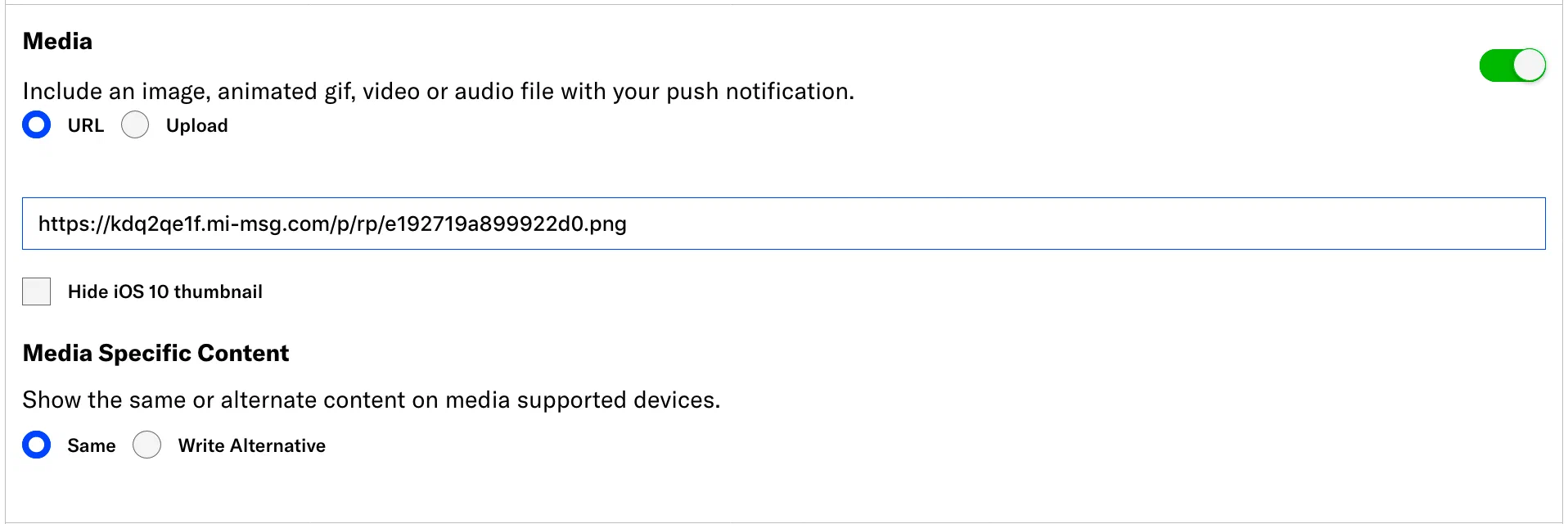
*Adding a Movable Ink media URL to a push notification*
1. Complete the remaining composer steps and send your message.
### Send a Message Center message with Movable Ink
Airship Professional Services will create Message Center templates supporting Movable Ink for you. When you compose messages in Airship, you will select a template supporting Movable Ink, then add different parts of your *Creative Tags* from your Movable Ink campaign to your message.
In the *Content* step of a message in Airship:
1. Choose how you want to present the message:
* Add the message to the Message Center inbox only:
1. Select *Message Center* and click **Add Content**.
1. Select the *Visual editor*.
**OR**
* Add the message to the Message Center inbox **AND** link to the message from a push notification and/or in-app message:
1. Select *Message Center*, combine with *Push Notification* and/or *In-App Message*, and click **Add Content**.
1. Select the *Visual editor* in the *Actions* section. *Message Center* is automatically the selected action.
1. Click **Create**.
1. Select your Movable Ink template under *Custom Templates*.
1. Go to the *Content* tab for the template.
1. Enter your **Movable Ink URL**:
1. Go to your campaign in Movable Ink, click *Code*, and select *Mobile Inbox*.
1. Copy the URL in your *Creative Tag*. This is the value of the `href` attribute of the `a` tag.
1. Click the *Movable Ink URL* field in Airship and paste the URL.
1. Enter your **Movable Ink Image**:
1. Go to your campaign in Movable Ink and copy the image source URL (the `src` of the `img` tag) from the creative tag.
1. Click the *Movable Ink Image* field in Airship and paste the image source.
1. Set up the remainder of your message.
1. Click **Save & Exit**.
1. Complete the remaining composer steps and send your message.
### Set Up In-App Automation with Movable Ink
To take advantage of Movable Ink in your in-app automation, you must create a custom HTML message containing your Movable Ink *Creative Tags*.
In Movable Ink:
1. Go to your campaign and click **Code**.
1. Click **In-App Messaging** and copy the *Creative Tags* that you want to add to your automation.
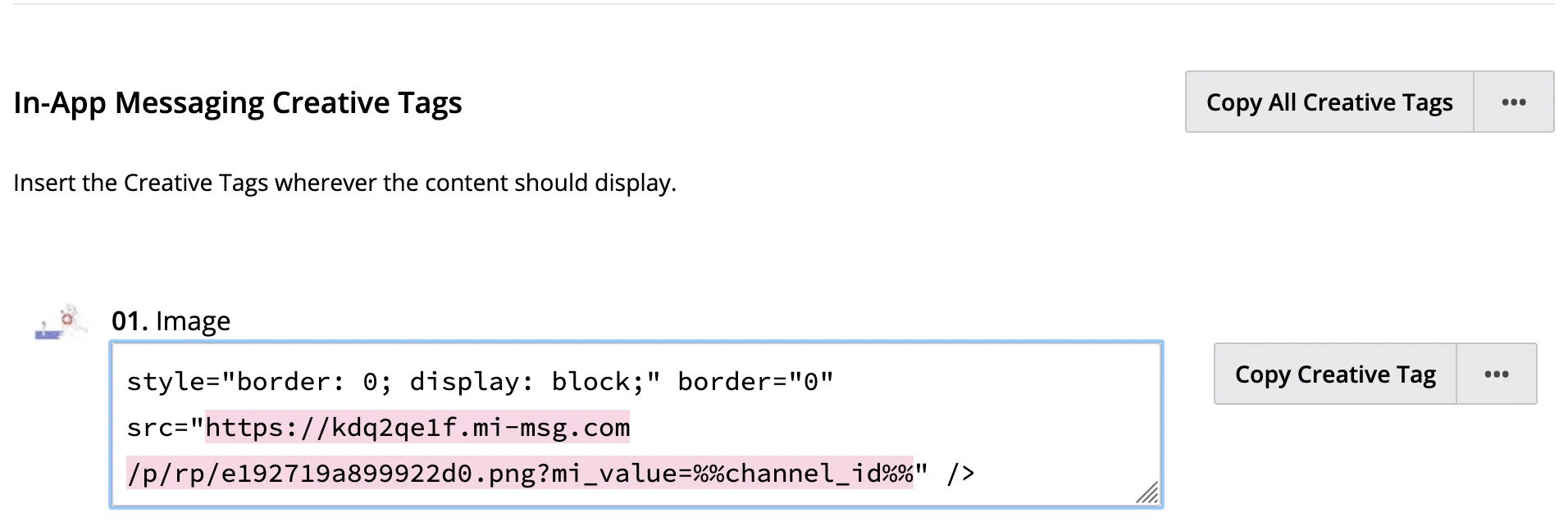
*Copying Creative Tags from Movable Ink*
1. Paste your *Creative Tags* into the appropriate places in your Custom HTML message.
In the Airship dashboard, create a new In-App Automation:
1. Select **Create** in the sidebar.
1. Next to **Build from scratch**, select **View all**.
1. Select **In-App Automation** and configure.
* For *Style*, select **Custom HTML**.
* In the **Content** step, upload your Custom HTML file or provide the URL where your content is hosted.
1. Complete the remaining composer steps and send your message.
### Send an Email with Movable Ink
When setting up an email from Airship, you must add a **Campaign Code** to your email. If your email links your users to a website, you must add a **Conversion Tracking** script to your site to track conversions from your email.
To use Movable Ink *Creative Tags* in an email, you must copy the contents of your creative tags into your email. You can either copy your creative tags directly into your own, custom HTML email, or you can create HTML blocks in the email Interactive editor.
In the *Content* step of your email:
1. Go to your campaign in Movable Ink and click **Code**.
1. Click *Email* and copy your *Creative Tags*.
1. Paste your *Creative Tags* somewhere in the HTML Body of your email or create reusable HTML blocks in the Interactive editor.
* To use your own custom HTML:
1. Paste your *Creative Tags* into your custom HTML.
1. Click **Add
** for **HTML Body**.
1. Upload or paste HTML. Your HTML must contain the *Campaign Code* you copied in earlier steps.
* To create reusable custom HTML blocks in the Interactive editor:
1. Select a default or [saved layout](https://www.airship.com/docs/guides/messaging/editors/interactive/saving-layouts/), or select *Blank Layout* to design your own.
1. Drag an *HTML* content element into your email.
1. Select the HTML element and paste your *Creative Tags* into the block.
1. When you finish setting up your email, click **Done**.

*Adding a custom HTML block to an email*
1. Complete the remaining composer steps and send your message.
### Deep Linking Using Movable Ink
Movable Ink deep links allow you to use dynamic in-app click through locations in your creative tags.
They also enable you to track clicks within Movable Ink from your in-app campaigns. When using Movable
Ink deep links you will need to do a few extra steps to make sure they integrate properly.
First, add a new Movable Ink [deep link](https://www.airship.com/docs/guides/messaging/project/config/deep-links/#add-a-deep-link) in the Airship dashboard. Set the template value to `{url}` to allow using any Movable Ink URL as
a deep link.
Next, you will need to do a few minor app updates to handle Movable Ink deep links within a mobile app in order to resolve the actual deep link value at runtime.
#### Android Example
Set up a method or class that is able to resolve a Movable Ink deep link to the actual deep link:
```kotlin
class MovableInkUrl(private val url: String) {
private data class Result(val url: String, val locationHeader: String?, val statusCode: Int)
fun asFlow() = flow {
emit(resolveDeepLink())
}.flowOn(Dispatchers.IO)
fun asLiveData(): LiveData Data extensions are displayed as they are represented in your SFMC Attribute Groups. If you need assistance locating the field, contact your SFMC administrator. |
| **Wallet Config (Optional)** | Enables including Airship [Wallet push notifications](https://www.airship.com/docs/guides/wallet/user-guide/notifications/push-notifications/) in an SFMC journey | See [Enable sending Airship Wallet push notifications](#enable-sending-airship-wallet-push-notifications). |
{class="table-col-1-20 table-col-2-40"}
1. Select **Add Project**.
### Enable sending Airship SMS messages
To support including Airship SMS messages in an SFMC journey, you must add your Airship [Sender IDs](https://www.airship.com/docs/reference/glossary/#sender_id) to SFMC. You add a sender ID to SFMC by entering a name and its Airship long code or short code. Do this after you add your Airship project to SFMC.
If you do not know your long or short codes, you can find them in the Airship dashboard:
1. Select the **Messages** menu, then **SMS Keywords**.
1. Select ** Create new keyword**.
1. Select **Settings**, then the **SMS Sender** menu. You will see all the long codes and short codes for your project. Each sender in the list is formatted as a 2-character country code followed by the actual long or short code.
1. Note the long and short codes, then leave the page without saving a new keyword.
If you do not have access to the Airship dashboard, [contact Airship Support](https://support.airship.com) to request the codes.
---
Add Airship sender IDs to SFMC:
1. Hover over **AppExchange**, then select **Airship**.
1. Select the edit icon (
) for the project you want to add your sender IDs to.
1. Under **SMS Sender**, select **Add SMS Sender** and configure for each sender you want to add:
| Field or setting | Description | Steps |
| --- | --- | --- |
| **Name** | Required. A descriptive name for the sender that will help you identify it in Salesforce. | Enter a name. |
| **Number** | Required. The long code or short code you want to send messages from. | Enter a long or short code. |
| **Enable MMS** | Optional. Allows sending MMS messages in your SFMC Journey Builder. | Check the box to enable. |
1. Select the plus icon ().
### Enable sending Airship Wallet push notifications
To support including Airship [Wallet push notifications](https://www.airship.com/docs/guides/wallet/user-guide/notifications/push-notifications/) in an SFMC journey, you must add your Airship Wallet project credentials to an SFMC project that is also configured for messaging. You can add or remove these credentials from SFMC at any time. When present, the Wallet channel will be available when [including an Airship message in an SFMC journey](#include-an-airship-message).
First, get your credentials from your Airship Wallet project:
1. Go to **Settings**, then **API**.
1. Copy your Wallet API key and secret.
Now you can add them to an SFMC project:
* If you are setting up a new project, follow the steps in [Add Airship projects to SFMC](#add-airship-projects-to-sfmc) and enter your credentials in the **Wallet Config** section.
* To add your credentials to an existing project in SFMC:
1. Hover over **AppExchange**, then select **Airship**.
1. Select the edit icon (
) for the project you want to enable for sending Wallet push notifications.
1. Under **Wallet Config**, enter your API key and secret.
1. Select **Save Project**.
## Using the inbound integration with SFMC journeys
In addition to sending Airship App, SMS, and Web messages from an SFMC journey, you can:
* Send Custom Events from an SFMC journey to Airship
* Personalize messages and Custom Events with information from your SFMC Contacts model
* Set tags on Named Users that you can use for tracking or to trigger automation
When you install the Airship AppExchange package as part of the integration setup, two activities are automatically added to your Journey Builder:
* Message activity — *Airship Notification*
* Custom — *Airship Events/Tags*
You will use these activities in the following steps.
### Include an Airship message
Include Airship App, Web, and SMS messages to SFMC journeys. You must set up messages per channel in individual activities, but message types per channel can be combined. For example, you can set up a push notification and an in-app message in a single Mobile App activity.
In SFMC:
1. Go to **Journey Builder**, then **Journey Builder**.
1. Select an existing journey or select **Create New Journey**.
1. In the left sidebar, go to **Activities**, then **Messages**, then drag the **Airship Notification** activity into your journey.
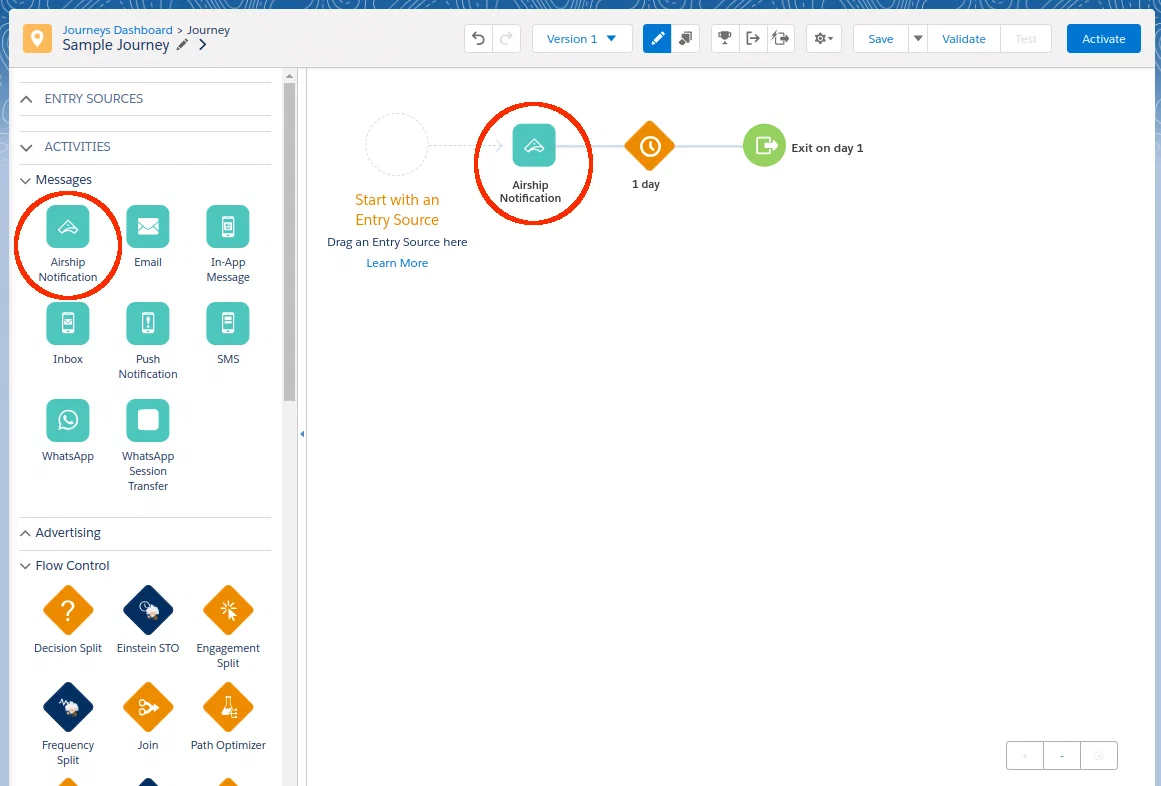
*Adding an Airship Notification activity to a journey*
1. Select the **Airship Notification** activity in the journey.
1. Select a configuration section from sidebar and configure the message:
* **Project**: Select the Airship project you want to send the message from.
* **Channel**: Select an engagement channel for the message: Mobile App, Web, SMS, MMS, or Wallet. For Mobile App, also select a message type: Push Notification, In-App Message, or both. For SMS and MMS, also select a [sender](#enable-sending-airship-sms-messages).
By default, audience members are targeted using Contact Data as configured for the project. To target using Entry Source data instead, select **Entry Source**, and then select a field and type. You must already have an Entry Source configured for the journey.
* **Content**: Enter the text to display in the message.
For Mobile App, when you combine a push notification and in-app message, the in-app message's alert text is the same as the push notification text by default. To use different messages, under **In-App Message**, select **Write Alternative**, then enter message text.
For Wallet, when using an external ID as the audience identifier, a template ID is required. Template IDs can be found in a Wallet project dashboard under **Templates**.
All other Content settings are optional:
| Setting | Description | Steps |
| --- | --- | --- |
| **Title** | For Mobile App push notifications and Web only. A heading that appears above the notification text. For push notifications, it appears in the iOS Notification Center, Apple Watch Looks, and the Android and Fire OS Notification Area/Drawer. For Web, the title entered here overrides [the default set in Airship](https://www.airship.com/docs/developer/sdk-integration/web/getting-started/#airship-setup) and appears in the iOS Notification Center and Android and Fire OS Notification Area/Drawer. | Enter text. |
| **Label** | For Wallet push notifications only. A description of the notification. The label is for reference only, it is not included in the push notification. | Enter text. |
| **Media** | For Mobile App, Web, and MMS only. Media to display in your message. See [Media guidelines](https://www.airship.com/docs/reference/messages/media-guidelines/). | Enter an HTTPS URL. |
| **Notification Buttons** | For Mobile App and Web only. Interactive buttons that appear after the message text. You can select from [predefined interactive buttons](https://www.airship.com/docs/reference/messages/built-in-interactive-notifications/) and configure adding or removing tags when the button is selected. Some buttons also require setting an [Action](https://www.airship.com/docs/reference/glossary/#action): Home, Web Page, or Dismiss. | Select and configure buttons. See also [Actions](https://www.airship.com/docs/guides/messaging/messages/actions/). |
| **Shorten Links** | For SMS and MMS only. Enables [Link Shortening](https://www.airship.com/docs/reference/glossary/#sms_link_shortening). | Check the box to enable. |
| **SMS Fallback Text** | Recommended, for MMS only. Users who cannot receive your MMS message will receive an SMS message with this text along with the media URL, if any. 160 characters maximum. | Enter text. |
| **Action** | For Mobile App and Web only. The Home, Web Page, Landing Page, Deep Link, or Share [Action](https://www.airship.com/docs/reference/glossary/#action). You can also add or remove [Tags](https://www.airship.com/docs/reference/glossary/#tag) and set key value pairs ([Custom Keys](https://www.airship.com/docs/reference/glossary/#custom_keys) in Airship) for users who interact with the message. | Select and configure an action. Follow the steps in [Actions](https://www.airship.com/docs/guides/messaging/messages/actions/). For tags, enter a tag name, select the plus icon (
), then select **Add** or **Remove**. For key value pairs, enter the key name and value, then and select the plus icon (
). |
| **Campaigns1** | Tracks the message in Airship using [Campaign Categories](https://www.airship.com/docs/reference/glossary/#campaign_categories). Each category has a 64-character maximum. 10 maximum categories. | Enter categories. |
{class="table-col-2-50"}
1. In addition to Campaign Categories you add, Airship automatically adds two to each send from SFMC: the ID of the SFMC Journey and the ID of the activity in the Journey.
1. Select **Review** to view a summary of the activity and a preview of your message.
1. Select **Done** to save the activity.
### Send Custom Events to Airship
You can send [Custom Events](https://www.airship.com/docs/reference/glossary/#custom_event) from an SFMC journey to Airship for triggering, segmentation, and reporting.
When you set up a Custom Event in your journey, you can determine the properties that you want to send with the event. The event name appears in the `body.name` of the Custom Event that SFMC sends to Airship, and its properties appear in the Custom Event's `body.properties` object.
Issue a Custom Event to Airship as a part of a Salesforce journey:
1. Go to **Journey Builder**, then **Journey Builder**.
1. Select an existing journey or select **Create New Journey**.
1. In the left sidebar, go to **Activities**, then **Custom**, then drag the **Airship Events/Tags** activity into your journey.
1. Select the **Airship Events/Tags** activity in the journey.
1. Select the Airship project you want to send the Custom Event to.
1. For **Audience Trigger**, select **Custom Event**. By default, audience members are targeted using Contact Data as configured for the project. To target using Entry Source data instead, select **Entry Source**, and then select a field and type. You must already have an Entry Source configured for the journey.
1. Select **Custom Event** in the sidebar or scroll down to its section, then enter an event name in snake case. Example: `hot_sauce`. Event names cannot contain uppercase characters.
1. Select **Add Property**, then enter a property name in snake case, and enter a value for the property and select its type. You can add up to 10 properties. Select **Add Another Property** for more properties.
1. Select **Done**.
### Personalize custom events and messages
To personalize Airship activities, create a merge field representing a value you want to personalize, surrounded by double percent signs, e.g., `%%customer_name%%`. Airship replaces the merge field (and braces) with the data specified by the merge field at send time — just like mail merge in a word processor or mail client.
Use the fields in your Salesforce Contacts model that are linked by Attribute Group (Attribute Sets).
For example, if you have a field called `customer_name`, you could use the value from that field in your Custom Event with `%%customer_name%%`. If you have multiple fields in the model with the same name, reference the data extension name to select the correct field, using the format `%%data_extension_name.field_name%%`.
> **Note:** The support of AMPScript syntax is limited. You may use it for referencing fields by name, but program logic control structures, such as *if* statements or function calls, are not supported.
> **Important:** Data that is available for personalization is tied to the audience being used in the activity. If the audience is Contact Data (the default), use Contact Attributes to personalize. Since the audience is linked to a Subscriber in that case, any Contact Attribute linked to that Subscriber should be available for personalizing messages and Custom Events. If the audience is Entry Data, there's no guaranteed notion of associated Subscriber, so in that case you can only use fields in the Entry Source for personalization.
### Add or remove tags
You can add tags to, or remove tags from, Named Users as they progress through a Salesforce journey. Setting tags on your audience results in `tag_change` events in Airship that you can use as message triggers or to track changes to your audience. All tags set from Salesforce appear in the Airship tag group `sfmc-integration` that is automatically created when [configuring Airship in SFMC](#configure-airship-in-sfmc).
Set tags in Airship as a part of a Salesforce journey:
1. Go to **Journey Builder**, then **Journey Builder**.
1. Select an existing journey or select **Create New Journey**.
1. In the left sidebar, go to **Activities**, then **Custom**, then drag the **Airship Events/Tags** activity into your journey.
1. Select the **Airship Events/Tags** activity in the journey.
1. Select the Airship project containing the audience you want to set tags on.
1. For **Audience Trigger**, select **Tag Change**. By default, audience members are targeted using Contact Data as configured for the project. To target using Entry Source data instead, select **Entry Source**, and then select a field and type. You must already have an Entry Source configured for the journey.
1. In the **Set Tags** field, enter the name of the tag that you want to set or remove, select the plus icon (), then select **Add** or **Remove** as the action. Repeat this step for each tag.
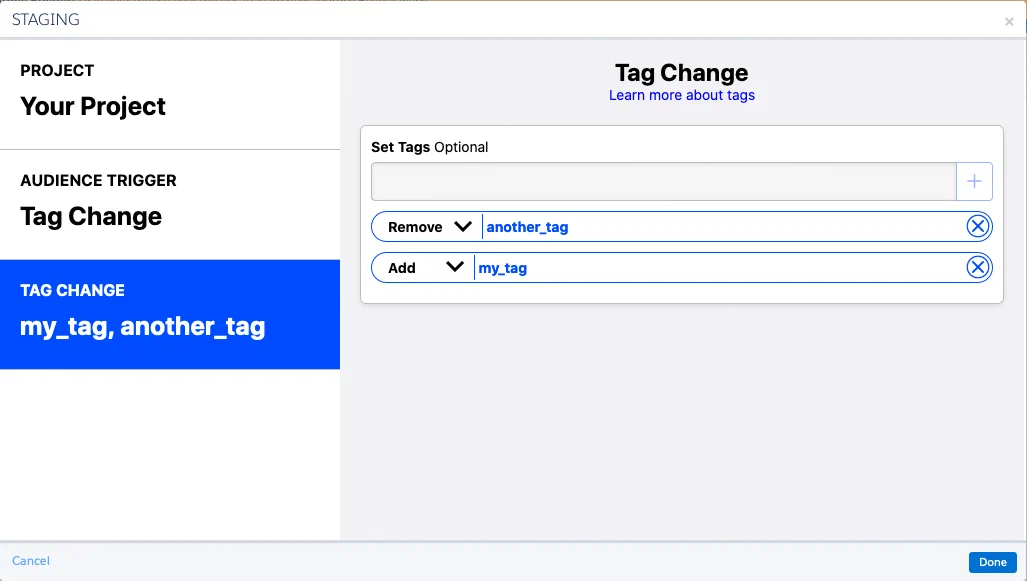
*Setting tag change actions in an SFMC journey*
1. Select **Done**.
## Outbound integration
> **Important:** This integration is not recommended for real-time workflows, as there are many factors that can limit the speed of updates.
Send events from Airship to SFMC using [Real-Time Data Streaming](https://www.airship.com/docs/reference/glossary/#rtds) to incorporate your audience's message activities into your CRM environment.
* **Track Airship user engagement in Salesforce** — Understand and leverage how and when your users are using (or not using) your app in the Marketing Cloud interface.
* **Trigger SFMC journeys from Airship engagement events** — Take advantage of Airship's Real-Time Data Streaming events in SFMC to trigger new journeys and keep your audience engaged.
### Configure your SFMC account
You need your SFMC API account credentials, SOAP WSDL URL, and MID when configuring the integration in Airship. If these items are not available to you, contact your SFMC admin.
Complete the following steps in SFMC:
1. Create an **API account username and password**:
1. Select your username in the upper right corner, then select **Setup**.
1. In the sidebar, select **Administration**, then **Users**, then **Users**.
1. Select **Create** and fill in the user information. **Make sure to check the box for *API User*.**
1. Select **Save**.
1. **Set permissions for the API user account**:
These permissions can also be set by a role assigned to the user account.
1. Select your username in the upper right corner, then select **Setup**.
1. In the sidebar, select **Administration**, then **Users**, then **Users**.
1. Check the box for the API user account and select **Manage Roles**.
1. Select **Edit Permission** and expand the **Email** section.
1. Navigate to each section and set each permission to Allow:
| Section path | Permission |
| --- | --- |
| Email » Subscribers » Data Extension | Create |
| Email » Subscribers » Data Extension | View |
| Email » Subscribers » Data Extension | Update |
| Email » Subscribers » Data Extension | Manage Data |
| Email » Admin » API Access | Webservice API |
1. Select **Save**.
1. Verify **web services permissions** for the Business Unit:
1. Select your username in the upper right corner, then select **Setup**.
1. In the sidebar, select **Security**, then **Security Settings**.
1. Under **Username and Logins**, verify that **Enable Username and Password for Web Services** is set to Yes. If not, contact your SFMC admin.
1. Get your **SOAP WSDL URL**:
1. Select your username in the upper right corner, then select **Setup**.
1. In the sidebar, select **Settings**, then **Company Settings**, then **Account Settings**.
1. In **General Settings**, copy the SOAP WSDL URL.
1. Get your **Marketing Cloud Member ID (MID)**:
Hover over the Business Unit name (it's to the left of your username) and copy the MID from the modal that appears:
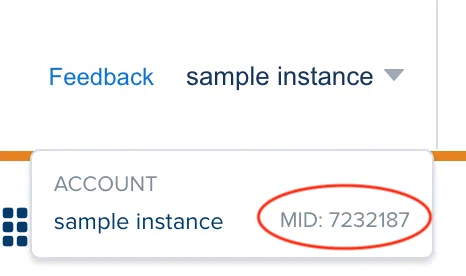
* Finding your Salesforce Marketing Cloud Member ID (MID)*
### Configure SFMC in Airship
In Airship:
1. Next to your project name, select the dropdown menu (
), then **Settings**.
1. Under **Project settings**, select **Real-Time Data Streaming**.
1. Under **Real-Time Data Streaming**, select **Salesforce AppExchange**.
1. Follow the onscreen instructions to configure the integration to:
* Enter [your SFMC API account credentials, SOAP WSDL URL, and MID](#configure-your-sfmc-account)
* Select the Airship event types you want to send to SFMC
> **Tip:** You can configure different Airship project RTDS data to route to specific Business Units in SFMC by using the MID for the specific Business Unit in the RTDS configuration. It's also possible to use a single MID for all Airship projects, which will share Data Extensions. This is feasible because the App Key is included in the Data Extensions.
### Data extensions and storage location
A short time after completing integration configuration, the folder /airship will be automatically created in your Data Extensions root folder. Do not create this folder manually.
The folder will contain data extensions representing the Airship event types you selected when setting up the integration. Unlike other event types, Airship `tag_change` events are represented by two data extensions: TAG_CHANGE_EVENTS and TAG_ACTION_EVENTS. The TAG_ACTION_EVENTS data extension lists added and removed tags.
See [SFMC Data Extension Schemas for RTDS](https://www.airship.com/docs/integrations/salesforce-schemas/).
> **Important:** 1. **DO NOT EDIT** Data Extensions, or you may break your integration.
> 1. In order to prevent data loss, integrations require a data retention policy for all
> Salesforce Data Extensions created in the /airship folder.
>
> See Salesforce documentation for more information about how to set up a data retention policy:
>
> * [Manage Data Retention Policy](https://help.salesforce.com/articleView?id=sf.mc_cab_manage_data_retention_policy.htm)
> * [Manage Contact Data](https://trailhead.salesforce.com/en/content/learn/modules/marketing-cloud-contact-management/manage-contact-data)
# Salesforce Data Cloud
> Share data between Airship and Salesforce Data Cloud using out-of-the-box tools on both platforms.
Salesforce Data Cloud is a real-time data platform that helps you unify, harmonize, and activate customer data across your organization. You can share data between Airship and Salesforce Data Cloud using native integration capabilities on both platforms without requiring custom development or third-party tools.
This guide covers bidirectional data flow:
* **From Salesforce Data Cloud to Airship** — Import customer data from Salesforce Data Cloud using SFTP to enrich your Airship [Attributes](https://www.airship.com/docs/reference/glossary/#attributes).
* **From Airship to Salesforce Data Cloud** — Export Airship [Real-Time Data Streaming](https://www.airship.com/docs/reference/glossary/#rtds) event data to Salesforce Data Cloud using the Data Export integration with Amazon S3 storage.
## Import to Airship
You can import customer data from Salesforce Data Cloud into Airship using SFTP. This enables using Salesforce Data Cloud data for audience targeting and personalization in your Airship messaging campaigns.
1. **Set up Attributes** — In Airship, create the necessary [Attributes](https://www.airship.com/docs/reference/glossary/#attributes) that will receive the data from Salesforce Data Cloud. See the [Attributes guide](https://www.airship.com/docs/guides/audience/attributes/) for details.
1. **Configure SFTP in Airship** — Airship's SFTP implementation uses SSH key pairs for authentication. You must create a pair of keys: a private key for your client and a public key for Airship.
Follow the steps in [Generate keys](https://www.airship.com/docs/guides/audience/segmentation/sftp-upload/#generate-keys) and [Add your public key to Airship](https://www.airship.com/docs/guides/audience/segmentation/sftp-upload/#add-your-public-key-to-airship) in *SFTP upload for CSV files*. Make sure to set the Purpose to `Attributes`, and note the host, port, and username for use in the next section.
1. **Create a Data Lake Object** — In Salesforce Data Cloud, create a Data Lake Object (DLO) that matches the CSV structure required by Airship:
1. Go to **Data Cloud**, then **Data Streams**.
1. Create a new Data Lake Object.
* Configure the schema to match your Airship Attributes.
* You must include a column for the channel identifier and one column for each Attribute. The identifier can be a [Channel ID](https://www.airship.com/docs/reference/glossary/#channel_id), [Named User](https://www.airship.com/docs/reference/glossary/#named_user), or email address.
* Ensure field names match the Attribute keys defined in Airship.
* For more information, see [Attributes CSV format](https://www.airship.com/docs/reference/messages/csv-formatting/#attributes) in the *CSV Formatting Reference*.
* Configure the output format as CSV.
* Set up SFTP as the destination using your credentials from Airship.
* Schedule the data export frequency based on your requirements.
1. **Verify data import** — Verify that data is being successfully imported into Airship:
1. Go to **Audience**, then **Attributes**.
1. Check that Attribute values are being populated for your audience.
Monitor your SFTP logs in Salesforce Data Cloud for delivery issues.
## Export to Salesforce Data Cloud
You can export Airship event data to Salesforce Data Cloud using the [Data Export](https://www.airship.com/docs/integrations/data-export/) integration with Amazon S3 as the destination. This provides hourly batches of structured [Real-Time Data Streaming](https://www.airship.com/docs/reference/glossary/#rtds) data that Salesforce Data Cloud can ingest.
[Real-Time Data Streaming](https://www.airship.com/docs/reference/feature-packages/#data) is required for this integration.
Before configuring the integration, you must set up a storage location:
1. Create an Amazon S3 bucket that will serve as the intermediate storage for Airship data.
1. Configure IAM credentials with write access to the S3 bucket. Follow [Amazon's documentation: Managing access keys](https://docs.aws.amazon.com/IAM/latest/UserGuide/id_credentials_access-keys.html#Using_CreateAccessKey).
1. Grant Salesforce Data Cloud read access to the S3 bucket. Follow [Salesforce documentation on S3 data sources](https://developer.salesforce.com/docs/data/data-cloud-int/guide/c360-a-awss3-bucket-policies.html).
Next, complete the integration steps:
1. **Configure Data Export in Airship** — Set up the Data Export integration to send event data to your S3 bucket:
1. Next to your project name, select the dropdown menu (
), then **Settings**.
1. Under **Project settings**, select **Partner Integrations**.
1. Select **Data Export**.
1. Select **Configure** for the outbound integration and follow the onscreen instructions to:
* Select **Amazon S3** as your storage provider.
* Enter your AWS access key ID and secret access key.
* Select your AWS region.
* Enter your S3 bucket name.
* Select **Simplified** as the [file layout](https://www.airship.com/docs/integrations/data-export/#structure-and-files). This structure works well with Salesforce Data Cloud ingestion.
* Select the Airship events to send to Salesforce Data Cloud.
* Configure options:
* Specify a folder path.
* Enable compression to save storage space.
* Enable server-side encryption.
After completing configuration, it may take several minutes to begin populating events. Files will be generated hourly for each event type, following this pattern:
> [folder_path]/appKey/integrationId/eventType/YYYY_MM_DD_HH_mm_ss.csv
1. **Create Data Lake Objects** — For each Airship event type you selected for export, create a corresponding Data Lake Object in Salesforce Data Cloud:
1. Navigate to **Data Cloud**, then **Data Streams**, and create a new Data Lake Object.
1. Configure the DLO to match the schema of the Airship event data. See the [Snowflake integration](https://www.airship.com/docs/integrations/snowflake/) for detailed event schemas and field definitions.
1. Add the S3 bucket and folder path as a source for the DLO.
1. Configure the ingestion schedule. Hourly is recommended to align with Airship's export frequency.
1. Create field mappings between the CSV columns and the DLO fields.
Creating DLOs and mappings is a one-time setup exercise. Once configured, new data will automatically flow from Airship to Salesforce Data Cloud as events occur.
1. **Verify data export** — Monitor the integration to ensure data is flowing correctly:
1. In your S3 bucket, verify that CSV files are being created hourly in the expected folder structure.
1. In Salesforce Data Cloud, check the Data Stream status and verify that data is being ingested successfully.
1. Review any ingestion errors in Salesforce Data Cloud and adjust field mappings if necessary.
# Export Lists from Salesforce Marketing Cloud
> Export lists of users or Attributes from Salesforce Marketing Cloud to Airship.
You can turn a Salesforce Marketing Cloud (SFMC) audience into an Airship [Uploaded (Static) List](https://www.airship.com/docs/reference/glossary/#uploaded_list). You can also send SFMC Text, Number, and Date [Attributes](https://www.airship.com/docs/reference/glossary/#attributes) to Airship for personalization and targeting. Even better, you can automate the exports to save time.
This document walks you through creating an SFMC Data Extension, creating keys and configuring SFTP for the file transfer, creating SFMC activities that perform the data extraction and file transfer, and automating the tasks.
## Creating the Data Extension
Your SFMC data will be converted to CSV format before transfer to Airship. The structure of your Data Extension table defines the CSV.
### Formatting for Static Lists
For Static Lists, your Data Extension must contain a [Named User](https://www.airship.com/docs/reference/glossary/#named_user) value for each audience member. Configure your Data Extension with these two fields:
| Field name | Value |
| --- | --- |
| **Identifier type** | `named_user` |
| **Named User** | The ID string that represents the user in Airship |
Each row of the CSV will contain an `Identifier type, Named User` pair. However, the field names you enter in your Data Extension do not matter since they are omitted when the CSV is created. Example conversion to CSV:
```text
named_user,customer-009842
named_user,customer-277099
```
### Formatting for Attributes
For Attributes, configure your Data Extension with a field named `named_user` and an additional field for each Attribute to associate with the Named User:
| Field name | Value |
| --- | --- |
| **named_user** | The ID string that represents the user in Airship |
| **<attribute_id>** | The Named User's data in [Text, Number, or Date format](https://www.airship.com/docs/guides/audience/attributes/about/#attribute-types), depending on the Attribute type |
The Data Extension field names are used as the header row in the CSV, so you must enter the them exactly. Subsequent rows list a Named User ID and the value of each Attribute for that user. Example conversion to CSV:
```text
named_user,first_name,last_name
customer-009842,Freddy,Shoop
customer-059874,Denise,Green
customer-277099,Francis,Gremp
```
> **Important:** You must [define custom Attributes or add predefined Attributes in Airship](https://www.airship.com/docs/guides/audience/attributes/adding/) before associating them with Named Users. Using a custom or predefined Attribute that you haven't yet set up in the Airship will result in an error.
## Setting up file transfer requirements
Airship's SFTP implementation uses SSH key pairs for authentication. You must create a pair of keys: a private key for your client and a public key for Airship. Then you can add the keys to Airship and SFMC and create a storage location to transfer your file from.
In Airship:
1. Follow the steps in [Generate keys](https://www.airship.com/docs/guides/audience/segmentation/sftp-upload/#generate-keys) in *SFTP upload for CSV files*.
1. Follow the steps in [Add your public key to Airship](https://www.airship.com/docs/guides/audience/segmentation/sftp-upload/#add-your-public-key-to-airship) in *SFTP upload for CSV files*.
* Making sure to set the Purpose to `Static Lists` or `Attributes`, depending on your list type.
* Note the host, port, and username for use in the following SFMC steps.
In SFMC:
1. Create an SSH encryption key. Follow the steps in Salesforce's [Create an Encryption Key for Marketing Cloud](https://help.salesforce.com/s/articleView?id=sf.mc_overview_create_a_key.htm&type=5). Since it is for file transfer activities, make sure to use the private key of the key pair generated using the Airship steps above.
1. Create an External SFTP Site [File Location](https://help.salesforce.com/s/articleView?language=en_US&id=sf.mc_overview_file_locations.htm&type=5). Follow the steps in Salesforce's [Set Up an External FTP, SFTP, or FTPS Site File Location](https://help.salesforce.com/s/articleView?id=sf.mc_overview_set_up_external_ftp_location.htm&type=5) using the stored key from the previous step as well as the host, port, and username provided by Airship. See also [Set up your client and transfer CSVs](https://www.airship.com/docs/guides/audience/segmentation/sftp-upload/#set-up-your-client-and-transfer-csvs) in *SFTP upload for CSV files*.
## Setting up data extraction and transfer
Set up SFMC tasks that extract the data from the Data Extension, format it, and transfer it to your SFTP File Location.
Follow the steps in the following two Salesforce documents:
1. [Data Extension Extract in Automation Studio](https://help.salesforce.com/s/articleView?id=sf.mc_as_data_extension_extract.htm&type=5)
For Static Lists:
* The file name entered will be the name of the Uploaded/Static list in Airship.
* Be careful about using wildcard dates. They could result in exceeding the 100 list per project limit.
* Use a comma as the column delimiter.
* Leave **Has Column Headers** unselected.
* Select **Uses Line Feed**.
For Attributes:
* The file name is not used anywhere in Airship, only in the File Transfer activity.
* Use a comma as the column delimiter.
* Select **Has Column Headers**.
* Select **Uses Line Feed**.
1. [Create a File Transfer Activity in Automation Studio](https://help.salesforce.com/s/articleView?id=sf.mc_as_use_a_data_extract_activity.htm&type=5)
* Use the same file naming pattern as the Data Extension Extract.
* Select file action **Move a File From Safehouse**. This is where the files will be when the previous activity completes.
* For **Destination**, select your previously created External SFTP Site File Location.
* Do not encrypt.
## Automating the flow
The final step is using SFMC's [Automation Studio](https://help.salesforce.com/s/articleView?id=sf.mc_as_automation_studio.htm&type=5) to automate running, in order, the two tasks created in the previous step.
## Verifying transfer
After running the automation, verify it was successfully transferred.
* For Static Lists, select the **Audience** menu, then **Lists**. You should see your list in **Uploaded Lists** with more than zero entries.
* For Attributes, select the **Audience** menu, then **Attributes**, then **Upload History**. For more information, see [Viewing Attributes upload history](https://www.airship.com/docs/guides/audience/attributes/managing/#viewing-upload-history) in *Managing Attributes*.
## Targeting users
You can now use the transferred data for targeting. See:
* [Using Uploaded Lists](https://www.airship.com/docs/guides/audience/segmentation/audience-lists/uploaded/#using-uploaded-lists)
* [Targeting your audience using Attributes](https://www.airship.com/docs/guides/audience/attributes/targeting/)
* [Segments](https://www.airship.com/docs/guides/audience/segmentation/segments/)
# Segment
> Use Segment to combine data across applications and platforms.
Segment is a Customer Data Platform (CDP) that lets you combine data across applications and platforms. Send Airship events to Segment for profile enrichment and event triggering (Airship as a source), and ingest external events from Segment with Named Users in Airship for email and SMS registration, message triggering, audience targeting, and analytics (Airship as a destination).
> **Note:** This page is for the integration based on Segment's Actions Framework, which provides flexibility by allowing Segment Events and their data to be mapped to Airship [Custom Events](https://www.airship.com/docs/reference/glossary/#custom_event), [Attributes](https://www.airship.com/docs/reference/glossary/#attributes), or [Tags](https://www.airship.com/docs/reference/glossary/#tag) based on workflows and requirements.
>
> We have also have a **legacy** destination/inbound integration. See: [Segment Legacy Destination Integration](https://www.airship.com/docs/integrations/segment/).
## Segment integration requirements
* **Accounts**
1. Segment
1. Airship
* Messaging
* [Real-Time Data Streaming](https://www.airship.com/docs/reference/feature-packages/#data) — *Required for source/outbound integration only*
* **Airship project**
* [Named User](https://www.airship.com/docs/reference/glossary/#named_user) must be enabled for your project.
## Source integration
The Segment source integration sends Airship events to Segment. To properly feed events into, and associate events with, Segment profiles, you must map `named_user_id` to Segment profile `userId` properties.
### Configuring the Segment source integration
To configure the integration, first you will add Airship to Segment as a source and retrieve your *Write Key*. Then you will create a Real-Time Data Stream integration for Segment in Airship.
In Segment:
1. Go to **Catalog**.
1. Find the Airship source and select **Add Source**.
1. Add a name and optional labels for your source integration, then select **Add Source**.
1. Copy the **Write Key**. You will use this token when enabling your Segment integration in Airship.
In Airship:
1. Next to your project name, select the dropdown menu (
), then **Settings**.
1. Under **Project settings**, select **Real-Time Data Streaming**.
1. Under **Real-Time Data Streaming**, select **Segment**.
1. Follow the onscreen instructions to configure the integration. You have the option to include anonymous data. Enable this if you want to send events that are not attributed to a Named User to Segment. This can increase the number of customer profiles and the cost of using Segment. By default, custom events that are sent from Segment to Airship are excluded from being sent back to Segment. If you would prefer to receive these events, [contact Airship Support](https://support.airship.com).
It may take several minutes to begin populating events in Segment. You can open the Airship source in Segment and use the Debugger option to see incoming data and confirm that your integration is working properly.
## Destination integration
This Segment destination integration uses the [Segment Actions framework](https://segment.com/docs/connections/destinations/actions/) to map Segment events of all types to Airship Custom Events, Attributes, and Tags. It can also be used to register email addresses and SMS [MSISDNs](https://www.airship.com/docs/reference/glossary/#msisdn) as well as associate them with Named Users.
There are predefined mappings for the Segment Actions *Set Attributes*, *Custom Events*, and *Register and Associate*. The Named User defaults to `userId`. You can customize these mappings and also manually map the *Manage Tags* actions.
### Configuring the Segment destination integration
In Airship:
1. Next to your project name, select the dropdown menu (
), then **Settings**.
1. Under **Project settings**, select **Partner Integrations**.
1. Select **Segment**.
1. Select **Configure** for the destination integration and follow the onscreen instructions to:
* Create [Tag Group](https://www.airship.com/docs/reference/glossary/#tag_group), [Attributes](https://www.airship.com/docs/reference/glossary/#attributes), and an authentication token. Segment uses the token to communicate with your project in Airship.
* Configure Airship as a destination in Segment. You must select the Airship Actions integration, not the Airship integration.
### Custom Events
The default trigger for the Custom Events Action is the `Track` event type. This, like the rest of the mappings, is configurable in Segment to suit your requirements.
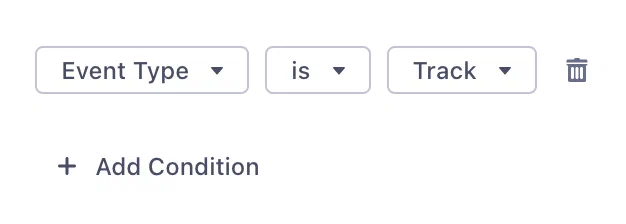
*The default trigger mapping for the Segment Action Custom Events*
Airship Custom Events must have an Audience (Named User), an Occurred Time, and a Name. These default to `userId`, `timestamp`, and `event`. Feel free to modify, but note that they must exist and be valid. Custom Events can also (optionally) have properties, and these default to items in the `properties` object.
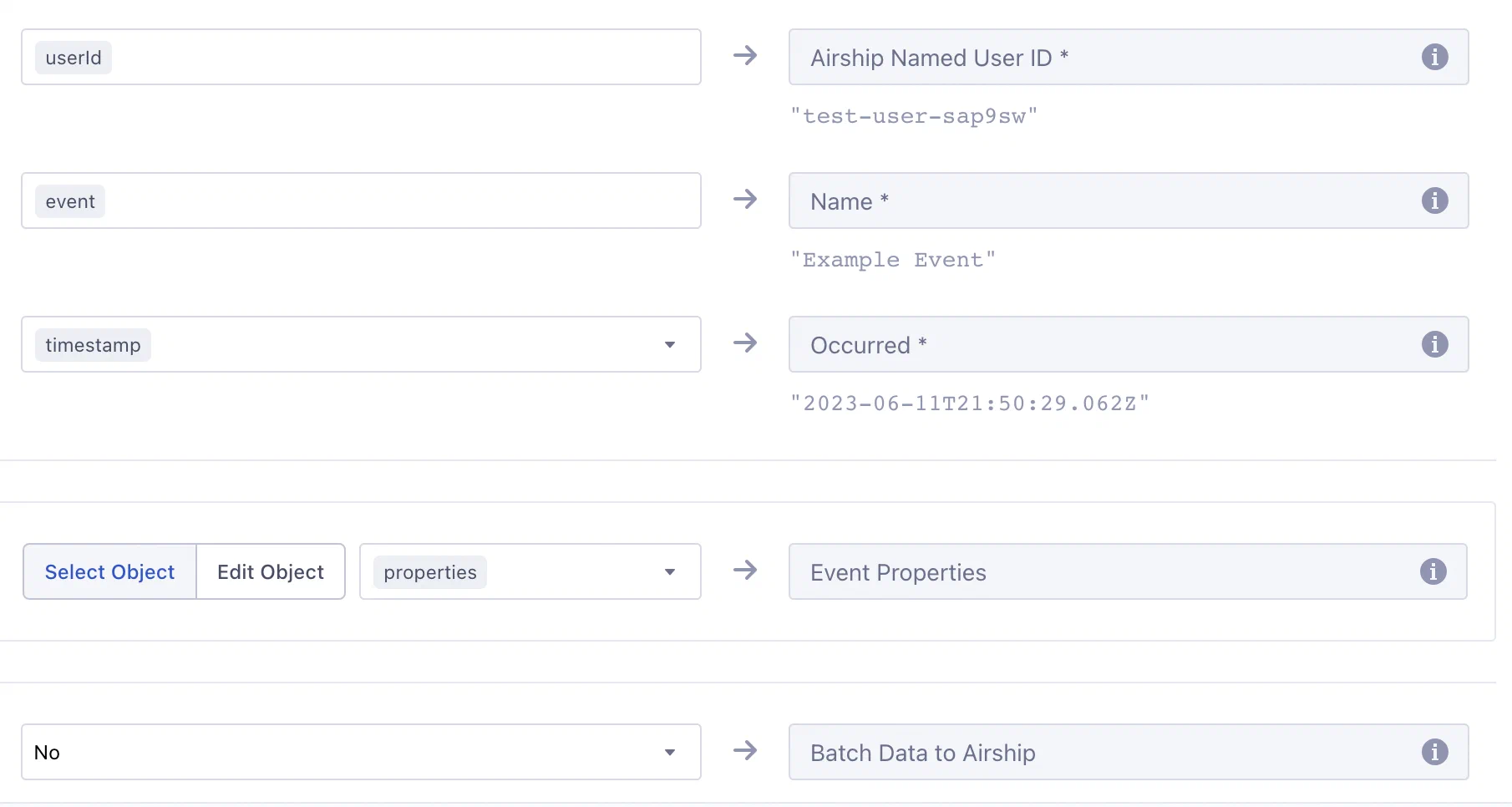
*Mapping the Custom Events Action in Segment*
**Example `track` event from Segment**
```json
{
"receivedAt": "2019-07-09T19:24:15Z",
"messageId": "6dJnUw1OKG",
"type": "track",
"properties": {
"provider": "Branch",
"campaign": {
"source": "AdWords",
"name": "Campaign Name",
"content": "Organic Content Title",
"ad_creative": "Red Hello World Ad",
"ad_group": "Red Ones"
},
"categories": ["test-campaign"]
},
"event": "Install Attributed",
"userId": "sKQR2ORpaw",
"timestamp": "2019-07-09T19:24:15Z"
}
```
**Example Custom Event in Airship**
```json
{
"occurred": "2019-07-09T19:24:15",
"user": {
"named_user_id": "sKQR2ORpaw"
},
"body": {
"name": "install attributed",
"interaction_type": "cdp",
"properties": {
"provider": "Branch",
"campaign": {
"source": "AdWords",
"name": "Campaign Name",
"content": "Organic Content Title",
"ad_creative": "Red Hello World Ad",
"ad_group": "Red Ones"
},
"categories": ["test-campaign"],
"source": "Segment"
}
}
}
```
> **Note:** * Airship transforms all custom event names to lowercase. In the following
> example, note that the value of `event` appears as *Install Attributed* for
> Segment while in Airship it is recorded as *install attributed* in the `name`
> attribute.
>
> * Events from Segment are sent as server-side events, which cannot be used to trigger an [In-App Automation](https://www.airship.com/docs/reference/glossary/#iaa) or [Scene](https://www.airship.com/docs/reference/glossary/#scene).
### Manage Tags
For the Manage Tags Action, you must manually map Segment event objects to Airship tags. When mapping, the tag names default to `traits.airship_tags`. Change these to whatever is relevant, noting that values must be boolean.
The integration uses the `segment-integration` Airship tag group, which is created automatically when you configure the integration in the Airship project settings. You can use a different tag group that better fits your use case, but the examples on this page refer to `segment-integration`.
This integration supports boolean properties only. Airship adds or removes its key as a tag in the `segment-integration` tag group depending on the boolean value. Airship adds tags for properties that are `true` and removes tags for properties that are `false`.
**Example Segment Identify Event**
```json
{
"userId": "jane",
"type": "identify",
"timestamp": "2019-06-12T22:21:33Z",
"traits": {
"airship_tags": {
"new-customer": false,
"order-completed-last-60-days": true
}
}
}
```
**Example Airship Tag Change event**
```json
{
"id": "00000170-cff9-7e5e-6a5a-21814f6b3a37",
"offset": "1000031868729",
"occurred": "2019-06-12T22:21:33Z",
"processed": "2019-06-12T22:21:33Z",
"device": {
"named_user_id": "jane"
},
"body": {
"add": {
"segment-integration": ["order-completed-last-60-days"]
},
"remove": {
"segment-integration": ["new-customer"]
}
},
"type": "TAG_CHANGE"
}
```
### Set Attributes
The default trigger for the Set Attributes Action is the `Identify` event type, but you can change it in Segment.
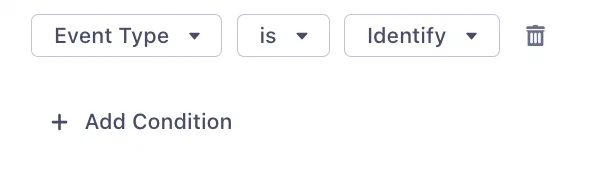
*The default trigger mapping for the Segment Action Set Attributes*
The integration maps [Segment reserved traits](https://segment.com/docs/connections/spec/identify/#traits) to [Airship predefined attributes](https://www.airship.com/docs/reference/data-collection/attributes/#predefined-attributes):
| Segment Property | Attribute Name | Attribute ID | Attribute Type |
|---|---|---|---|
| `traits.address.city` | City | `city` | Text |
| `traits.address.country` | Country | `country` | Text |
| `traits.address.postalCode` | Zipcode | `zipcode` | Number |
| `traits.address.region` | Region | `region` | Text |
| `traits.age` | Age | `age` | Number |
| `traits.birthday` | Birthdate | `birthdate` | Date |
| `traits.company_name` | Company | `company` | Text |
| `traits.account_creation` | Account Creation | `account_creation` | Date |
| `traits.email` | Email Address | `email` | Text |
| `traits.first_name` | First Name | `first_name` | Text |
| `traits.gender` | Gender | `gender` | Text |
| `traits.last_name` | Last Name | `last_name` | Text |
| `traits.full_name` | Full Name | `full_name` | Text |
| `traits.phone` | Mobile Phone Number | `mobile_phone` | Number |
| `traits.home_phone` | Home Phone Number | `home_phone` | Number |
| `traits.work_phone` | Work Phone Number | `work_phone` | Number |
| `traits.title` | Title | `title` | Text |
| `traits.username` | Username | `username` | Text |
| `traits.loyalty_tier` | Loyalty Tier | `loyalty_tier` | Text |
| `traits.altitude` | Altitude | `altitude` | Number |
| `traits.longitude` | Longitude | `longitude` | Number |
| `traits.latitude` | Latitude | `latitude` | Number |
| `context.device.advertisingId` | Advertising ID | `advertising_id` | Text |
The following example `identify` call assigns attributes to the Named User `jane`. In this example, `age` maps to a predefined Airship attribute. The integration assumes that there is an attribute defined in Airship with the ID `favorite_color`.
**Example Segment call**
```json
{
"type": "identify",
"traits": {
"age": 30,
"favorite_color": "purple"
},
"userId": "jane"
}
```
For traits in the `identify` call that do not
map to a predefined or customer-defined Airship attribute, you must create and enable the attribute in the Airship dashboard. Go to *Audience » Attributes* in your project. See [About attributes](https://www.airship.com/docs/guides/audience/attributes/about/) for details.
### Register and Associate
The default trigger for the Register and Associate Action is the `Track` event type with an `Address Registered` event, but you can change it in Segment.

*The default trigger mapping for the Segment Action Register and Associate*
The main requirement for registering an email address is simply an email address. This, and most of the other channel objects default to the `properties` object. The only exception is `suppression_state` which defaults to `context.suppression_state`. If a `userId` (or alternatively mapped) value is present, the email address will be registered and associated with the Named User ID in the same trigger. If `new_email` is present, it will replace the old email address.
To use [Delivery By Time Zone](https://www.airship.com/docs/reference/glossary/#delivery_by_time_zone) for email or SMS, include `timezone` as a property when registering. For email, all other registration properties are optional and mostly involve opt-in state for various features.

*Mapping the Register and Associate Action in Segment*
**Example `track` event from Segment for email registration and Named User association**
```json
{
"type": "track",
"properties": {
"email": "floofy@kittens.org",
"commercial_opted_out": "2023-08-30T22:19:03.944Z",
"transactional_opted_in": "2023-08-30T22:19:03.944Z",
"click_tracking_opted_in": "2023-08-30T22:19:03.944Z",
"open_tracking_opted_in": "2023-08-30T22:19:03.944Z",
"timezone": "PST"
},
"userId": "6319ffd6-f486-4258-9e96-f256fe7c712f",
"event": "Address Registered"
}
```
The above call registers the email address `floofy@kittens.org` and also:
* Associates the address with the Named User `6319ffd6-f486-4258-9e96-f256fe7c712f`
* Opts the address in to receiving Commercial and Transaction emails
* Opts the address in to tracking clicks and opens
* Sets the registered email address's time zone to "PST"
SMS registration works in the same way but with more limited fields.
**Example `track` event from Segment for SMS registration and Named User association**
```json
{
"type": "track",
"properties": {
"msisdn": "15035551212",
"sender": "12345",
"opted_in": "2023-08-30T22:19:03.944Z"
},
"userId": "77565D39-CF68-44AC-86C2-ACE7E8892439",
"event": "Address Registered"
}
```
The above call registers the SMS [MSISDN](https://www.airship.com/docs/reference/glossary/#msisdn) `15035551212`, associates it with the Named User `77565D39-CF68-44AC-86C2-ACE7E8892439`, and sets the opt-in date to `2023-08-30T22:19:03.944Z`.
> **Note:** The date-times should be in ISO 8601 format. The integration will attempt to convert them to Airship-compliant values.
## Troubleshooting your Segment integration {#troubleshooting}
Airship returns errors based on the events received as a part of this integration.
`400` Bad Request
: The call is either missing traits or traits are empty, resulting in no Airship API calls to set tags or attributes.
If you don't see events in Airship and you don't see errors in Segment, make sure that your `userId` values in Segment exist as Named Users in Airship. Airship returns `200 OK` when attributing events to Named Users, even if the `named_user_id` does not exist in Airship.
# Shopify
> Shopify is an e-commerce platform for online stores and retail point of sale (POS) systems.
Our Shopify integration enables your Shopify store for web notifications and automatically captures cart-, checkout-, and order-related events, e.g., *order fulfilled*, *checkout created*. Use these events
to trigger Airship Sequences and automations in your messaging campaigns.
> **Note:** The events configured for this integration are implemented as [Custom Events](https://www.airship.com/docs/reference/glossary/#custom_event) in Airship.
>
> Custom events include additional data from Shopify--properties that can be used
> to personalize messages in Airship. These include things like items in a
> customer's cart, the total purchase value, customer first name, or the URL for
> an abandoned cart.
## Shopify Integration Requirements
* **Accounts**
1. Shopify
1. Airship — Must include messaging
* **Airship project**
1. Your merchant install link. Open an [Airship Support ticket](https://support.airship.com/), to request it. Provide your merchant myshopify.com domain in your request. For example, `pint-mart.myshopify.com`. **The link expires after 7 days.**
1. Your Web SDK bundle. To download it:
1. Next to your project name, select the dropdown menu (
), then **Settings**.
1. Under **Channels**, select **Web**.
1. Select **Update**, then **Download SDK Bundle**.
## Configuring the Shopify Integration
In Airship:
1. Next to your project name, select the dropdown menu (
), then **Settings**.
1. Under **Project settings**, select **Partner Integrations**.
1. Select **Shopify**.
1. Select **Configure** for the inbound integration and follow the onscreen instructions to:
* Create [Custom Events](https://www.airship.com/docs/reference/glossary/#custom_event) and an authentication token. Shopify uses the token to communicate with your project in Airship.
* Log in to Shopify, open your merchant install link, and install the *Automated Web Notification* app.
* Upload your SDK bundle zip file.
## Configuring Notifications
With the Airship SDK bundle uploaded and configured, you can now customize
the user experience for customers opting in for notifications. You have multiple attributes at your disposal.
In Shopify:
1. On the configuration page of the Automated Web Notification app, go to
the **Opt-In Display** section and select **Add opt-in**. In the expanded **Opt-In Display** section, you can now edit various attributes of the notification: the style of the notification (whether it should appear as a prompt or a bell), the text of the heading and text, color, and position
on the screen where it should appear.
1. Select **Save** to apply your changes.
> **Note:** Users trigger the prompt when they view a blog post or a product page. The
> prompt displays on *checkout* or *cart* pages. The prompt disappears
> after 60 seconds unless the user interacts with it.
>
> If the user does not choose to opt in to notifications, the prompt will be
> triggered again in 2 weeks. You can adjust the timing of the re-prompt in your Shopify admin for the Automated Web Notifications app.
## Supported Custom Events
Most custom events are generated via webhooks, which are sent by Shopify. In some
cases, such as **shopify_cart_changed**, an event originates from the
browser. The following custom events are supported:
| Event Name | Action |
|------------------------------------|------------------------------------------------------------------------------------------------------------------------|
| **shopify_cart_changed** | A user took any action in the browser that modified the contents of or created a cart. |
| **shopify_checkout_created** | A user started the checkout process for a cart. |
| **shopify_checkout_updated** | A user took any action that modified the status of a checkout. Triggered as a user completes each section of checkout. |
| **shopify_order_created** | A user has completed a checkout and submitted an order. |
| **shopify_order_fulfilled** | A shop owner has marked an order as fulfilled. |
| **shopify_order_fulfilled_update** | A shipping provider has provided a status update for an order. |
# Simon Data
> Unify, explore, and enable acting on all client data, leveraging existing infrastructure.
[Simon Data](https://www.simondata.com) offers unified customer identity, dynamic
personalized content for creating consistent experiences across all end
channels, centralized orchestration, collaboration, and actionable insights.
## Simon Data Integration Requirements
This integration requires these accounts:
1. Simon Data
1. Airship — Must include both:
* Messaging
* [Real-Time Data Streaming](https://www.airship.com/docs/reference/feature-packages/#data)
## Configuring the Simon Data Integration
You will need to know your webhook endpoint URL and any key/value pairs to add as custom headers.
In Airship:
1. Next to your project name, select the dropdown menu (
), then **Settings**.
1. Under **Project settings**, select **Real-Time Data Streaming**.
1. Under **Real-Time Data Streaming**, select **Webhooks**.
1. Follow the onscreen instructions to configure the integration.
See [Configuring an RTDS webhook integration](https://www.airship.com/docs/guides/reports/real-time-data-streaming/#configure-an-rtds-webhook-integration) for more information.
# Snowflake
> Send Airship event data to Snowflake for storage and analysis.
Snowflake is a fully managed cloud-based data warehouse and analytics service for storing and analyzing data. Sending Airship data to Snowflake is a foundational framework with a structured set of schemas and a mechanism for delivering data in hourly batches to your designated cloud storage bucket.
Using [Real-Time Data Streaming](https://www.airship.com/docs/reference/glossary/#rtds), Airship event data is uploaded in batched CSV files to a cloud storage provider that can be configured as a Snowflake stage. Airship provides event schemas for tables that correspond to each Airship event type to make it easy to load and query your data. Copy the batched data into tables at intervals that align with your requirements. How frequently you copy the data into Snowflake is up to you and can depend on your use case.
This integration gives you the flexibility to design a data pipeline that suits your specific needs and maintains the principles of data ownership and control. Your data remains yours, and you retain full authority to manage and utilize it as you see fit. This architecture empowers you to tailor your integration process while ensuring that your data remains under your control.
To send Snowflake data to Airship, see [Export Lists from Snowflake](https://www.airship.com/docs/integrations/snowflake-export-lists/). To use your Snowflake data directly, without copying or importing the data into Airship, see [Zero-copy data integration](https://www.airship.com/docs/guides/features/data-integration/zero-copy-data-integration/).
## Snowflake integration requirements
This integration requires these accounts:
1. Snowflake
1. Airship — Must include both:
* Messaging
* [Real-Time Data Streaming](https://www.airship.com/docs/reference/feature-packages/#data)
## Configuring a cloud storage provider
This integration takes Airship event data and sends it to a cloud storage destination in either [Amazon S3](https://aws.amazon.com/s3/), [Azure Blob Storage](https://azure.microsoft.com/en-us/products/storage/blobs/), or [Google Cloud Storage](https://cloud.google.com/storage/) (GCS).
Before setting up this integration, you must create an Amazon S3 bucket, Google Cloud Storage bucket, or Microsoft Azure container. Also, you must set credentials the integration will use to upload data to the storage location.
* **Amazon S3** — Configure an IAM user and retrieve the account access keys. Follow [Amazon's documentation: Managing access keys](https://docs.aws.amazon.com/IAM/latest/UserGuide/id_credentials_access-keys.html#Using_CreateAccessKey).
* **Azure** — Configure an Azure connection string. Follow [Azure's documentation: Configure Azure Storage connection strings](https://docs.microsoft.com/en-us/azure/storage/common/storage-configure-connection-string).
* **Google Cloud Storage** — Create a JSON-formatted service account key with role Storage Object Creation. Follow [Create and delete service account keys](https://cloud.google.com/iam/docs/keys-create-delete) in Google's IAM documentation.
## Configuring the Snowflake integration
You will need the following information about your cloud storage:
* **Amazon S3** — Access key ID, secret access key, and bucket name, and AWS Region
* **Azure** — Connection string and container name
* **Google Cloud Storage** — Bucket name and JSON-formatted service account key
In Airship:
1. Next to your project name, select the dropdown menu (
), then **Settings**.
1. Under **Project settings**, select **Partner Integrations**.
1. Select **Snowflake**.
1. Select **Configure** for the outbound integration and follow the onscreen instructions to:
* Select your storage provider and enter your credentials. For Amazon S3, you must also select your region.
* (Optional) Enable compressing your data to save on storage space.
* (Optional for Amazon S3) Enable encrypting your data using [server-side encryption](https://docs.aws.amazon.com/AmazonS3/latest/dev/UsingServerSideEncryption.html).
* Select the Airship events to send to your storage location.
After completing configuration, it may take several minutes to begin populating events.
## Configuring a Snowflake external stage
See [Snowflake documentation](https://docs.snowflake.com/en/sql-reference/sql/create-stage.html) for steps to configure your cloud storage bucket as an external stage.
## Creating Airship tables in Snowflake
Now you are ready to create a database and tables for your Airship data in Snowflake. A sample setup script and event schemas are provided below.
### Loading data in Snowflake
After your data has been staged, copy your data into the Airship event tables. This can be a step in your data pipeline. You will determine which data and how frequently you want to copy events to Snowflake tables.
```sql
use "DB_NAME"."AIRSHIP_EVENTS";
copy into "TAG_CHANGE"
from @sample_airship_stage
//validation_mode = RETURN_ERRORS
file_format = airship_csv_events
pattern = 'ISex_TTJRuarzs9-o_Gkhg/gcs/19c15b67-1dd5-46b9-a25a-dfbd5d60ce58/TAG_CHANGE/2022_03_31/.*[.]csv'; //[.]gz
```
### Structure and files
Your cloud storage directory structure and files will be named using this CSV pattern:
> appKey + "/" + cloud provider + "/" + integrationId + "/EVENT_TYPE/" + year + "\_" + month + "\_" + day + "/" + year + "\_" + month + "\_" + day + "\_" + hour + "\_" + minute + "\_" + second + ".csv"
There will be one file generated per hour, assuming a relevant event occurred within that hour. Each CSV file will also contain a header row.
#### Example CSV
```csv
"id","offset","occurred","processed","app_key","channel","device_type","named_user","custom_identifiers","locale_variant","locale_country_code","locale_timezone","locale_language_code","iana_timezone","app_version","device_model","connection_type","ua_sdk_version","push_opt_in","device_os","carrier","location_enabled","location_permission","background_push_enabled","web_browser_name","web_browser_type","web_browser_version","web_user_agent_string","open_platform_name","alerting","campaigns","push_id","group_id","variant_id"
"f5e05251-b128-11ec-8a12-0242eb00e5a9","1000042149690","2022-03-31 19:30:02.357 +00:00","2022-03-31 19:30:14.867 +00:00","ISex_TTJRuarzs9-o_Gkhg","b1ab9a9e-9634-4fb4-875a-9a02dcd68e66","ANDROID","","","","FR","7200","fr","Europe/Paris","2022-02-09T000134-goat","VOG-L29","CELL","16.3.0","true","10","F SFR","false","NOT_ALLOWED","true","","","","","","true","","f5d2bdc0-b128-11ec-bae4-024205acadbe","ac4058f7-981b-4f0e-b9c4-8b7af3a647da",""
"f8fb4df1-b128-11ec-a0e3-0242e24c72c5","1000042149691","2022-03-31 19:30:07.567 +00:00","2022-03-31 19:30:16.760 +00:00","ISex_TTJRuarzs9-o_Gkhg","b1ab9a9e-9634-4fb4-875a-9a02dcd68e66","ANDROID","","","","FR","7200","fr","Europe/Paris","2022-02-09T000134-goat","VOG-L29","CELL","16.3.0","true","10","F SFR","false","NOT_ALLOWED","true","","","","","","true","","f6586880-b128-11ec-99dd-02423b3f5d45","879056c8-0b34-4c8c-8cdc-1df4f3d40b40",""
"9aa98182-e854-4fa7-9c9f-ddea2082cc4c","1000042149694","2022-03-31 19:33:51.225 +00:00","2022-03-31 19:33:51.416 +00:00","ISex_TTJRuarzs9-o_Gkhg","62d92a24-0ced-40d1-ad1d-e1ea953189b7","SMS","","{""sender"":""17372004196""}","","","","","","","","","","","","","","","","","","","","","true","","75fdde30-b129-11ec-99dd-02423b3f5d45","0e2a3d4b-b4b4-4208-838f-08eb7333aa5e",""
```
#### Sample Snowflake file format
```sql
create or replace file format airship_csv_events
type = csv
skip_header = 1
timestamp_format = 'AUTO' //YYYY-MM-DD HH24:MI:SS.FF TZH:TZM
null_if = ''
field_optionally_enclosed_by='"'
error_on_column_count_mismatch=false
field_delimiter = ",";
```
### Sample Airship setup script and event schemas
```sql
create schema if not exists "AIRSHIP_EVENTS";
use "DB_NAME"."AIRSHIP_EVENTS";
create table if not exists "ATTRIBUTE_OPERATION" (
"id" varchar unique not null comment 'The event ID',
"offset" varchar comment 'The offset of the event that represents the location of the event in the stream.',
"occurred" timestamp_tz comment 'The time the event occurred.',
"processed" timestamp_tz comment 'The time the event was processed.',
"app_key" varchar comment 'The identifier for the Airship project.',
"channel" varchar not null comment 'The unique, platform-agnostic channel identifier for a device.',
"device_type" varchar comment 'The platform of the channel',
"named_user" varchar comment 'The named user identifier associated with the channel.',
"custom_identifiers" variant comment 'The custom identifiers associated with the app channel, stored as an object.',
"locale_variant" varchar comment 'The language variant as reported by the device.',
"locale_country_code" varchar comment 'The ISO 3166-1 country code as defined in device settings.',
"locale_timezone" varchar comment 'The timezone as reported by the device offset in seconds from UTC.',
"locale_language_code" varchar comment 'The ISO 639-1 two-letter language code as defined in device settings.',
"iana_timezone" varchar comment 'The IANA timezone of the device.',
"app_version" varchar comment 'The version of the app installed on the device.',
"device_model" varchar comment 'The model of the device.',
"connection_type" varchar comment 'The internet connection type used by the device.',
"ua_sdk_version" varchar comment 'The version of the Airship SDK used to record the event.',
"push_opt_in" boolean comment 'Whether the user has opted in to push notifications.',
"device_os" varchar comment 'The operating system of the device.',
"carrier" varchar comment 'The wireless carrier used by the device.',
"location_enabled" boolean comment 'Whether the device has location services enabled.',
"location_permission" varchar comment 'Location permission level as configured in device settings.',
"background_push_enabled" boolean comment 'Whether the device has background push notifications enabled.',
"web_browser_name" varchar comment 'The name of the browser running the SDK.',
"web_browser_type" varchar comment 'Indicates whether the browser was running on a desktop or mobile device.',
"web_browser_version" varchar comment 'The version of the browser running the SDK.',
"web_user_agent_string" varchar comment 'The user agent string reported by the browser.',
"attribute_set" variant comment 'The attributes set on the device as an array of attribute objects.',
"attribute_remove" variant comment 'The attributes removed from the device as an array of attribute objects.'
) comment = 'Attribute Operation events indicate a change in the device''s attributes. Because attribute operations are related to a device, they will have a `device` field. If you set an attribute on a named user, Airship records events for each device associated with the named user.';
create table if not exists "IN_APP_MESSAGE_DISPLAY" (
"id" varchar unique not null comment 'The event ID',
"offset" varchar comment 'The offset of the event that represents the location of the event in the stream.',
"occurred" timestamp_tz comment 'The time the event occurred.',
"processed" timestamp_tz comment 'The time the event was processed.',
"app_key" varchar comment 'The identifier for the Airship project.',
"channel" varchar not null comment 'The unique, platform-agnostic channel identifier for a device.',
"device_type" varchar comment 'The platform of the channel',
"named_user" varchar comment 'The named user identifier associated with the channel.',
"custom_identifiers" variant comment 'The custom identifiers associated with the app channel, stored as an object.',
"locale_variant" varchar comment 'The language variant as reported by the device.',
"locale_country_code" varchar comment 'The ISO 3166-1 country code as defined in device settings.',
"locale_timezone" varchar comment 'The timezone as reported by the device offset in seconds from UTC.',
"locale_language_code" varchar comment 'The ISO 639-1 two-letter language code as defined in device settings.',
"iana_timezone" varchar comment 'The IANA timezone of the device.',
"app_version" varchar comment 'The version of the app installed on the device.',
"device_model" varchar comment 'The model of the device.',
"connection_type" varchar comment 'The internet connection type used by the device.',
"ua_sdk_version" varchar comment 'The version of the Airship SDK used to record the event.',
"push_opt_in" boolean comment 'Whether the user has opted in to push notifications.',
"device_os" varchar comment 'The operating system of the device.',
"carrier" varchar comment 'The wireless carrier used by the device.',
"location_enabled" boolean comment 'Whether the device has location services enabled.',
"location_permission" varchar comment 'Location permission level as configured in device settings.',
"background_push_enabled" boolean comment 'Whether the device has background push notifications enabled.',
"web_browser_name" varchar comment 'The name of the browser running the SDK.',
"web_browser_type" varchar comment 'Indicates whether the browser was running on a desktop or mobile device.',
"web_browser_version" varchar comment 'The version of the browser running the SDK.',
"web_user_agent_string" varchar comment 'The user agent string reported by the browser.',
"push_id" varchar comment 'A unique identifier for a push operation.',
"app_defined_id" varchar comment 'An identifier defined by the application if the In-App Message was created by the application logic, not Airship. If this field is present, the event body will not contain `push_id`, `group_id`, `variant_id`, or `triggering_push` fields.',
"group_id" varchar comment 'Identifies a push specification delivered over an interval of time, e.g. multiple push_ids as part of the fulfillment of an automation pipeline or a push-to-local-time specification.',
"session_id" varchar comment 'Represents the “session” of user activity. Absent if the application was initialized while backgrounded.',
"variant_id" varchar comment 'The ID of the variant that a push is associated with, if the push was a part of an A/B test (experiment).',
"triggering_push_push_id" varchar comment 'The push ID of the push that triggered the custom event.',
"triggering_push_group_id" varchar comment 'The specific `push_id` and accompanying identifiers associated with an event. An associated push helps you trace an event to the original notification or operation. An associated push object may specify a `time`, if the push was a singular operation sent at a defined time. Otherwise, the object will include a `group_id` if the push was sent at a relative time (`best_time` or `local_time`) an automation pipeline, or another operation resulting in multiple `push_id`s',
"triggering_push_campaigns" variant comment 'An object listing the campaigns a push specification is associated with. The campaigns object includes an array of categories that must have between 1 and 10 elements, each of which is a string with a 64-byte and -character limit.',
"triggering_push_time" timestamp_tz comment 'The UTC time when the push occurred.',
"triggering_push_variant_id" varchar comment 'The ID of the variant that a push is associated with, if the push was a part of an A/B test (experiment).',
"campaigns" variant comment 'An object listing the campaigns a push specification is associated with. The campaigns object includes an array of categories that must have between 1 and 10 elements, each of which is a string with a 64-byte and -character limit.'
) comment = 'Occurs when an in-app message is displayed to a user. Because the event pertains to a specific device, the device information object will be populated.';
create table if not exists "FIRST_OPEN" (
"id" varchar unique not null comment 'The event ID',
"offset" varchar comment 'The offset of the event that represents the location of the event in the stream.',
"occurred" timestamp_tz comment 'The time the event occurred.',
"processed" timestamp_tz comment 'The time the event was processed.',
"app_key" varchar comment 'The identifier for the Airship project.',
"channel" varchar not null comment 'The unique, platform-agnostic channel identifier for a device.',
"device_type" varchar comment 'The platform of the channel',
"named_user" varchar comment 'The named user identifier associated with the channel.',
"custom_identifiers" variant comment 'The custom identifiers associated with the app channel, stored as an object.',
"locale_variant" varchar comment 'The language variant as reported by the device.',
"locale_country_code" varchar comment 'The ISO 3166-1 country code as defined in device settings.',
"locale_timezone" varchar comment 'The timezone as reported by the device offset in seconds from UTC.',
"locale_language_code" varchar comment 'The ISO 639-1 two-letter language code as defined in device settings.',
"iana_timezone" varchar comment 'The IANA timezone of the device.',
"app_version" varchar comment 'The version of the app installed on the device.',
"device_model" varchar comment 'The model of the device.',
"connection_type" varchar comment 'The internet connection type used by the device.',
"ua_sdk_version" varchar comment 'The version of the Airship SDK used to record the event.',
"push_opt_in" boolean comment 'Whether the user has opted in to push notifications.',
"device_os" varchar comment 'The operating system of the device.',
"carrier" varchar comment 'The wireless carrier used by the device.',
"location_enabled" boolean comment 'Whether the device has location services enabled.',
"location_permission" varchar comment 'Location permission level as configured in device settings.',
"background_push_enabled" boolean comment 'Whether the device has background push notifications enabled.',
"web_browser_name" varchar comment 'The name of the browser running the SDK.',
"web_browser_type" varchar comment 'Indicates whether the browser was running on a desktop or mobile device.',
"web_browser_version" varchar comment 'The version of the browser running the SDK.',
"web_user_agent_string" varchar comment 'The user agent string reported by the browser.'
) comment = 'This event occurs when a user opens an Airship-integrated app for the first time.';
create table if not exists "FIRST_OPT_IN" (
"id" varchar unique not null comment 'The event ID',
"offset" varchar comment 'The offset of the event that represents the location of the event in the stream.',
"occurred" timestamp_tz comment 'The time the event occurred.',
"processed" timestamp_tz comment 'The time the event was processed.',
"app_key" varchar comment 'The identifier for the Airship project.',
"channel" varchar not null comment 'The unique, platform-agnostic channel identifier for a device.',
"device_type" varchar comment 'The platform of the channel',
"named_user" varchar comment 'The named user identifier associated with the channel.',
"delivery_address" varchar comment 'The address of the device.',
"open_platform_name" varchar comment 'If device_type is set to OPEN, this field shows the full name of the platform.'
) comment = 'This event appears in the stream when a channel is first opted in. This event is specific to email (commercial), sms and open channels.';
create table if not exists "FEATURE_FLAG_INTERACTION" (
"id" varchar unique not null comment 'The event ID',
"offset" varchar comment 'The offset of the event that represents the location of the event in the stream.',
"occurred" timestamp_tz comment 'The time the event occurred.',
"processed" timestamp_tz comment 'The time the event was processed.',
"app_key" varchar comment 'The identifier for the Airship project.',
"channel" varchar not null comment 'The unique, platform-agnostic channel identifier for a device.',
"device_type" varchar comment 'The platform of the channel',
"named_user" varchar comment 'The named user identifier associated with the channel.',
"locale_variant" varchar comment 'The language variant as reported by the device.',
"locale_country_code" varchar comment 'The ISO 3166-1 country code as defined in device settings.',
"locale_timezone" varchar comment 'The timezone as reported by the device offset in seconds from UTC.',
"locale_language_code" varchar comment 'The ISO 639-1 two-letter language code as defined in device settings.',
"iana_timezone" varchar comment 'The IANA timezone of the device.',
"app_version" varchar comment 'The version of the app installed on the device.',
"device_model" varchar comment 'The model of the device.',
"connection_type" varchar comment 'The internet connection type used by the device.',
"ua_sdk_version" varchar comment 'The version of the Airship SDK used to record the event.',
"push_opt_in" boolean comment 'Whether the user has opted in to push notifications.',
"device_os" varchar comment 'The operating system of the device.',
"carrier" varchar comment 'The wireless carrier used by the device.',
"location_enabled" boolean comment 'Whether the device has location services enabled.',
"location_permission" varchar comment 'Location permission level as configured in device settings.',
"background_push_enabled" boolean comment 'Whether the device has background push notifications enabled.',
"web_browser_name" varchar comment 'The name of the browser running the SDK.',
"web_browser_type" varchar comment 'Indicates whether the browser was running on a desktop or mobile device.',
"web_browser_version" varchar comment 'The version of the browser running the SDK.',
"web_user_agent_string" varchar comment 'The user agent string reported by the browser.',
"eligible" boolean comment 'Indicates whether or not the user was in the Feature Flag audience and had access to the feature. true means the user was in the Feature Flag audience and had access to the feature.',
"flag_name" varchar comment 'The name of a feature flag.',
"flag_id" varchar comment 'A UUID that is associated with a feature flag.',
"push_id" varchar comment 'A unique identifier for a push operation.',
"app_defined_id" varchar comment 'An identifier defined by the application if the Feature Flag interaction was created by the application logic, not Airship. If this field is present, the event body will not contain `push_id`, `group_id`, `variant_id`, or `triggering_push` fields.',
"group_id" varchar comment 'Identifies a push specification delivered over an interval of time, e.g. multiple push_ids as part of the fulfillment of an automation pipeline or a push-to-local-time specification.',
"session_id" varchar comment 'Represents the "session" of user activity. Absent if the application was initialized while backgrounded.',
"variant_id" varchar comment 'The UUID of the A/B test variant, if available.',
"campaigns" variant comment 'An object listing the campaigns a push specification is associated with. The campaigns object includes an array of categories that must have between 1 and 10 elements, each of which is a string with a 64-byte and -character limit.',
"triggering_push_push_id" varchar comment 'The push ID of the push that triggered the custom event.',
"triggering_push_group_id" varchar comment 'The specific `push_id` and accompanying identifiers associated with an event. An associated push helps you trace an event to the original notification or operation. An associated push object may specify a `time`, if the push was a singular operation sent at a defined time. Otherwise, the object will include a `group_id` if the push was sent at a relative time (`best_time` or `local_time`) an automation pipeline, or another operation resulting in multiple `push_id`s',
"triggering_push_campaigns" variant comment 'An object listing the campaigns a push specification is associated with. The campaigns object includes an array of categories that must have between 1 and 10 elements, each of which is a string with a 64-byte and -character limit.',
"triggering_push_time" timestamp_tz comment 'The UTC time when the push occurred.',
"triggering_push_variant_id" varchar comment 'The ID of the variant that a push is associated with, if the push was a part of an A/B test (experiment).'
) comment = 'Occurs when a user interacts with a tracked flagged feature. See Feature Flags. The events have a flag ID and flag name, which identify which flagged feature a user interacted with. They also have a boolean eligible field, which indicates whether or not the user was in the Feature Flag audience and had access to the feature.';
create table if not exists "IN_APP_MESSAGE_RESOLUTION" (
"id" varchar unique not null comment 'The event ID',
"offset" varchar comment 'The offset of the event that represents the location of the event in the stream.',
"occurred" timestamp_tz comment 'The time the event occurred.',
"processed" timestamp_tz comment 'The time the event was processed.',
"app_key" varchar comment 'The identifier for the Airship project.',
"channel" varchar not null comment 'The unique, platform-agnostic channel identifier for a device.',
"device_type" varchar comment 'The platform of the channel',
"named_user" varchar comment 'The named user identifier associated with the channel.',
"custom_identifiers" variant comment 'The custom identifiers associated with the app channel, stored as an object.',
"locale_variant" varchar comment 'The language variant as reported by the device.',
"locale_country_code" varchar comment 'The ISO 3166-1 country code as defined in device settings.',
"locale_timezone" varchar comment 'The timezone as reported by the device offset in seconds from UTC.',
"locale_language_code" varchar comment 'The ISO 639-1 two-letter language code as defined in device settings.',
"iana_timezone" varchar comment 'The IANA timezone of the device.',
"app_version" varchar comment 'The version of the app installed on the device.',
"device_model" varchar comment 'The model of the device.',
"connection_type" varchar comment 'The internet connection type used by the device.',
"ua_sdk_version" varchar comment 'The version of the Airship SDK used to record the event.',
"push_opt_in" boolean comment 'Whether the user has opted in to push notifications.',
"device_os" varchar comment 'The operating system of the device.',
"carrier" varchar comment 'The wireless carrier used by the device.',
"location_enabled" boolean comment 'Whether the device has location services enabled.',
"location_permission" varchar comment 'Location permission level as configured in device settings.',
"background_push_enabled" boolean comment 'Whether the device has background push notifications enabled.',
"web_browser_name" varchar comment 'The name of the browser running the SDK.',
"web_browser_type" varchar comment 'Indicates whether the browser was running on a desktop or mobile device.',
"web_browser_version" varchar comment 'The version of the browser running the SDK.',
"web_user_agent_string" varchar comment 'The user agent string reported by the browser.',
"push_id" varchar comment 'A unique identifier for a push operation.',
"app_defined_id" varchar comment 'An identifier defined by the application if the In-App Message was created by the application logic, not Airship. If this field is present, the event body will not contain `push_id`, `group_id`, `variant_id`, or `triggering_push` fields.',
"button_description" varchar comment 'The title of the button the user interacted with. Present if `type` is set to `BUTTON_CLICK`.',
"button_group" varchar comment 'A category associated with the button. Present if `type` is set to `BUTTON_CLICK`.',
"button_id" varchar comment 'A unique identifier for the button. Present if `type` is set to `BUTTON_CLICK`.',
"duration" varchar comment 'The number of milliseconds that the user was on the screen.',
"time_sent" timestamp_tz comment 'The date-time when the in-app message payload was sent to the device.',
"group_id" varchar comment 'Identifies a push specification delivered over an interval of time, e.g. multiple push_ids as part of the fulfillment of an automation pipeline or a push-to-local-time specification.',
"session_id" varchar comment 'Represents the “session” of user activity. Absent if the application was initialized while backgrounded.',
"variant_id" varchar comment 'The ID of the variant that a push is associated with, if the push was a part of an A/B test (experiment).',
"resolution_type" varchar comment 'Indicates how the In-App Message was resolved.',
"triggering_push_push_id" varchar comment 'The push ID of the push that triggered the custom event.',
"triggering_push_group_id" varchar comment 'The specific `push_id` and accompanying identifiers associated with an event. An associated push helps you trace an event to the original notification or operation. An associated push object may specify a `time`, if the push was a singular operation sent at a defined time. Otherwise, the object will include a `group_id` if the push was sent at a relative time (`best_time` or `local_time`) an automation pipeline, or another operation resulting in multiple `push_id`s',
"triggering_push_campaigns" variant comment 'An object listing the campaigns a push specification is associated with. The campaigns object includes an array of categories that must have between 1 and 10 elements, each of which is a string with a 64-byte and -character limit.',
"triggering_push_time" timestamp_tz comment 'The UTC time when the push occurred.',
"triggering_push_variant_id" varchar comment 'The ID of the variant that a push is associated with, if the push was a part of an A/B test (experiment).',
"campaigns" variant comment 'An object listing the campaigns a push specification is associated with. The campaigns object includes an array of categories that must have between 1 and 10 elements, each of which is a string with a 64-byte and -character limit.'
) comment = 'Occurs when an In-App Message is cleared from the display, either by user action or timeout. Because this event pertains to an individual device, the device information object will be present.';
create table if not exists "IN_APP_MESSAGE_EXPIRATION" (
"id" varchar unique not null comment 'The event ID',
"offset" varchar comment 'The offset of the event that represents the location of the event in the stream.',
"occurred" timestamp_tz comment 'The time the event occurred.',
"processed" timestamp_tz comment 'The time the event was processed.',
"app_key" varchar comment 'The identifier for the Airship project.',
"channel" varchar not null comment 'The unique, platform-agnostic channel identifier for a device.',
"device_type" varchar comment 'The platform of the channel',
"named_user" varchar comment 'The named user identifier associated with the channel.',
"custom_identifiers" variant comment 'The custom identifiers associated with the app channel, stored as an object.',
"locale_variant" varchar comment 'The language variant as reported by the device.',
"locale_country_code" varchar comment 'The ISO 3166-1 country code as defined in device settings.',
"locale_timezone" varchar comment 'The timezone as reported by the device offset in seconds from UTC.',
"locale_language_code" varchar comment 'The ISO 639-1 two-letter language code as defined in device settings.',
"iana_timezone" varchar comment 'The IANA timezone of the device.',
"app_version" varchar comment 'The version of the app installed on the device.',
"device_model" varchar comment 'The model of the device.',
"connection_type" varchar comment 'The internet connection type used by the device.',
"ua_sdk_version" varchar comment 'The version of the Airship SDK used to record the event.',
"push_opt_in" boolean comment 'Whether the user has opted in to push notifications.',
"device_os" varchar comment 'The operating system of the device.',
"carrier" varchar comment 'The wireless carrier used by the device.',
"location_enabled" boolean comment 'Whether the device has location services enabled.',
"location_permission" varchar comment 'Location permission level as configured in device settings.',
"background_push_enabled" boolean comment 'Whether the device has background push notifications enabled.',
"web_browser_name" varchar comment 'The name of the browser running the SDK.',
"web_browser_type" varchar comment 'Indicates whether the browser was running on a desktop or mobile device.',
"web_browser_version" varchar comment 'The version of the browser running the SDK.',
"web_user_agent_string" varchar comment 'The user agent string reported by the browser.',
"app_defined_id" varchar comment 'An identifier defined by the application if the In-App Message was created by the application logic, not Airship. If this field is present, the event body will not contain `push_id`, `group_id`, `variant_id`, or `triggering_push` fields.',
"group_id" varchar comment 'Identifies a push specification delivered over an interval of time, e.g. multiple push_ids as part of the fulfillment of an automation pipeline or a push-to-local-time specification.',
"push_id" varchar comment 'A unique identifier for a push operation.',
"replacing_push_campaigns" variant comment 'An object listing the campaigns a push specification is associated with. The campaigns object includes an array of categories that must have between 1 and 10 elements, each of which is a string with a 64-byte and -character limit.',
"replacing_push_group_id" varchar comment 'The specific group_id associated with the new message.',
"replacing_push_push_id" varchar comment 'The specific push_id associated with the new message.',
"replacing_push_variant_id" varchar comment 'The specific variant_id associated with the new message.',
"replacing_push_time" timestamp_tz comment 'The UTC time when the push occurred.',
"session_id" varchar comment 'Represents the “session” of user activity. Absent if the application was initialized while backgrounded.',
"variant_id" varchar comment 'The ID of the variant that a push is associated with, if the push was a part of an A/B test (experiment).',
"time_expired" timestamp_tz comment 'The date-time when the in-app message payload expires.',
"time_sent" timestamp_tz comment 'The date-time when the in-app message payload was sent to the device.',
"expiration_type" varchar comment 'Indicates how the in-app message expired.',
"triggering_push_push_id" varchar comment 'The push ID of the push that triggered the custom event.',
"triggering_push_group_id" varchar comment 'The specific `push_id` and accompanying identifiers associated with an event. An associated push helps you trace an event to the original notification or operation. An associated push object may specify a `time`, if the push was a singular operation sent at a defined time. Otherwise, the object will include a `group_id` if the push was sent at a relative time (`best_time` or `local_time`) an automation pipeline, or another operation resulting in multiple `push_id`s',
"triggering_push_campaigns" variant comment 'An object listing the campaigns a push specification is associated with. The campaigns object includes an array of categories that must have between 1 and 10 elements, each of which is a string with a 64-byte and -character limit.',
"triggering_push_time" timestamp_tz comment 'The UTC time when the push occurred.',
"triggering_push_variant_id" varchar comment 'The ID of the variant that a push is associated with, if the push was a part of an A/B test (experiment).'
) comment = 'Occurs when a new message has taken the place of another message, a message has passed its expiration, or because displaying the message in-app would be redundant. This event type may be latent; it is not emitted until the app becomes active.';
create table if not exists "MOBILE_ORIGINATED" (
"id" varchar unique not null comment 'The event ID',
"offset" varchar comment 'The offset of the event that represents the location of the event in the stream.',
"occurred" timestamp_tz comment 'The time the event occurred.',
"processed" timestamp_tz comment 'The time the event was processed.',
"app_key" varchar comment 'The identifier for the Airship project.',
"channel" varchar not null comment 'The unique, platform-agnostic channel identifier for a device.',
"device_type" varchar comment 'The platform of the channel',
"delivery_address" varchar comment 'The address of the device.',
"msisdn" varchar comment 'The mobile number of the device.',
"sender" varchar comment 'The email address or number of the sender.',
"keyword" varchar comment 'The specific keyword used in the inbound message, if recognized; the keyword in the inbound_message determines the outbound_message sent to the device. If a keyword could not be matched in the inbound_message, this field is absent.',
"inbound_message" varchar comment 'The contents of the message received from an SMS device.',
"outbound_message" varchar comment 'The response sent to the SMS device, based on the inbound message and keyword.'
) comment = 'Represents a message action that originated from a user — like an inbound SMS or email.';
create table if not exists "OPEN" (
"id" varchar unique not null comment 'The event ID',
"offset" varchar comment 'The offset of the event that represents the location of the event in the stream.',
"occurred" timestamp_tz comment 'The time the event occurred.',
"processed" timestamp_tz comment 'The time the event was processed.',
"app_key" varchar comment 'The identifier for the Airship project.',
"channel" varchar not null comment 'The unique, platform-agnostic channel identifier for a device.',
"device_type" varchar comment 'The platform of the channel',
"named_user" varchar comment 'The named user identifier associated with the channel.',
"custom_identifiers" variant comment 'The custom identifiers associated with the app channel, stored as an object.',
"locale_variant" varchar comment 'The language variant as reported by the device.',
"locale_country_code" varchar comment 'The ISO 3166-1 country code as defined in device settings.',
"locale_timezone" varchar comment 'The timezone as reported by the device offset in seconds from UTC.',
"locale_language_code" varchar comment 'The ISO 639-1 two-letter language code as defined in device settings.',
"iana_timezone" varchar comment 'The IANA timezone of the device.',
"app_version" varchar comment 'The version of the app installed on the device.',
"device_model" varchar comment 'The model of the device.',
"connection_type" varchar comment 'The internet connection type used by the device.',
"ua_sdk_version" varchar comment 'The version of the Airship SDK used to record the event.',
"push_opt_in" boolean comment 'Whether the user has opted in to push notifications.',
"device_os" varchar comment 'The operating system of the device.',
"carrier" varchar comment 'The wireless carrier used by the device.',
"location_enabled" boolean comment 'Whether the device has location services enabled.',
"location_permission" varchar comment 'Location permission level as configured in device settings.',
"background_push_enabled" boolean comment 'Whether the device has background push notifications enabled.',
"web_browser_name" varchar comment 'The name of the browser running the SDK.',
"web_browser_type" varchar comment 'Indicates whether the browser was running on a desktop or mobile device.',
"web_browser_version" varchar comment 'The version of the browser running the SDK.',
"web_user_agent_string" varchar comment 'The user agent string reported by the browser.',
"session_id" varchar comment 'Represents the “session” of user activity. Absent if the application was initialized while backgrounded.',
"triggering_push_push_id" varchar comment 'The push ID of the push that triggered the custom event.',
"triggering_push_group_id" varchar comment 'The specific `push_id` and accompanying identifiers associated with an event. An associated push helps you trace an event to the original notification or operation. An associated push object may specify a `time`, if the push was a singular operation sent at a defined time. Otherwise, the object will include a `group_id` if the push was sent at a relative time (`best_time` or `local_time`) an automation pipeline, or another operation resulting in multiple `push_id`s',
"triggering_push_campaigns" variant comment 'An object listing the campaigns a push specification is associated with. The campaigns object includes an array of categories that must have between 1 and 10 elements, each of which is a string with a 64-byte and -character limit.',
"triggering_push_time" timestamp_tz comment 'The UTC time when the push occurred.',
"triggering_push_variant_id" varchar comment 'The ID of the variant that a push is associated with, if the push was a part of an A/B test (experiment).',
"last_delivered_push_id" varchar comment 'Identifies the last push notification the audience received before the event. Absent if the last push occurred more than 12 hours ago.',
"last_delivered_group_id" varchar comment 'Identifies a push specification delivered over an interval of time, e.g. multiple push_ids as part of the fulfillment of an automation pipeline or a push-to-local-time specification.',
"last_delivered_campaigns" variant comment 'An object listing the campaigns a push specification is associated with. The campaigns object includes an array of categories that must have between 1 and 10 elements, each of which is a string with a 64-byte and -character limit.',
"last_delivered_time" timestamp_tz comment 'The UTC time when the push occurred.',
"last_delivered_variant_id" varchar comment 'The ID of the variant that a push is associated with, if the push was a part of an A/B test (experiment).'
) comment = 'Occurs when a user opens your app.';
create table if not exists "RICH_DELETE" (
"id" varchar unique not null comment 'The event ID',
"offset" varchar comment 'The offset of the event that represents the location of the event in the stream.',
"occurred" timestamp_tz comment 'The time the event occurred.',
"processed" timestamp_tz comment 'The time the event was processed.',
"app_key" varchar comment 'The identifier for the Airship project.',
"channel" varchar not null comment 'The unique, platform-agnostic channel identifier for a device.',
"device_type" varchar comment 'The platform of the channel',
"named_user" varchar comment 'The named user identifier associated with the channel.',
"custom_identifiers" variant comment 'The custom identifiers associated with the app channel, stored as an object.',
"locale_variant" varchar comment 'The language variant as reported by the device.',
"locale_country_code" varchar comment 'The ISO 3166-1 country code as defined in device settings.',
"locale_timezone" varchar comment 'The timezone as reported by the device offset in seconds from UTC.',
"locale_language_code" varchar comment 'The ISO 639-1 two-letter language code as defined in device settings.',
"iana_timezone" varchar comment 'The IANA timezone of the device.',
"app_version" varchar comment 'The version of the app installed on the device.',
"device_model" varchar comment 'The model of the device.',
"connection_type" varchar comment 'The internet connection type used by the device.',
"ua_sdk_version" varchar comment 'The version of the Airship SDK used to record the event.',
"push_opt_in" boolean comment 'Whether the user has opted in to push notifications.',
"device_os" varchar comment 'The operating system of the device.',
"carrier" varchar comment 'The wireless carrier used by the device.',
"location_enabled" boolean comment 'Whether the device has location services enabled.',
"location_permission" varchar comment 'Location permission level as configured in device settings.',
"background_push_enabled" boolean comment 'Whether the device has background push notifications enabled.',
"web_browser_name" varchar comment 'The name of the browser running the SDK.',
"web_browser_type" varchar comment 'Indicates whether the browser was running on a desktop or mobile device.',
"web_browser_version" varchar comment 'The version of the browser running the SDK.',
"web_user_agent_string" varchar comment 'The user agent string reported by the browser.',
"campaigns" variant comment 'An object listing the campaigns a push specification is associated with. The campaigns object includes an array of categories that must have between 1 and 10 elements, each of which is a string with a 64-byte and -character limit.',
"push_id" varchar comment 'A unique identifier for a push operation.',
"group_id" varchar comment 'Identifies a push specification delivered over an interval of time, e.g. multiple push_ids as part of the fulfillment of an automation pipeline or a push-to-local-time specification.',
"variant_id" varchar comment 'The ID of the variant that a push is associated with, if the push was a part of an A/B test (experiment).'
) comment = 'Occurs when a user deletes a rich message from their inbox.';
create table if not exists "RICH_CONTROL" (
"id" varchar unique not null comment 'The event ID',
"offset" varchar comment 'The offset of the event that represents the location of the event in the stream.',
"occurred" timestamp_tz comment 'The time the event occurred.',
"processed" timestamp_tz comment 'The time the event was processed.',
"app_key" varchar comment 'The identifier for the Airship project.',
"channel" varchar not null comment 'The unique, platform-agnostic channel identifier for a device.',
"device_type" varchar comment 'The platform of the channel',
"named_user" varchar comment 'The named user identifier associated with the channel.',
"custom_identifiers" variant comment 'The custom identifiers associated with the app channel, stored as an object.',
"locale_variant" varchar comment 'The language variant as reported by the device.',
"locale_country_code" varchar comment 'The ISO 3166-1 country code as defined in device settings.',
"locale_timezone" varchar comment 'The timezone as reported by the device offset in seconds from UTC.',
"locale_language_code" varchar comment 'The ISO 639-1 two-letter language code as defined in device settings.',
"iana_timezone" varchar comment 'The IANA timezone of the device.',
"app_version" varchar comment 'The version of the app installed on the device.',
"device_model" varchar comment 'The model of the device.',
"connection_type" varchar comment 'The internet connection type used by the device.',
"ua_sdk_version" varchar comment 'The version of the Airship SDK used to record the event.',
"push_opt_in" boolean comment 'Whether the user has opted in to push notifications.',
"device_os" varchar comment 'The operating system of the device.',
"carrier" varchar comment 'The wireless carrier used by the device.',
"location_enabled" boolean comment 'Whether the device has location services enabled.',
"location_permission" varchar comment 'Location permission level as configured in device settings.',
"background_push_enabled" boolean comment 'Whether the device has background push notifications enabled.',
"web_browser_name" varchar comment 'The name of the browser running the SDK.',
"web_browser_type" varchar comment 'Indicates whether the browser was running on a desktop or mobile device.',
"web_browser_version" varchar comment 'The version of the browser running the SDK.',
"web_user_agent_string" varchar comment 'The user agent string reported by the browser.',
"campaigns" variant comment 'An object listing the campaigns a push specification is associated with. The campaigns object includes an array of categories that must have between 1 and 10 elements, each of which is a string with a 64-byte and -character limit.',
"push_id" varchar comment 'A unique identifier for a push operation.',
"group_id" varchar comment 'Identifies a push specification delivered over an interval of time, e.g. multiple push_ids as part of the fulfillment of an automation pipeline or a push-to-local-time specification.',
"variant_id" varchar comment 'The ID of the variant that a push is associated with, if the push was a part of an A/B test (experiment).'
) comment = 'Occurs when a Message Center message is not delivered to a user because they are in a control group for a Sequence A/B test or Holdout Experiment.';
create table if not exists "PUSH_BODY" (
"id" varchar unique not null comment 'The event ID',
"offset" varchar comment 'The offset of the event that represents the location of the event in the stream.',
"occurred" timestamp_tz comment 'The time the event occurred.',
"processed" timestamp_tz comment 'The time the event was processed.',
"app_key" varchar comment 'The identifier for the Airship project.',
"push_id" varchar comment 'A unique identifier for a push operation.',
"campaigns" variant comment 'An object listing the campaigns a push specification is associated with. The campaigns object includes an array of categories that must have between 1 and 10 elements, each of which is a string with a 64-byte and -character limit.',
"group_id" varchar comment 'Identifies a push specification delivered over an interval of time, e.g. multiple push_ids as part of the fulfillment of an automation pipeline or a push-to-local-time specification.',
"trimmed" boolean comment 'If true, the push payload was trimmed from the event body.',
"resource" varchar comment 'Describes the type of push, helping you interpret the JSON response. Possible values: PIPELINES, SCHEDULES, PUSH, EXPERIMENTS, IN_APP_AUTOMATION',
"payload" varchar comment 'The specification of the push as sent via the API, a Base64 encoded JSON value.'
) comment = 'Occurs when you initiate a push, automation, or sequence.Airship fulfills delivery over a time interval with a number of child pushes, each with a unique Push ID and a common Group ID. There is no guarantee that push body events (defined in Push Body Event) for the child pushes fulfilling a group will appear in the stream.**Note:** When you start, pause, or publish a sequence, Airship emits a `push_body` event for the sequence itself, and each message contained within the sequence (i.e. messages +1). After you start a sequence, Airship does not issue subsequent `push_body` events for the sequence unless you pause or publish changes to the sequence.';
create table if not exists "RICH_DELIVERY" (
"id" varchar unique not null comment 'The event ID',
"offset" varchar comment 'The offset of the event that represents the location of the event in the stream.',
"occurred" timestamp_tz comment 'The time the event occurred.',
"processed" timestamp_tz comment 'The time the event was processed.',
"app_key" varchar comment 'The identifier for the Airship project.',
"channel" varchar not null comment 'The unique, platform-agnostic channel identifier for a device.',
"device_type" varchar comment 'The platform of the channel',
"named_user" varchar comment 'The named user identifier associated with the channel.',
"custom_identifiers" variant comment 'The custom identifiers associated with the app channel, stored as an object.',
"locale_variant" varchar comment 'The language variant as reported by the device.',
"locale_country_code" varchar comment 'The ISO 3166-1 country code as defined in device settings.',
"locale_timezone" varchar comment 'The timezone as reported by the device offset in seconds from UTC.',
"locale_language_code" varchar comment 'The ISO 639-1 two-letter language code as defined in device settings.',
"iana_timezone" varchar comment 'The IANA timezone of the device.',
"app_version" varchar comment 'The version of the app installed on the device.',
"device_model" varchar comment 'The model of the device.',
"connection_type" varchar comment 'The internet connection type used by the device.',
"ua_sdk_version" varchar comment 'The version of the Airship SDK used to record the event.',
"push_opt_in" boolean comment 'Whether the user has opted in to push notifications.',
"device_os" varchar comment 'The operating system of the device.',
"carrier" varchar comment 'The wireless carrier used by the device.',
"location_enabled" boolean comment 'Whether the device has location services enabled.',
"location_permission" varchar comment 'Location permission level as configured in device settings.',
"background_push_enabled" boolean comment 'Whether the device has background push notifications enabled.',
"web_browser_name" varchar comment 'The name of the browser running the SDK.',
"web_browser_type" varchar comment 'Indicates whether the browser was running on a desktop or mobile device.',
"web_browser_version" varchar comment 'The version of the browser running the SDK.',
"web_user_agent_string" varchar comment 'The user agent string reported by the browser.',
"campaigns" variant comment 'An object listing the campaigns a push specification is associated with. The campaigns object includes an array of categories that must have between 1 and 10 elements, each of which is a string with a 64-byte and -character limit.',
"push_id" varchar comment 'A unique identifier for a push operation.',
"group_id" varchar comment 'Identifies a push specification delivered over an interval of time, e.g. multiple push_ids as part of the fulfillment of an automation pipeline or a push-to-local-time specification.',
"variant_id" varchar comment 'The ID of the variant that a push is associated with, if the push was a part of an A/B test (experiment).'
) comment = 'Occurs when a rich message is delivered to a user's inbox. Even though rich push deliveries may or may not cause an alert on the user’s lock screen, they are always associated with a push identifier in the Airship system.';
create table if not exists "REGION" (
"id" varchar unique not null comment 'The event ID',
"offset" varchar comment 'The offset of the event that represents the location of the event in the stream.',
"occurred" timestamp_tz comment 'The time the event occurred.',
"processed" timestamp_tz comment 'The time the event was processed.',
"app_key" varchar comment 'The identifier for the Airship project.',
"channel" varchar not null comment 'The unique, platform-agnostic channel identifier for a device.',
"device_type" varchar comment 'The platform of the channel',
"named_user" varchar comment 'The named user identifier associated with the channel.',
"custom_identifiers" variant comment 'The custom identifiers associated with the app channel, stored as an object.',
"locale_variant" varchar comment 'The language variant as reported by the device.',
"locale_country_code" varchar comment 'The ISO 3166-1 country code as defined in device settings.',
"locale_timezone" varchar comment 'The timezone as reported by the device offset in seconds from UTC.',
"locale_language_code" varchar comment 'The ISO 639-1 two-letter language code as defined in device settings.',
"iana_timezone" varchar comment 'The IANA timezone of the device.',
"app_version" varchar comment 'The version of the app installed on the device.',
"device_model" varchar comment 'The model of the device.',
"connection_type" varchar comment 'The internet connection type used by the device.',
"ua_sdk_version" varchar comment 'The version of the Airship SDK used to record the event.',
"push_opt_in" boolean comment 'Whether the user has opted in to push notifications.',
"device_os" varchar comment 'The operating system of the device.',
"carrier" varchar comment 'The wireless carrier used by the device.',
"location_enabled" boolean comment 'Whether the device has location services enabled.',
"location_permission" varchar comment 'Location permission level as configured in device settings.',
"background_push_enabled" boolean comment 'Whether the device has background push notifications enabled.',
"web_browser_name" varchar comment 'The name of the browser running the SDK.',
"web_browser_type" varchar comment 'Indicates whether the browser was running on a desktop or mobile device.',
"web_browser_version" varchar comment 'The version of the browser running the SDK.',
"web_user_agent_string" varchar comment 'The user agent string reported by the browser.',
"session_id" varchar comment 'Represents the “session” of user activity. Absent if the application was initialized while backgrounded.',
"action" varchar comment 'Indicates whether the event was the result of a user entering or exiting the region.',
"name" varchar comment 'A friendly name for the region; may be retrieved from a third-party location provider. ',
"region_id" varchar comment 'A unique identifier for the region in Airship, UUID format.',
"source_info_source" varchar comment 'Information about the source application that generated the event.',
"source_info_region_id" varchar comment 'The unique region identifier from the originating system or location provider.'
) comment = 'Region Events are emitted when a device enters or exits a geofence or the range of any of a set of bluetooth beacons. Region events require a Gimbal integration. Events for Gimbal customers include the Gimbal application instance identifer as `com.urbanairship.gimbal.aii` within the `identifiers` object.';
create table if not exists "SCREEN_VIEWED" (
"id" varchar unique not null comment 'The event ID',
"offset" varchar comment 'The offset of the event that represents the location of the event in the stream.',
"occurred" timestamp_tz comment 'The time the event occurred.',
"processed" timestamp_tz comment 'The time the event was processed.',
"app_key" varchar comment 'The identifier for the Airship project.',
"channel" varchar not null comment 'The unique, platform-agnostic channel identifier for a device.',
"device_type" varchar comment 'The platform of the channel',
"named_user" varchar comment 'The named user identifier associated with the channel.',
"custom_identifiers" variant comment 'The custom identifiers associated with the app channel, stored as an object.',
"locale_variant" varchar comment 'The language variant as reported by the device.',
"locale_country_code" varchar comment 'The ISO 3166-1 country code as defined in device settings.',
"locale_timezone" varchar comment 'The timezone as reported by the device offset in seconds from UTC.',
"locale_language_code" varchar comment 'The ISO 639-1 two-letter language code as defined in device settings.',
"iana_timezone" varchar comment 'The IANA timezone of the device.',
"app_version" varchar comment 'The version of the app installed on the device.',
"device_model" varchar comment 'The model of the device.',
"connection_type" varchar comment 'The internet connection type used by the device.',
"ua_sdk_version" varchar comment 'The version of the Airship SDK used to record the event.',
"push_opt_in" boolean comment 'Whether the user has opted in to push notifications.',
"device_os" varchar comment 'The operating system of the device.',
"carrier" varchar comment 'The wireless carrier used by the device.',
"location_enabled" boolean comment 'Whether the device has location services enabled.',
"location_permission" varchar comment 'Location permission level as configured in device settings.',
"background_push_enabled" boolean comment 'Whether the device has background push notifications enabled.',
"web_browser_name" varchar comment 'The name of the browser running the SDK.',
"web_browser_type" varchar comment 'Indicates whether the browser was running on a desktop or mobile device.',
"web_browser_version" varchar comment 'The version of the browser running the SDK.',
"web_user_agent_string" varchar comment 'The user agent string reported by the browser.',
"session_id" varchar comment 'Represents the “session” of user activity. Absent if the application was initialized while backgrounded.',
"duration" varchar comment 'The number of milliseconds that the user was on the screen.',
"viewed_screen" varchar comment 'The name assigned to the screen that the user left.',
"previous_screen" varchar comment 'The name assigned to the screen the user was on prior to the viewed screen.'
) comment = 'Occurs when a user has finished viewing a screen. It is up to you to instrument your application with names for each screen. Doing so will allow you to deterimine the user’s path by filtering on the fields in the table below.';
create table if not exists "SEND" (
"id" varchar unique not null comment 'The event ID',
"offset" varchar comment 'The offset of the event that represents the location of the event in the stream.',
"occurred" timestamp_tz comment 'The time the event occurred.',
"processed" timestamp_tz comment 'The time the event was processed.',
"app_key" varchar comment 'The identifier for the Airship project.',
"channel" varchar not null comment 'The unique, platform-agnostic channel identifier for a device.',
"device_type" varchar comment 'The platform of the channel',
"named_user" varchar comment 'The named user identifier associated with the channel.',
"custom_identifiers" variant comment 'The custom identifiers associated with the app channel, stored as an object.',
"locale_variant" varchar comment 'The language variant as reported by the device.',
"locale_country_code" varchar comment 'The ISO 3166-1 country code as defined in device settings.',
"locale_timezone" varchar comment 'The timezone as reported by the device offset in seconds from UTC.',
"locale_language_code" varchar comment 'The ISO 639-1 two-letter language code as defined in device settings.',
"iana_timezone" varchar comment 'The IANA timezone of the device.',
"app_version" varchar comment 'The version of the app installed on the device.',
"device_model" varchar comment 'The model of the device.',
"connection_type" varchar comment 'The internet connection type used by the device.',
"ua_sdk_version" varchar comment 'The version of the Airship SDK used to record the event.',
"push_opt_in" boolean comment 'Whether the user has opted in to push notifications.',
"device_os" varchar comment 'The operating system of the device.',
"carrier" varchar comment 'The wireless carrier used by the device.',
"location_enabled" boolean comment 'Whether the device has location services enabled.',
"location_permission" varchar comment 'Location permission level as configured in device settings.',
"background_push_enabled" boolean comment 'Whether the device has background push notifications enabled.',
"web_browser_name" varchar comment 'The name of the browser running the SDK.',
"web_browser_type" varchar comment 'Indicates whether the browser was running on a desktop or mobile device.',
"web_browser_version" varchar comment 'The version of the browser running the SDK.',
"web_user_agent_string" varchar comment 'The user agent string reported by the browser.',
"open_platform_name" varchar comment 'If device_type is set to OPEN, this field shows the full name of the platform.',
"alerting" boolean comment 'If true, the send event was alerting. Alerting send event has notification text, badge, or sound.',
"campaigns" variant comment 'An object listing the campaigns a push specification is associated with. The campaigns object includes an array of categories that must have between 1 and 10 elements, each of which is a string with a 64-byte and -character limit.',
"push_id" varchar comment 'A unique identifier for a push operation.',
"group_id" varchar comment 'Identifies a push specification delivered over an interval of time, e.g. multiple push_ids as part of the fulfillment of an automation pipeline or a push-to-local-time specification.',
"variant_id" varchar comment 'The ID of the variant that a push is associated with, if the push was a part of an A/B test (experiment).',
"context_triggered_by" varchar comment 'The triggering event type.',
"context_event_uuid" varchar comment 'The ID of the custom event which triggered the send.',
"context_interaction_id" varchar comment 'If interaction_id was set on the custom event body, it will be populated here.',
"context_transaction" varchar comment 'If transaction was set on the custom event body, it will be populated here.'
) comment = 'Occurs whenever a push notification is sent to a device identified in the audience selector of a message.';
create table if not exists "SHORT_LINK_CLICK" (
"id" varchar unique not null comment 'The event ID',
"offset" varchar comment 'The offset of the event that represents the location of the event in the stream.',
"occurred" timestamp_tz comment 'The time the event occurred.',
"processed" timestamp_tz comment 'The time the event was processed.',
"app_key" varchar comment 'The identifier for the Airship project.',
"channel" varchar not null comment 'The unique, platform-agnostic channel identifier for a device.',
"device_type" varchar comment 'The platform of the channel',
"named_user" varchar comment 'The named user identifier associated with the channel.',
"custom_identifiers" variant comment 'The custom identifiers associated with the app channel, stored as an object.',
"locale_variant" varchar comment 'The language variant as reported by the device.',
"locale_country_code" varchar comment 'The ISO 3166-1 country code as defined in device settings.',
"locale_timezone" varchar comment 'The timezone as reported by the device offset in seconds from UTC.',
"locale_language_code" varchar comment 'The ISO 639-1 two-letter language code as defined in device settings.',
"iana_timezone" varchar comment 'The IANA timezone of the device.',
"app_version" varchar comment 'The version of the app installed on the device.',
"device_model" varchar comment 'The model of the device.',
"connection_type" varchar comment 'The internet connection type used by the device.',
"ua_sdk_version" varchar comment 'The version of the Airship SDK used to record the event.',
"push_opt_in" boolean comment 'Whether the user has opted in to push notifications.',
"device_os" varchar comment 'The operating system of the device.',
"carrier" varchar comment 'The wireless carrier used by the device.',
"location_enabled" boolean comment 'Whether the device has location services enabled.',
"location_permission" varchar comment 'Location permission level as configured in device settings.',
"background_push_enabled" boolean comment 'Whether the device has background push notifications enabled.',
"web_browser_name" varchar comment 'The name of the browser running the SDK.',
"web_browser_type" varchar comment 'Indicates whether the browser was running on a desktop or mobile device.',
"web_browser_version" varchar comment 'The version of the browser running the SDK.',
"web_user_agent_string" varchar comment 'The user agent string reported by the browser.',
"campaigns" variant comment 'An object listing the campaigns a push specification is associated with. The campaigns object includes an array of categories that must have between 1 and 10 elements, each of which is a string with a 64-byte and -character limit.',
"group_id" varchar comment 'Identifies a push specification delivered over an interval of time, e.g. multiple push_ids as part of the fulfillment of an automation pipeline or a push-to-local-time specification.',
"push_id" varchar comment 'A unique identifier for a push operation.',
"original_url" varchar comment 'The URL that was clicked.',
"delivery_address" varchar comment 'The address of the device.',
"sender" varchar comment 'The email address or number of the sender.'
) comment = 'Occurs when a user taps or "clicks" an Airship-shortened link in an SMS or MMS message.';
create table if not exists "SEND_ABORTED" (
"id" varchar unique not null comment 'The event ID',
"offset" varchar comment 'The offset of the event that represents the location of the event in the stream.',
"occurred" timestamp_tz comment 'The time the event occurred.',
"processed" timestamp_tz comment 'The time the event was processed.',
"app_key" varchar comment 'The identifier for the Airship project.',
"channel" varchar not null comment 'The unique, platform-agnostic channel identifier for a device.',
"device_type" varchar comment 'The platform of the channel',
"named_user" varchar comment 'The named user identifier associated with the channel.',
"custom_identifiers" variant comment 'The custom identifiers associated with the app channel, stored as an object.',
"locale_variant" varchar comment 'The language variant as reported by the device.',
"locale_country_code" varchar comment 'The ISO 3166-1 country code as defined in device settings.',
"locale_timezone" varchar comment 'The timezone as reported by the device offset in seconds from UTC.',
"locale_language_code" varchar comment 'The ISO 639-1 two-letter language code as defined in device settings.',
"iana_timezone" varchar comment 'The IANA timezone of the device.',
"app_version" varchar comment 'The version of the app installed on the device.',
"device_model" varchar comment 'The model of the device.',
"connection_type" varchar comment 'The internet connection type used by the device.',
"ua_sdk_version" varchar comment 'The version of the Airship SDK used to record the event.',
"push_opt_in" boolean comment 'Whether the user has opted in to push notifications.',
"device_os" varchar comment 'The operating system of the device.',
"carrier" varchar comment 'The wireless carrier used by the device.',
"location_enabled" boolean comment 'Whether the device has location services enabled.',
"location_permission" varchar comment 'Location permission level as configured in device settings.',
"background_push_enabled" boolean comment 'Whether the device has background push notifications enabled.',
"push_id" varchar comment 'A unique identifier for a push operation.',
"group_id" varchar comment 'Identifies a push specification delivered over an interval of time, e.g. multiple push_ids as part of the fulfillment of an automation pipeline or a push-to-local-time specification.',
"campaigns" variant comment 'An object listing the campaigns a push specification is associated with. The campaigns object includes an array of categories that must have between 1 and 10 elements, each of which is a string with a 64-byte and -character limit.',
"reason" varchar comment 'Describes the reason this push was aborted.'
) comment = 'Occurs when a push is dropped from our system before delivery is attempted. This can happen if you are using [External Data Feeds](https://www.airship.com/docs/guides/personalization/sources/external-data-feeds/) to personalize a message and an error was encountered or the feed returned a non-successful response, or when reaching a [Message Limit](https://www.airship.com/docs/guides/messaging/project/config/message-limits/). Device information for the device that did not receive the push is included with `SEND_ABORTED` events.';
create table if not exists "UNINSTALL" (
"id" varchar unique not null comment 'The event ID',
"offset" varchar comment 'The offset of the event that represents the location of the event in the stream.',
"occurred" timestamp_tz comment 'The time the event occurred.',
"processed" timestamp_tz comment 'The time the event was processed.',
"app_key" varchar comment 'The identifier for the Airship project.',
"channel" varchar not null comment 'The unique, platform-agnostic channel identifier for a device.',
"device_type" varchar comment 'The platform of the channel',
"named_user" varchar comment 'The named user identifier associated with the channel.',
"custom_identifiers" variant comment 'The custom identifiers associated with the app channel, stored as an object.',
"locale_variant" varchar comment 'The language variant as reported by the device.',
"locale_country_code" varchar comment 'The ISO 3166-1 country code as defined in device settings.',
"locale_timezone" varchar comment 'The timezone as reported by the device offset in seconds from UTC.',
"locale_language_code" varchar comment 'The ISO 639-1 two-letter language code as defined in device settings.',
"iana_timezone" varchar comment 'The IANA timezone of the device.',
"app_version" varchar comment 'The version of the app installed on the device.',
"device_model" varchar comment 'The model of the device.',
"connection_type" varchar comment 'The internet connection type used by the device.',
"ua_sdk_version" varchar comment 'The version of the Airship SDK used to record the event.',
"push_opt_in" boolean comment 'Whether the user has opted in to push notifications.',
"device_os" varchar comment 'The operating system of the device.',
"carrier" varchar comment 'The wireless carrier used by the device.',
"location_enabled" boolean comment 'Whether the device has location services enabled.',
"location_permission" varchar comment 'Location permission level as configured in device settings.',
"background_push_enabled" boolean comment 'Whether the device has background push notifications enabled.',
"web_browser_name" varchar comment 'The name of the browser running the SDK.',
"web_browser_type" varchar comment 'Indicates whether the browser was running on a desktop or mobile device.',
"web_browser_version" varchar comment 'The version of the browser running the SDK.',
"web_user_agent_string" varchar comment 'The user agent string reported by the browser.',
"decay" boolean comment 'If true, Airship recorded an uninstall event due to user inactivity.'
) comment = 'Occurs when a user uninstalls an Airship-integrated app in response to a push.';
create table if not exists "CONTROL" (
"id" varchar unique not null comment 'The event ID',
"offset" varchar comment 'The offset of the event that represents the location of the event in the stream.',
"occurred" timestamp_tz comment 'The time the event occurred.',
"processed" timestamp_tz comment 'The time the event was processed.',
"app_key" varchar comment 'The identifier for the Airship project.',
"channel" varchar not null comment 'The unique, platform-agnostic channel identifier for a device.',
"device_type" varchar comment 'The platform of the channel',
"named_user" varchar comment 'The named user identifier associated with the channel.',
"custom_identifiers" variant comment 'The custom identifiers associated with the app channel, stored as an object.',
"locale_variant" varchar comment 'The language variant as reported by the device.',
"locale_country_code" varchar comment 'The ISO 3166-1 country code as defined in device settings.',
"locale_timezone" varchar comment 'The timezone as reported by the device offset in seconds from UTC.',
"locale_language_code" varchar comment 'The ISO 639-1 two-letter language code as defined in device settings.',
"iana_timezone" varchar comment 'The IANA timezone of the device.',
"app_version" varchar comment 'The version of the app installed on the device.',
"device_model" varchar comment 'The model of the device.',
"connection_type" varchar comment 'The internet connection type used by the device.',
"ua_sdk_version" varchar comment 'The version of the Airship SDK used to record the event.',
"push_opt_in" boolean comment 'Whether the user has opted in to push notifications.',
"device_os" varchar comment 'The operating system of the device.',
"carrier" varchar comment 'The wireless carrier used by the device.',
"location_enabled" boolean comment 'Whether the device has location services enabled.',
"location_permission" varchar comment 'Location permission level as configured in device settings.',
"background_push_enabled" boolean comment 'Whether the device has background push notifications enabled.',
"web_browser_name" varchar comment 'The name of the browser running the SDK.',
"web_browser_type" varchar comment 'Indicates whether the browser was running on a desktop or mobile device.',
"web_browser_version" varchar comment 'The version of the browser running the SDK.',
"web_user_agent_string" varchar comment 'The user agent string reported by the browser.',
"group_id" varchar comment 'Identifies a push specification delivered over an interval of time, e.g. multiple push_ids as part of the fulfillment of an automation pipeline or a push-to-local-time specification.',
"push_id" varchar comment 'A unique identifier for a push operation.',
"campaigns" variant comment 'An object listing the campaigns a push specification is associated with. The campaigns object includes an array of categories that must have between 1 and 10 elements, each of which is a string with a 64-byte and -character limit.'
) comment = 'Occurs when a device is excluded from a push because it was arbitrarily selected as a member of a control group. Membership in a control group indicates what would''ve happened if you did not send a message to a user at all. This occurs for A/B Test-related pushes only.';
create table if not exists "RICH_READ" (
"id" varchar unique not null comment 'The event ID',
"offset" varchar comment 'The offset of the event that represents the location of the event in the stream.',
"occurred" timestamp_tz comment 'The time the event occurred.',
"processed" timestamp_tz comment 'The time the event was processed.',
"app_key" varchar comment 'The identifier for the Airship project.',
"channel" varchar not null comment 'The unique, platform-agnostic channel identifier for a device.',
"device_type" varchar comment 'The platform of the channel',
"named_user" varchar comment 'The named user identifier associated with the channel.',
"custom_identifiers" variant comment 'The custom identifiers associated with the app channel, stored as an object.',
"locale_variant" varchar comment 'The language variant as reported by the device.',
"locale_country_code" varchar comment 'The ISO 3166-1 country code as defined in device settings.',
"locale_timezone" varchar comment 'The timezone as reported by the device offset in seconds from UTC.',
"locale_language_code" varchar comment 'The ISO 639-1 two-letter language code as defined in device settings.',
"iana_timezone" varchar comment 'The IANA timezone of the device.',
"app_version" varchar comment 'The version of the app installed on the device.',
"device_model" varchar comment 'The model of the device.',
"connection_type" varchar comment 'The internet connection type used by the device.',
"ua_sdk_version" varchar comment 'The version of the Airship SDK used to record the event.',
"push_opt_in" boolean comment 'Whether the user has opted in to push notifications.',
"device_os" varchar comment 'The operating system of the device.',
"carrier" varchar comment 'The wireless carrier used by the device.',
"location_enabled" boolean comment 'Whether the device has location services enabled.',
"location_permission" varchar comment 'Location permission level as configured in device settings.',
"background_push_enabled" boolean comment 'Whether the device has background push notifications enabled.',
"web_browser_name" varchar comment 'The name of the browser running the SDK.',
"web_browser_type" varchar comment 'Indicates whether the browser was running on a desktop or mobile device.',
"web_browser_version" varchar comment 'The version of the browser running the SDK.',
"web_user_agent_string" varchar comment 'The user agent string reported by the browser.',
"campaigns" variant comment 'An object listing the campaigns a push specification is associated with. The campaigns object includes an array of categories that must have between 1 and 10 elements, each of which is a string with a 64-byte and -character limit.',
"push_id" varchar comment 'A unique identifier for a push operation.',
"group_id" varchar comment 'Identifies a push specification delivered over an interval of time, e.g. multiple push_ids as part of the fulfillment of an automation pipeline or a push-to-local-time specification.',
"variant_id" varchar comment 'The ID of the variant that a push is associated with, if the push was a part of an A/B test (experiment).'
) comment = 'Occurs when a user reads a rich message in their inbox.';
create table if not exists "TAG_CHANGE" (
"id" varchar unique not null comment 'The event ID',
"offset" varchar comment 'The offset of the event that represents the location of the event in the stream.',
"occurred" timestamp_tz comment 'The time the event occurred.',
"processed" timestamp_tz comment 'The time the event was processed.',
"app_key" varchar comment 'The identifier for the Airship project.',
"channel" varchar not null comment 'The unique, platform-agnostic channel identifier for a device.',
"device_type" varchar comment 'The platform of the channel',
"named_user" varchar comment 'The named user identifier associated with the channel.',
"custom_identifiers" variant comment 'The custom identifiers associated with the app channel, stored as an object.',
"locale_variant" varchar comment 'The language variant as reported by the device.',
"locale_country_code" varchar comment 'The ISO 3166-1 country code as defined in device settings.',
"locale_timezone" varchar comment 'The timezone as reported by the device offset in seconds from UTC.',
"locale_language_code" varchar comment 'The ISO 639-1 two-letter language code as defined in device settings.',
"iana_timezone" varchar comment 'The IANA timezone of the device.',
"app_version" varchar comment 'The version of the app installed on the device.',
"device_model" varchar comment 'The model of the device.',
"connection_type" varchar comment 'The internet connection type used by the device.',
"ua_sdk_version" varchar comment 'The version of the Airship SDK used to record the event.',
"push_opt_in" boolean comment 'Whether the user has opted in to push notifications.',
"device_os" varchar comment 'The operating system of the device.',
"carrier" varchar comment 'The wireless carrier used by the device.',
"location_enabled" boolean comment 'Whether the device has location services enabled.',
"location_permission" varchar comment 'Location permission level as configured in device settings.',
"background_push_enabled" boolean comment 'Whether the device has background push notifications enabled.',
"web_browser_name" varchar comment 'The name of the browser running the SDK.',
"web_browser_type" varchar comment 'Indicates whether the browser was running on a desktop or mobile device.',
"web_browser_version" varchar comment 'The version of the browser running the SDK.',
"web_user_agent_string" varchar comment 'The user agent string reported by the browser.',
"tags_add" variant comment 'Tag group/tag pairs added to the device. Each tag group is an array containing one or more tags within this object.',
"tags_current" variant comment 'The total set/state of tag group/tag pairs associated with the device after the tag change. Each tag group is an array containing one or more tags within this object.',
"tags_remove" variant comment 'Tag group/tag pairs removed from the device. Each tag group is an array containing one or more tags within this object.'
) comment = 'Occurs when tags change for a device.';
create table if not exists "CLOSE" (
"id" varchar unique not null comment 'The event ID',
"offset" varchar comment 'The offset of the event that represents the location of the event in the stream.',
"occurred" timestamp_tz comment 'The time the event occurred.',
"processed" timestamp_tz comment 'The time the event was processed.',
"app_key" varchar comment 'The identifier for the Airship project.',
"channel" varchar not null comment 'The unique, platform-agnostic channel identifier for a device.',
"device_type" varchar comment 'The platform of the channel',
"named_user" varchar comment 'The named user identifier associated with the channel.',
"custom_identifiers" variant comment 'The custom identifiers associated with the app channel, stored as an object.',
"locale_variant" varchar comment 'The language variant as reported by the device.',
"locale_country_code" varchar comment 'The ISO 3166-1 country code as defined in device settings.',
"locale_timezone" varchar comment 'The timezone as reported by the device offset in seconds from UTC.',
"locale_language_code" varchar comment 'The ISO 639-1 two-letter language code as defined in device settings.',
"iana_timezone" varchar comment 'The IANA timezone of the device.',
"app_version" varchar comment 'The version of the app installed on the device.',
"device_model" varchar comment 'The model of the device.',
"connection_type" varchar comment 'The internet connection type used by the device.',
"ua_sdk_version" varchar comment 'The version of the Airship SDK used to record the event.',
"push_opt_in" boolean comment 'Whether the user has opted in to push notifications.',
"device_os" varchar comment 'The operating system of the device.',
"carrier" varchar comment 'The wireless carrier used by the device.',
"location_enabled" boolean comment 'Whether the device has location services enabled.',
"location_permission" varchar comment 'Location permission level as configured in device settings.',
"background_push_enabled" boolean comment 'Whether the device has background push notifications enabled.',
"web_browser_name" varchar comment 'The name of the browser running the SDK.',
"web_browser_type" varchar comment 'Indicates whether the browser was running on a desktop or mobile device.',
"web_browser_version" varchar comment 'The version of the browser running the SDK.',
"web_user_agent_string" varchar comment 'The user agent string reported by the browser.',
"session_id" varchar comment 'Represents the “session” of user activity. Absent if the application was initialized while backgrounded.'
) comment = 'Occurs when a user closes the app. Close events are often latent, as they aren''t sent back to Airship until the user activates the app again.';
create table if not exists "SEND_REJECTED" (
"id" varchar unique not null comment 'The event ID',
"offset" varchar comment 'The offset of the event that represents the location of the event in the stream.',
"occurred" timestamp_tz comment 'The time the event occurred.',
"processed" timestamp_tz comment 'The time the event was processed.',
"app_key" varchar comment 'The identifier for the Airship project.',
"channel" varchar not null comment 'The unique, platform-agnostic channel identifier for a device.',
"device_type" varchar comment 'The platform of the channel',
"named_user" varchar comment 'The named user identifier associated with the channel.',
"custom_identifiers" variant comment 'The custom identifiers associated with the app channel, stored as an object.',
"locale_variant" varchar comment 'The language variant as reported by the device.',
"locale_country_code" varchar comment 'The ISO 3166-1 country code as defined in device settings.',
"locale_timezone" varchar comment 'The timezone as reported by the device offset in seconds from UTC.',
"locale_language_code" varchar comment 'The ISO 639-1 two-letter language code as defined in device settings.',
"iana_timezone" varchar comment 'The IANA timezone of the device.',
"app_version" varchar comment 'The version of the app installed on the device.',
"device_model" varchar comment 'The model of the device.',
"connection_type" varchar comment 'The internet connection type used by the device.',
"ua_sdk_version" varchar comment 'The version of the Airship SDK used to record the event.',
"push_opt_in" boolean comment 'Whether the user has opted in to push notifications.',
"device_os" varchar comment 'The operating system of the device.',
"carrier" varchar comment 'The wireless carrier used by the device.',
"location_enabled" boolean comment 'Whether the device has location services enabled.',
"location_permission" varchar comment 'Location permission level as configured in device settings.',
"background_push_enabled" boolean comment 'Whether the device has background push notifications enabled.',
"campaigns" variant comment 'An object listing the campaigns a push specification is associated with. The campaigns object includes an array of categories that must have between 1 and 10 elements, each of which is a string with a 64-byte and -character limit.',
"variant_id" varchar comment 'The ID of the variant that a push is associated with, if the push was a part of an A/B test (experiment).',
"push_id" varchar comment 'A unique identifier for a push operation.',
"group_id" varchar comment 'Identifies a push specification delivered over an interval of time, e.g. multiple push_ids as part of the fulfillment of an automation pipeline or a push-to-local-time specification.'
) comment = 'Occurs when a push fails during communication with a third party, like APNs or GCM. This typically indicates that the user has uninstalled the app or otherwise invalidated the last-registered credentials stored in Airship. The event contains the rejected push and the group, variant, or campaigns the push belonged to.Device information for the device that did not receive the push is included with `SEND_REJECTED` events.';
create table if not exists "WEB_SESSION" (
"id" varchar unique not null comment 'The event ID',
"offset" varchar comment 'The offset of the event that represents the location of the event in the stream.',
"occurred" timestamp_tz comment 'The time the event occurred.',
"processed" timestamp_tz comment 'The time the event was processed.',
"app_key" varchar comment 'The identifier for the Airship project.',
"channel" varchar not null comment 'The unique, platform-agnostic channel identifier for a device.',
"device_type" varchar comment 'The platform of the channel',
"named_user" varchar comment 'The named user identifier associated with the channel.',
"locale_variant" varchar comment 'The language variant as reported by the device.',
"locale_country_code" varchar comment 'The ISO 3166-1 country code as defined in device settings.',
"locale_timezone" varchar comment 'The timezone as reported by the device offset in seconds from UTC.',
"locale_language_code" varchar comment 'The ISO 639-1 two-letter language code as defined in device settings.',
"iana_timezone" varchar comment 'The IANA timezone of the device.',
"push_opt_in" boolean comment 'Whether the user has opted in to push notifications.',
"ua_sdk_version" varchar comment 'The version of the Airship SDK used to record the event.',
"web_browser_name" varchar comment 'The name of the browser running the SDK.',
"web_browser_type" varchar comment 'Indicates whether the browser was running on a desktop or mobile device.',
"web_browser_version" varchar comment 'The version of the browser running the SDK.',
"web_user_agent_string" varchar comment 'The user agent string reported by the browser.',
"last_delivered_push_id" varchar comment 'Identifies the last push notification the audience received before the event. Absent if the last push occurred more than 12 hours ago.',
"last_delivered_group_id" varchar comment 'Identifies a push specification delivered over an interval of time, e.g. multiple push_ids as part of the fulfillment of an automation pipeline or a push-to-local-time specification.',
"last_delivered_campaigns" variant comment 'An object listing the campaigns a push specification is associated with. The campaigns object includes an array of categories that must have between 1 and 10 elements, each of which is a string with a 64-byte and -character limit.',
"last_delivered_time" timestamp_tz comment 'The UTC time when the push occurred.',
"last_delivered_variant_id" varchar comment 'The ID of the variant that a push is associated with, if the push was a part of an A/B test (experiment).',
"triggering_push_push_id" varchar comment 'The push ID of the push that triggered the custom event.',
"triggering_push_group_id" varchar comment 'The specific `push_id` and accompanying identifiers associated with an event. An associated push helps you trace an event to the original notification or operation. An associated push object may specify a `time`, if the push was a singular operation sent at a defined time. Otherwise, the object will include a `group_id` if the push was sent at a relative time (`best_time` or `local_time`) an automation pipeline, or another operation resulting in multiple `push_id`s',
"triggering_push_campaigns" variant comment 'An object listing the campaigns a push specification is associated with. The campaigns object includes an array of categories that must have between 1 and 10 elements, each of which is a string with a 64-byte and -character limit.',
"triggering_push_time" timestamp_tz comment 'The UTC time when the push occurred.',
"triggering_push_variant_id" varchar comment 'The ID of the variant that a push is associated with, if the push was a part of an A/B test (experiment).',
"session_id" varchar comment 'Represents the “session” of user activity. Absent if the application was initialized while backgrounded.'
) comment = 'Occurs when an opted in user begins interacting with a website. Web Session events have a device attribute, indicating the channel associated with the user.';
create table if not exists "WEB_CLICK" (
"id" varchar unique not null comment 'The event ID',
"offset" varchar comment 'The offset of the event that represents the location of the event in the stream.',
"occurred" timestamp_tz comment 'The time the event occurred.',
"processed" timestamp_tz comment 'The time the event was processed.',
"app_key" varchar comment 'The identifier for the Airship project.',
"channel" varchar not null comment 'The unique, platform-agnostic channel identifier for a device.',
"device_type" varchar comment 'The platform of the channel',
"named_user" varchar comment 'The named user identifier associated with the channel.',
"locale_variant" varchar comment 'The language variant as reported by the device.',
"locale_country_code" varchar comment 'The ISO 3166-1 country code as defined in device settings.',
"locale_timezone" varchar comment 'The timezone as reported by the device offset in seconds from UTC.',
"locale_language_code" varchar comment 'The ISO 639-1 two-letter language code as defined in device settings.',
"iana_timezone" varchar comment 'The IANA timezone of the device.',
"push_opt_in" boolean comment 'Whether the user has opted in to push notifications.',
"ua_sdk_version" varchar comment 'The version of the Airship SDK used to record the event.',
"web_browser_name" varchar comment 'The name of the browser running the SDK.',
"web_browser_type" varchar comment 'Indicates whether the browser was running on a desktop or mobile device.',
"web_browser_version" varchar comment 'The version of the browser running the SDK.',
"web_user_agent_string" varchar comment 'The user agent string reported by the browser.',
"campaigns" variant comment 'An object listing the campaigns a push specification is associated with. The campaigns object includes an array of categories that must have between 1 and 10 elements, each of which is a string with a 64-byte and -character limit.',
"push_id" varchar comment 'A unique identifier for a push operation.',
"group_id" varchar comment 'Identifies a push specification delivered over an interval of time, e.g. multiple push_ids as part of the fulfillment of an automation pipeline or a push-to-local-time specification.',
"variant_id" varchar comment 'The ID of the variant that a push is associated with, if the push was a part of an A/B test (experiment).'
) comment = 'Occurs when a user interacts with a web notification, e.g., clicked or tapped it. Web Click events have a device attribute on the event indicating the channel that was the target of the notification. The body of a Web Click Event is an Associated Push object.';
create table if not exists "CUSTOM" (
"id" varchar unique not null comment 'The event ID',
"offset" varchar comment 'The offset of the event that represents the location of the event in the stream.',
"occurred" timestamp_tz comment 'The time the event occurred.',
"processed" timestamp_tz comment 'The time the event was processed.',
"app_key" varchar comment 'The identifier for the Airship project.',
"channel" varchar comment 'The unique, platform-agnostic channel identifier for a device. Can be null if the event was sent to a named user.',
"device_type" varchar comment 'The platform of the channel',
"named_user" varchar comment 'The named user identifier associated with the channel.',
"custom_identifiers" variant comment 'The custom identifiers associated with the app channel, stored as an object.',
"locale_variant" varchar comment 'The language variant as reported by the device.',
"locale_country_code" varchar comment 'The ISO 3166-1 country code as defined in device settings.',
"locale_timezone" varchar comment 'The timezone as reported by the device offset in seconds from UTC.',
"locale_language_code" varchar comment 'The 639-1 two-letter language code as defined in device settings.',
"iana_timezone" varchar comment 'The IANA timezone of the device.',
"app_version" varchar comment 'The version of the app installed on the device.',
"device_model" varchar comment 'The model of the device.',
"connection_type" varchar comment 'The internet connection type used by the device.',
"ua_sdk_version" varchar comment 'The version of the Airship SDK used to record the event.',
"push_opt_in" boolean comment 'Whether the user has opted in to push notifications.',
"device_os" varchar comment 'The operating system of the device.',
"carrier" varchar comment 'The wireless carrier used by the device.',
"location_enabled" boolean comment 'Whether the device has location services enabled.',
"location_permission" varchar comment 'Location permission level as configured in device settings.',
"background_push_enabled" boolean comment 'Whether the device has background push notifications enabled.',
"web_browser_name" varchar comment 'The name of the browser running the SDK.',
"web_browser_type" varchar comment 'Indicates whether the browser was running on a desktop or mobile device.',
"web_browser_version" varchar comment 'The version of the browser running the SDK.',
"web_user_agent_string" varchar comment 'The user agent string reported by the browser.',
"name" varchar comment 'The name of the event.',
"properties" variant comment 'A JSON object containing the properties of the event.',
"session_id" varchar comment 'Represents the “session” of user activity. Absent if the application was initialized while backgrounded.',
"value" number comment 'Populated if the event is associated with a count or amount. Airship treats this field as a representation of money. The `value` field respects six digits of precision to the right of the decimal point.',
"source" varchar comment 'The source of the event either API or SDK.',
"triggering_push_push_id" varchar comment 'The push ID of the push that triggered the custom event.',
"triggering_push_group_id" varchar comment 'The specific `push_id` and accompanying identifiers associated with an event. An associated push helps you trace an event to the original notification or operation. An associated push object may specify a `time`, if the push was a singular operation sent at a defined time. Otherwise, the object will include a `group_id` if the push was sent at a relative time (`best_time` or `local_time`) an automation pipeline, or another operation resulting in multiple `push_id`s',
"triggering_push_campaigns" variant comment 'An object listing the campaigns a push specification is associated with. The campaigns object includes an array of categories that must have between 1 and 10 elements, each of which is a string with a 64-byte and -character limit.',
"triggering_push_time" timestamp_tz comment 'The UTC time when the push occurred.',
"triggering_push_variant_id" varchar comment 'The ID of the variant that a push is associated with, if the push was a part of an A/B test (experiment).',
"last_delivered_push_id" varchar comment 'Identifies the last push notification the audience received before the event. Absent if the last push occurred more than 12 hours ago.',
"last_delivered_group_id" varchar comment 'Identifies a push specification delivered over an interval of time, e.g. multiple push_ids as part of the fulfillment of an automation pipeline or a push-to-local-time specification.',
"last_delivered_campaigns" variant comment 'An object listing the campaigns a push specification is associated with. The campaigns object includes an array of categories that must have between 1 and 10 elements, each of which is a string with a 64-byte and -character limit.',
"last_delivered_time" timestamp_tz comment 'The UTC time when the push occurred.',
"last_delivered_variant_id" varchar comment 'The ID of the variant that a push is associated with, if the push was a part of an A/B test (experiment).'
) comment = 'Represents custom events that are either emitted from the Airship SDK or submitted through the Custom Events API. You can configure custom events yourself. There are also several CUSTOM-type events for email and SMS that are defined by Airship.In general, you can expect device information if the event source is `SDK` or if the event is one of the defined email or SMS events (as defined by `event_type`).';
create table if not exists "SUBSCRIPTION" (
"id" varchar unique not null comment 'The event ID',
"offset" varchar comment 'The offset of the event that represents the location of the event in the stream.',
"occurred" timestamp_tz comment 'The time the event occurred.',
"processed" timestamp_tz comment 'The time the event was processed.',
"app_key" varchar comment 'The identifier for the Airship project.',
"channel" varchar not null comment 'The unique, platform-agnostic channel identifier for a device.',
"device_type" varchar comment 'The platform of the channel',
"named_user" varchar comment 'The named user identifier associated with the channel.',
"delivery_address" varchar comment 'The address of the device.',
"subscription_event_type" varchar comment 'Determines the source of the subscription event. registration and create_and_s if not existsend events result in changes to opted_in dates; all other event types contain opted_out dates.',
"subscription_identifiers_address" varchar comment 'The email address representing the change.',
"commercial_opted_in" timestamp_tz comment 'The date and time when the address opted into commercial email messages.',
"transactional_opted_in" timestamp_tz comment 'The date and time when the address opted into transactional email messages.'
) comment = 'Reflect changes to users'' subscription preferences — reflected in opt_in and opt_out values. These events help you track a user''s subscription status in the system and the total number of subscribers.';
create table if not exists "IN_APP_BUTTON_TAP" (
"id" varchar unique not null comment 'The event ID',
"offset" varchar comment 'The offset of the event that represents the location of the event in the stream.',
"occurred" timestamp_tz comment 'The time the event occurred.',
"processed" timestamp_tz comment 'The time the event was processed.',
"app_key" varchar comment 'The identifier for the Airship project.',
"channel" varchar not null comment 'The unique, platform-agnostic channel identifier for a device.',
"device_type" varchar comment 'The platform of the channel',
"named_user" varchar comment 'The named user identifier associated with the channel.',
"custom_identifiers" variant comment 'The custom identifiers associated with the app channel, stored as an object.',
"locale_variant" varchar comment 'The language variant as reported by the device.',
"locale_country_code" varchar comment 'The ISO 3166-1 country code as defined in device settings.',
"locale_timezone" varchar comment 'The timezone as reported by the device offset in seconds from UTC.',
"locale_language_code" varchar comment 'The ISO 639-1 two-letter language code as defined in device settings.',
"iana_timezone" varchar comment 'The IANA timezone of the device.',
"app_version" varchar comment 'The version of the app installed on the device.',
"device_model" varchar comment 'The model of the device.',
"connection_type" varchar comment 'The internet connection type used by the device.',
"ua_sdk_version" varchar comment 'The version of the Airship SDK used to record the event.',
"push_opt_in" boolean comment 'Whether the user has opted in to push notifications.',
"device_os" varchar comment 'The operating system of the device.',
"carrier" varchar comment 'The wireless carrier used by the device.',
"location_enabled" boolean comment 'Whether the device has location services enabled.',
"location_permission" varchar comment 'Location permission level as configured in device settings.',
"background_push_enabled" boolean comment 'Whether the device has background push notifications enabled.',
"app_defined_id" varchar comment 'An identifier defined by the application if the In-App Button Tap was created by the application logic, not Airship. If this field is present, the event body will not contain push_id, group_id, variant_id, or triggering_push fields.',
"button_id" varchar comment 'A unique identifier for the button.',
"context_reporting_context_content_types" variant comment 'The content types of the in-app automation.',
"context_state_form_form_identifier" varchar comment 'Is the form controller identifier.',
"context_state_form_response_type" varchar comment 'The form response type. Possible values: nps, user_feedback.',
"context_state_form_submitted" boolean comment 'Whether the form has been submitted.',
"context_state_form_type" varchar comment 'The form type. Possible values: nps, form.',
"context_state_pager_completed" boolean comment 'Whether the user reached the end of the pager.',
"context_state_pager_identifier" varchar comment 'The pager controller identifier.',
"context_state_pager_page_count" number comment 'The total number of pages.',
"context_state_pager_page_identifier" varchar comment 'The current page identifier.',
"context_state_pager_page_index" number comment 'The current pager index.',
"group_id" varchar comment 'Identifies a push specification delivered over an interval of time, e.g. multiple push_ids as part of the fulfillment of an automation pipeline or a push-to-local-time specification.',
"rendered_locale" varchar comment 'Optional string that defines the country and language this in-app-automation was localized as by remote-config-api. country - (String) an ISO 3166-1 country code, set by device settings. language - (String) The ISO 639-1 two-letter language code reflecting the language the phone is set to.',
"push_id" varchar comment 'A unique identifier for a push operation.',
"session_id" varchar comment 'Represents the “session” of user activity. Absent if the application was initialized while backgrounded.',
"time_sent" timestamp_tz comment 'An ISO 8601 datetime indicating when the payload defining the In-App Message was sent to the device.',
"triggering_push_push_id" varchar comment 'The push ID of the push that triggered the custom event.',
"triggering_push_group_id" varchar comment 'The specific `push_id` and accompanying identifiers associated with an event. An associated push helps you trace an event to the original notification or operation. An associated push object may specify a `time`, if the push was a singular operation sent at a defined time. Otherwise, the object will include a `group_id` if the push was sent at a relative time (`best_time` or `local_time`) an automation pipeline, or another operation resulting in multiple `push_id`s',
"triggering_push_campaigns" variant comment 'An object listing the campaigns a push specification is associated with. The campaigns object includes an array of categories that must have between 1 and 10 elements, each of which is a string with a 64-byte and -character limit.',
"triggering_push_time" timestamp_tz comment 'The UTC time when the push occurred.',
"triggering_push_variant_id" varchar comment 'The ID of the variant that a push is associated with, if the push was a part of an A/B test (experiment).'
) comment = 'Occurs when an in-app button is tapped within a scene.';
create table if not exists "IN_APP_EXPERIENCES" (
"id" varchar unique not null comment 'The event ID',
"offset" varchar comment 'The offset of the event that represents the location of the event in the stream.',
"occurred" timestamp_tz comment 'The time the event occurred.',
"processed" timestamp_tz comment 'The time the event was processed.',
"app_key" varchar comment 'The identifier for the Airship project.',
"channel" varchar not null comment 'The unique, platform-agnostic channel identifier for a device.',
"device_type" varchar comment 'The platform of the channel',
"named_user" varchar comment 'The named user identifier associated with the channel.',
"custom_identifiers" variant comment 'The custom identifiers associated with the app channel, stored as an object.',
"locale_variant" varchar comment 'The language variant as reported by the device.',
"locale_country_code" varchar comment 'The ISO 3166-1 country code as defined in device settings.',
"locale_timezone" varchar comment 'The timezone as reported by the device offset in seconds from UTC.',
"locale_language_code" varchar comment 'The ISO 639-1 two-letter language code as defined in device settings.',
"iana_timezone" varchar comment 'The IANA timezone of the device.',
"app_version" varchar comment 'The version of the app installed on the device.',
"device_model" varchar comment 'The model of the device.',
"connection_type" varchar comment 'The internet connection type used by the device.',
"ua_sdk_version" varchar comment 'The version of the Airship SDK used to record the event.',
"push_opt_in" boolean comment 'Whether the user has opted in to push notifications.',
"device_os" varchar comment 'The operating system of the device.',
"carrier" varchar comment 'The wireless carrier used by the device.',
"location_enabled" boolean comment 'Whether the device has location services enabled.',
"location_permission" varchar comment 'Location permission level as configured in device settings.',
"background_push_enabled" boolean comment 'Whether the device has background push notifications enabled.',
"campaigns" variant comment 'An object listing the campaigns a push specification is associated with. The campaigns object includes an array of categories that must have between 1 and 10 elements, each of which is a string with a 64-byte and -character limit.',
"push_id" varchar comment 'A unique identifier for a push operation.',
"group_id" varchar comment 'Identifies a push specification delivered over an interval of time, e.g. multiple push_ids as part of the fulfillment of an automation pipeline or a push-to-local-time specification.',
"variant_id" varchar comment 'The ID of the variant that a push is associated with, if the push was a part of an A/B test (experiment).',
"app_defined_id" varchar comment 'An identifier defined by the application if the In-App Message was created by the application logic, not Airship. If this field is present, the event body will not contain push_id, group_id, variant_id, or triggering_push fields.',
"event_name" varchar comment 'Name of the experiences event. Possible values: scene_displayed, scene_completed, scene_incomplete, survey_displayed, survey_submitted, survey_not_submitted.',
"session_id" varchar comment 'Represents the “session” of user activity. Absent if the application was initialized while backgrounded.',
"survey_type" varchar comment 'The survey type, only present for survey events. Possible values: nps, user_feedback.',
"time_sent" timestamp_tz comment 'An ISO 8601 datetime indicating when the payload defining the In-App Message was sent to the device.',
"triggering_push_push_id" varchar comment 'The push ID of the push that triggered the custom event.',
"triggering_push_group_id" varchar comment 'The specific `push_id` and accompanying identifiers associated with an event. An associated push helps you trace an event to the original notification or operation. An associated push object may specify a `time`, if the push was a singular operation sent at a defined time. Otherwise, the object will include a `group_id` if the push was sent at a relative time (`best_time` or `local_time`) an automation pipeline, or another operation resulting in multiple `push_id`s',
"triggering_push_campaigns" variant comment 'An object listing the campaigns a push specification is associated with. The campaigns object includes an array of categories that must have between 1 and 10 elements, each of which is a string with a 64-byte and -character limit.',
"triggering_push_time" timestamp_tz comment 'The UTC time when the push occurred.',
"triggering_push_variant_id" varchar comment 'The ID of the variant that a push is associated with, if the push was a part of an A/B test (experiment).'
) comment = 'Events that occur related to the display and completion behavior of a scene.';
create table if not exists "IN_APP_FORM_DISPLAY" (
"id" varchar unique not null comment 'The event ID',
"offset" varchar comment 'The offset of the event that represents the location of the event in the stream.',
"occurred" timestamp_tz comment 'The time the event occurred.',
"processed" timestamp_tz comment 'The time the event was processed.',
"app_key" varchar comment 'The identifier for the Airship project.',
"channel" varchar not null comment 'The unique, platform-agnostic channel identifier for a device.',
"device_type" varchar comment 'The platform of the channel',
"named_user" varchar comment 'The named user identifier associated with the channel.',
"custom_identifiers" variant comment 'The custom identifiers associated with the app channel, stored as an object.',
"locale_variant" varchar comment 'The language variant as reported by the device.',
"locale_country_code" varchar comment 'The ISO 3166-1 country code as defined in device settings.',
"locale_timezone" varchar comment 'The timezone as reported by the device offset in seconds from UTC.',
"locale_language_code" varchar comment 'The ISO 639-1 two-letter language code as defined in device settings.',
"iana_timezone" varchar comment 'The IANA timezone of the device.',
"app_version" varchar comment 'The version of the app installed on the device.',
"device_model" varchar comment 'The model of the device.',
"connection_type" varchar comment 'The internet connection type used by the device.',
"ua_sdk_version" varchar comment 'The version of the Airship SDK used to record the event.',
"push_opt_in" boolean comment 'Whether the user has opted in to push notifications.',
"device_os" varchar comment 'The operating system of the device.',
"carrier" varchar comment 'The wireless carrier used by the device.',
"location_enabled" boolean comment 'Whether the device has location services enabled.',
"location_permission" varchar comment 'Location permission level as configured in device settings.',
"background_push_enabled" boolean comment 'Whether the device has background push notifications enabled.',
"app_defined_id" varchar comment 'An identifier defined by the application if the In-App Form was created by the application logic, not Airship. If this field is present, the event body will not contain push_id, group_id, variant_id, or triggering_push fields.',
"context_reporting_context_content_types" variant comment 'The content types of the in-app automation.',
"context_state_form_form_identifier" varchar comment 'Is the form controller identifier.',
"context_state_form_response_type" varchar comment 'The form response type. Possible values: nps, user_feedback.',
"context_state_form_submitted" boolean comment 'Whether the form has been submitted.',
"context_state_form_type" varchar comment 'The form type. Possible values: nps, form.',
"context_state_pager_completed" boolean comment 'Whether the user reached the end of the pager.',
"context_state_pager_identifier" varchar comment 'The pager controller identifier.',
"context_state_pager_page_count" number comment 'The total number of pages.',
"context_state_pager_page_identifier" varchar comment 'The current page identifier.',
"context_state_pager_page_index" number comment 'The current pager index.',
"forms" variant comment 'Information about the forms.',
"group_id" varchar comment 'Identifies a push specification delivered over an interval of time, e.g. multiple push_ids as part of the fulfillment of an automation pipeline or a push-to-local-time specification.',
"push_id" varchar comment 'A unique identifier for a push operation.',
"session_id" varchar comment 'Represents the “session” of user activity. Absent if the application was initialized while backgrounded.',
"time_sent" timestamp_tz comment 'An ISO 8601 datetime indicating when the payload defining the In-App Message was sent to the device.',
"triggering_push_push_id" varchar comment 'The push ID of the push that triggered the custom event.',
"triggering_push_group_id" varchar comment 'The specific `push_id` and accompanying identifiers associated with an event. An associated push helps you trace an event to the original notification or operation. An associated push object may specify a `time`, if the push was a singular operation sent at a defined time. Otherwise, the object will include a `group_id` if the push was sent at a relative time (`best_time` or `local_time`) an automation pipeline, or another operation resulting in multiple `push_id`s',
"triggering_push_campaigns" variant comment 'An object listing the campaigns a push specification is associated with. The campaigns object includes an array of categories that must have between 1 and 10 elements, each of which is a string with a 64-byte and -character limit.',
"triggering_push_time" timestamp_tz comment 'The UTC time when the push occurred.',
"triggering_push_variant_id" varchar comment 'The ID of the variant that a push is associated with, if the push was a part of an A/B test (experiment).',
"in_app_form_event_type" varchar comment 'The In-App Form event type. The value is always DISPLAY.'
) comment = 'Occurs when an in-app form (currently specific to surveys) is displayed.';
create table if not exists "IN_APP_FORM_RESULT" (
"id" varchar unique not null comment 'The event ID',
"offset" varchar comment 'The offset of the event that represents the location of the event in the stream.',
"occurred" timestamp_tz comment 'The time the event occurred.',
"processed" timestamp_tz comment 'The time the event was processed.',
"app_key" varchar comment 'The identifier for the Airship project.',
"channel" varchar not null comment 'The unique, platform-agnostic channel identifier for a device.',
"device_type" varchar comment 'The platform of the channel',
"named_user" varchar comment 'The named user identifier associated with the channel.',
"custom_identifiers" variant comment 'The custom identifiers associated with the app channel, stored as an object.',
"locale_variant" varchar comment 'The language variant as reported by the device.',
"locale_country_code" varchar comment 'The ISO 3166-1 country code as defined in device settings.',
"locale_timezone" varchar comment 'The timezone as reported by the device offset in seconds from UTC.',
"locale_language_code" varchar comment 'The ISO 639-1 two-letter language code as defined in device settings.',
"iana_timezone" varchar comment 'The IANA timezone of the device.',
"app_version" varchar comment 'The version of the app installed on the device.',
"device_model" varchar comment 'The model of the device.',
"connection_type" varchar comment 'The internet connection type used by the device.',
"ua_sdk_version" varchar comment 'The version of the Airship SDK used to record the event.',
"push_opt_in" boolean comment 'Whether the user has opted in to push notifications.',
"device_os" varchar comment 'The operating system of the device.',
"carrier" varchar comment 'The wireless carrier used by the device.',
"location_enabled" boolean comment 'Whether the device has location services enabled.',
"location_permission" varchar comment 'Location permission level as configured in device settings.',
"background_push_enabled" boolean comment 'Whether the device has background push notifications enabled.',
"app_defined_id" varchar comment 'An identifier defined by the application if the In-App Form was created by the application logic, not Airship. If this field is present, the event body will not contain push_id, group_id, variant_id, or triggering_push fields.',
"context_reporting_context_content_types" variant comment 'The content types of the in-app automation.',
"context_state_form_form_identifier" varchar comment 'Is the form controller identifier.',
"context_state_form_response_type" varchar comment 'The form response type. Possible values: nps, user_feedback.',
"context_state_form_submitted" boolean comment 'Whether the form has been submitted.',
"context_state_form_type" varchar comment 'The form type. Possible values: nps, form.',
"context_state_pager_completed" boolean comment 'Whether the user reached the end of the pager.',
"context_state_pager_identifier" varchar comment 'The pager controller identifier.',
"context_state_pager_page_count" number comment 'The total number of pages.',
"context_state_pager_page_identifier" varchar comment 'The current page identifier.',
"context_state_pager_page_index" number comment 'The current pager index.',
"forms" variant comment 'Information about the forms.',
"group_id" varchar comment 'Identifies a push specification delivered over an interval of time, e.g. multiple push_ids as part of the fulfillment of an automation pipeline or a push-to-local-time specification.',
"push_id" varchar comment 'A unique identifier for a push operation.',
"session_id" varchar comment 'Represents the “session” of user activity. Absent if the application was initialized while backgrounded.',
"time_sent" timestamp_tz comment 'An ISO 8601 datetime indicating when the payload defining the In-App Message was sent to the device.',
"triggering_push_push_id" varchar comment 'The push ID of the push that triggered the custom event.',
"triggering_push_group_id" varchar comment 'The specific `push_id` and accompanying identifiers associated with an event. An associated push helps you trace an event to the original notification or operation. An associated push object may specify a `time`, if the push was a singular operation sent at a defined time. Otherwise, the object will include a `group_id` if the push was sent at a relative time (`best_time` or `local_time`) an automation pipeline, or another operation resulting in multiple `push_id`s',
"triggering_push_campaigns" variant comment 'An object listing the campaigns a push specification is associated with. The campaigns object includes an array of categories that must have between 1 and 10 elements, each of which is a string with a 64-byte and -character limit.',
"triggering_push_time" timestamp_tz comment 'The UTC time when the push occurred.',
"triggering_push_variant_id" varchar comment 'The ID of the variant that a push is associated with, if the push was a part of an A/B test (experiment).',
"in_app_form_event_type" varchar comment 'The In-App Form event type. The value is always RESULT.'
) comment = 'Occurs when an in-app form (currently specific to surveys) is submitted.';
create table if not exists "IN_APP_PAGE_SWIPE" (
"id" varchar unique not null comment 'The event ID',
"offset" varchar comment 'The offset of the event that represents the location of the event in the stream.',
"occurred" timestamp_tz comment 'The time the event occurred.',
"processed" timestamp_tz comment 'The time the event was processed.',
"app_key" varchar comment 'The identifier for the Airship project.',
"channel" varchar not null comment 'The unique, platform-agnostic channel identifier for a device.',
"device_type" varchar comment 'The platform of the channel',
"named_user" varchar comment 'The named user identifier associated with the channel.',
"custom_identifiers" variant comment 'The custom identifiers associated with the app channel, stored as an object.',
"locale_variant" varchar comment 'The language variant as reported by the device.',
"locale_country_code" varchar comment 'The ISO 3166-1 country code as defined in device settings.',
"locale_timezone" varchar comment 'The timezone as reported by the device offset in seconds from UTC.',
"locale_language_code" varchar comment 'The ISO 639-1 two-letter language code as defined in device settings.',
"iana_timezone" varchar comment 'The IANA timezone of the device.',
"app_version" varchar comment 'The version of the app installed on the device.',
"device_model" varchar comment 'The model of the device.',
"connection_type" varchar comment 'The internet connection type used by the device.',
"ua_sdk_version" varchar comment 'The version of the Airship SDK used to record the event.',
"push_opt_in" boolean comment 'Whether the user has opted in to push notifications.',
"device_os" varchar comment 'The operating system of the device.',
"carrier" varchar comment 'The wireless carrier used by the device.',
"location_enabled" boolean comment 'Whether the device has location services enabled.',
"location_permission" varchar comment 'Location permission level as configured in device settings.',
"background_push_enabled" boolean comment 'Whether the device has background push notifications enabled.',
"app_defined_id" varchar comment 'An identifier defined by the application if the In-App Pager was created by the application logic, not Airship. If this field is present, the event body will not contain push_id, group_id, variant_id, or triggering_push fields.',
"context_reporting_context_content_types" variant comment 'The content types of the in-app automation.',
"context_state_form_form_identifier" varchar comment 'Is the form controller identifier.',
"context_state_form_response_type" varchar comment 'The form response type. Possible values: nps, user_feedback.',
"context_state_form_submitted" boolean comment 'Whether the form has been submitted.',
"context_state_form_type" varchar comment 'The form type. Possible values: nps, form.',
"context_state_pager_completed" boolean comment 'Whether the user reached the end of the pager.',
"context_state_pager_identifier" varchar comment 'The pager controller identifier.',
"context_state_pager_page_count" number comment 'The total number of pages.',
"context_state_pager_page_identifier" varchar comment 'The current page identifier.',
"context_state_pager_page_index" number comment 'The current pager index.',
"from_page_index" number comment 'The previous page index',
"from_page_identifier" varchar comment 'The previous page identifier.',
"group_id" varchar comment 'Identifies a push specification delivered over an interval of time, e.g. multiple push_ids as part of the fulfillment of an automation pipeline or a push-to-local-time specification.',
"rendered_locale" varchar comment 'Optional string that defines the country and language this in-app-automation was localized as by remote-config-api. country - (String) an ISO 3166-1 country code, set by device settings. language - (String) The ISO 639-1 two-letter language code reflecting the language the phone is set to.',
"pager_identifier" varchar comment 'The pager controller identifier.',
"push_id" varchar comment 'A unique identifier for a push operation.',
"session_id" varchar comment 'Represents the “session” of user activity. Absent if the application was initialized while backgrounded.',
"time_sent" timestamp_tz comment 'An ISO 8601 datetime indicating when the payload defining the In-App Message was sent to the device.',
"to_page_identifier" varchar comment 'The current page identifier',
"to_page_index" number comment 'The current page index',
"triggering_push_push_id" varchar comment 'The push ID of the push that triggered the custom event.',
"triggering_push_group_id" varchar comment 'The specific `push_id` and accompanying identifiers associated with an event. An associated push helps you trace an event to the original notification or operation. An associated push object may specify a `time`, if the push was a singular operation sent at a defined time. Otherwise, the object will include a `group_id` if the push was sent at a relative time (`best_time` or `local_time`) an automation pipeline, or another operation resulting in multiple `push_id`s',
"triggering_push_campaigns" variant comment 'An object listing the campaigns a push specification is associated with. The campaigns object includes an array of categories that must have between 1 and 10 elements, each of which is a string with a 64-byte and -character limit.',
"triggering_push_time" timestamp_tz comment 'The UTC time when the push occurred.',
"triggering_push_variant_id" varchar comment 'The ID of the variant that a push is associated with, if the push was a part of an A/B test (experiment).'
) comment = 'Occurs when a user swipes to the next or previous page (screen) in a pager (currently specific to Scenes).';
create table if not exists "IN_APP_PAGE_VIEW" (
"id" varchar unique not null comment 'The event ID',
"offset" varchar comment 'The offset of the event that represents the location of the event in the stream.',
"occurred" timestamp_tz comment 'The time the event occurred.',
"processed" timestamp_tz comment 'The time the event was processed.',
"app_key" varchar comment 'The identifier for the Airship project.',
"channel" varchar not null comment 'The unique, platform-agnostic channel identifier for a device.',
"device_type" varchar comment 'The platform of the channel',
"named_user" varchar comment 'The named user identifier associated with the channel.',
"custom_identifiers" variant comment 'The custom identifiers associated with the app channel, stored as an object.',
"locale_variant" varchar comment 'The language variant as reported by the device.',
"locale_country_code" varchar comment 'The ISO 3166-1 country code as defined in device settings.',
"locale_timezone" varchar comment 'The timezone as reported by the device offset in seconds from UTC.',
"locale_language_code" varchar comment 'The ISO 639-1 two-letter language code as defined in device settings.',
"iana_timezone" varchar comment 'The IANA timezone of the device.',
"app_version" varchar comment 'The version of the app installed on the device.',
"device_model" varchar comment 'The model of the device.',
"connection_type" varchar comment 'The internet connection type used by the device.',
"ua_sdk_version" varchar comment 'The version of the Airship SDK used to record the event.',
"push_opt_in" boolean comment 'Whether the user has opted in to push notifications.',
"device_os" varchar comment 'The operating system of the device.',
"carrier" varchar comment 'The wireless carrier used by the device.',
"location_enabled" boolean comment 'Whether the device has location services enabled.',
"location_permission" varchar comment 'Location permission level as configured in device settings.',
"background_push_enabled" boolean comment 'Whether the device has background push notifications enabled.',
"app_defined_id" varchar comment 'An identifier defined by the application if the In-App Pager was created by the application logic, not Airship. If this field is present, the event body will not contain push_id, group_id, variant_id, or triggering_push fields.',
"completed" boolean comment 'Whether the user has reached the end of the pager.',
"context_reporting_context_content_types" variant comment 'The content types of the in-app automation.',
"context_state_form_form_identifier" varchar comment 'Is the form controller identifier.',
"context_state_form_response_type" varchar comment 'The form response type. Possible values: nps, user_feedback.',
"context_state_form_submitted" boolean comment 'Whether the form has been submitted.',
"context_state_form_type" varchar comment 'The form type. Possible values: nps, form.',
"context_state_pager_completed" boolean comment 'Whether the user reached the end of the pager.',
"context_state_pager_identifier" varchar comment 'The pager controller identifier.',
"context_state_pager_page_count" number comment 'The total number of pages.',
"context_state_pager_page_identifier" varchar comment 'The current page identifier.',
"context_state_pager_page_index" number comment 'The current pager index.',
"group_id" varchar comment 'Identifies a push specification delivered over an interval of time, e.g. multiple push_ids as part of the fulfillment of an automation pipeline or a push-to-local-time specification.',
"rendered_locale" varchar comment 'Optional string that defines the country and language this in-app-automation was localized as by remote-config-api. country - (String) an ISO 3166-1 country code, set by device settings. language - (String) The ISO 639-1 two-letter language code reflecting the language the phone is set to.',
"page_count" number comment 'The total number of pages.',
"page_identifier" varchar comment 'The current page identifier.',
"page_index" number comment 'The current pager index.',
"pager_identifier" varchar comment 'The pager controller identifier.',
"push_id" varchar comment 'A unique identifier for a push operation.',
"session_id" varchar comment 'Represents the “session” of user activity. Absent if the application was initialized while backgrounded.',
"time_sent" timestamp_tz comment 'An ISO 8601 datetime indicating when the payload defining the In-App Message was sent to the device.',
"triggering_push_push_id" varchar comment 'The push ID of the push that triggered the custom event.',
"triggering_push_group_id" varchar comment 'The specific `push_id` and accompanying identifiers associated with an event. An associated push helps you trace an event to the original notification or operation. An associated push object may specify a `time`, if the push was a singular operation sent at a defined time. Otherwise, the object will include a `group_id` if the push was sent at a relative time (`best_time` or `local_time`) an automation pipeline, or another operation resulting in multiple `push_id`s',
"triggering_push_campaigns" variant comment 'An object listing the campaigns a push specification is associated with. The campaigns object includes an array of categories that must have between 1 and 10 elements, each of which is a string with a 64-byte and -character limit.',
"triggering_push_time" timestamp_tz comment 'The UTC time when the push occurred.',
"triggering_push_variant_id" varchar comment 'The ID of the variant that a push is associated with, if the push was a part of an A/B test (experiment).',
"viewed_count" number comment 'The number of times the current page has been viewed.'
) comment = 'Occurs when a page (screen) is displayed within a pager (currently specific to Scenes & Surveys).';
create table if not exists "IN_APP_PAGER_COMPLETED" (
"id" varchar unique not null comment 'The event ID',
"offset" varchar comment 'The offset of the event that represents the location of the event in the stream.',
"occurred" timestamp_tz comment 'The time the event occurred.',
"processed" timestamp_tz comment 'The time the event was processed.',
"app_key" varchar comment 'The identifier for the Airship project.',
"channel" varchar not null comment 'The unique, platform-agnostic channel identifier for a device.',
"device_type" varchar comment 'The platform of the channel',
"named_user" varchar comment 'The named user identifier associated with the channel.',
"custom_identifiers" variant comment 'The custom identifiers associated with the app channel, stored as an object.',
"locale_variant" varchar comment 'The language variant as reported by the device.',
"locale_country_code" varchar comment 'The ISO 3166-1 country code as defined in device settings.',
"locale_timezone" varchar comment 'The timezone as reported by the device offset in seconds from UTC.',
"locale_language_code" varchar comment 'The ISO 639-1 two-letter language code as defined in device settings.',
"iana_timezone" varchar comment 'The IANA timezone of the device.',
"app_version" varchar comment 'The version of the app installed on the device.',
"device_model" varchar comment 'The model of the device.',
"connection_type" varchar comment 'The internet connection type used by the device.',
"ua_sdk_version" varchar comment 'The version of the Airship SDK used to record the event.',
"push_opt_in" boolean comment 'Whether the user has opted in to push notifications.',
"device_os" varchar comment 'The operating system of the device.',
"carrier" varchar comment 'The wireless carrier used by the device.',
"location_enabled" boolean comment 'Whether the device has location services enabled.',
"location_permission" varchar comment 'Location permission level as configured in device settings.',
"background_push_enabled" boolean comment 'Whether the device has background push notifications enabled.',
"app_defined_id" varchar comment 'An identifier defined by the application if the In-App Pager was created by the application logic, not Airship. If this field is present, the event body will not contain push_id, group_id, variant_id, or triggering_push fields.',
"context_reporting_context_content_types" variant comment 'The content types of the in-app automation.',
"context_state_form_form_identifier" varchar comment 'Is the form controller identifier.',
"context_state_form_response_type" varchar comment 'The form response type. Possible values: nps, user_feedback.',
"context_state_form_submitted" boolean comment 'Whether the form has been submitted.',
"context_state_form_type" varchar comment 'The form type. Possible values: nps, form.',
"context_state_pager_completed" boolean comment 'Whether the user reached the end of the pager.',
"context_state_pager_identifier" varchar comment 'The pager controller identifier.',
"context_state_pager_page_count" number comment 'The total number of pages.',
"context_state_pager_page_identifier" varchar comment 'The current page identifier.',
"context_state_pager_page_index" number comment 'The current pager index.',
"group_id" varchar comment 'Identifies a push specification delivered over an interval of time, e.g. multiple push_ids as part of the fulfillment of an automation pipeline or a push-to-local-time specification.',
"rendered_locale" varchar comment 'Optional string that defines the country and language this in-app-automation was localized as by remote-config-api. country - (String) an ISO 3166-1 country code, set by device settings. language - (String) The ISO 639-1 two-letter language code reflecting the language the phone is set to.',
"page_count" number comment 'The total number of pages.',
"page_identifier" varchar comment 'The current page identifier.',
"page_index" number comment 'The current pager index.',
"pager_identifier" varchar comment 'The pager controller identifier.',
"push_id" varchar comment 'A unique identifier for a push operation.',
"session_id" varchar comment 'Represents the “session” of user activity. Absent if the application was initialized while backgrounded.',
"time_sent" timestamp_tz comment 'An ISO 8601 datetime indicating when the payload defining the In-App Message was sent to the device.',
"triggering_push_push_id" varchar comment 'The push ID of the push that triggered the custom event.',
"triggering_push_group_id" varchar comment 'The specific `push_id` and accompanying identifiers associated with an event. An associated push helps you trace an event to the original notification or operation. An associated push object may specify a `time`, if the push was a singular operation sent at a defined time. Otherwise, the object will include a `group_id` if the push was sent at a relative time (`best_time` or `local_time`) an automation pipeline, or another operation resulting in multiple `push_id`s',
"triggering_push_campaigns" variant comment 'An object listing the campaigns a push specification is associated with. The campaigns object includes an array of categories that must have between 1 and 10 elements, each of which is a string with a 64-byte and -character limit.',
"triggering_push_time" timestamp_tz comment 'The UTC time when the push occurred.',
"triggering_push_variant_id" varchar comment 'The ID of the variant that a push is associated with, if the push was a part of an A/B test (experiment).'
) comment = 'Occurs when the last page (screen) of a pager is viewed for the first time (currently specific to Scenes & Surveys).';
create table if not exists "IN_APP_PAGER_SUMMARY" (
"id" varchar unique not null comment 'The event ID',
"offset" varchar comment 'The offset of the event that represents the location of the event in the stream.',
"occurred" timestamp_tz comment 'The time the event occurred.',
"processed" timestamp_tz comment 'The time the event was processed.',
"app_key" varchar comment 'The identifier for the Airship project.',
"channel" varchar not null comment 'The unique, platform-agnostic channel identifier for a device.',
"device_type" varchar comment 'The platform of the channel',
"named_user" varchar comment 'The named user identifier associated with the channel.',
"custom_identifiers" variant comment 'The custom identifiers associated with the app channel, stored as an object.',
"locale_variant" varchar comment 'The language variant as reported by the device.',
"locale_country_code" varchar comment 'The ISO 3166-1 country code as defined in device settings.',
"locale_timezone" varchar comment 'The timezone as reported by the device offset in seconds from UTC.',
"locale_language_code" varchar comment 'The ISO 639-1 two-letter language code as defined in device settings.',
"iana_timezone" varchar comment 'The IANA timezone of the device.',
"app_version" varchar comment 'The version of the app installed on the device.',
"device_model" varchar comment 'The model of the device.',
"connection_type" varchar comment 'The internet connection type used by the device.',
"ua_sdk_version" varchar comment 'The version of the Airship SDK used to record the event.',
"push_opt_in" boolean comment 'Whether the user has opted in to push notifications.',
"device_os" varchar comment 'The operating system of the device.',
"carrier" varchar comment 'The wireless carrier used by the device.',
"location_enabled" boolean comment 'Whether the device has location services enabled.',
"location_permission" varchar comment 'Location permission level as configured in device settings.',
"background_push_enabled" boolean comment 'Whether the device has background push notifications enabled.',
"app_defined_id" varchar comment 'An identifier defined by the application if the In-App Pager was created by the application logic, not Airship. If this field is present, the event body will not contain push_id, group_id, variant_id, or triggering_push fields.',
"completed" boolean comment 'Whether the user has reached the end of the pager.',
"context_reporting_context_content_types" variant comment 'The content types of the in-app automation.',
"context_state_form_form_identifier" varchar comment 'Is the form controller identifier.',
"context_state_form_response_type" varchar comment 'The form response type. Possible values: nps, user_feedback.',
"context_state_form_submitted" boolean comment 'Whether the form has been submitted.',
"context_state_form_type" varchar comment 'The form type. Possible values: nps, form.',
"context_state_pager_completed" boolean comment 'Whether the user reached the end of the pager.',
"context_state_pager_identifier" varchar comment 'The pager controller identifier.',
"context_state_pager_page_count" number comment 'The total number of pages.',
"context_state_pager_page_identifier" varchar comment 'The current page identifier.',
"context_state_pager_page_index" number comment 'The current pager index.',
"group_id" varchar comment 'Identifies a push specification delivered over an interval of time, e.g. multiple push_ids as part of the fulfillment of an automation pipeline or a push-to-local-time specification.',
"rendered_locale" varchar comment 'Optional string that defines the country and language this in-app-automation was localized as by remote-config-api. country - (String) an ISO 3166-1 country code, set by device settings. language - (String) The ISO 639-1 two-letter language code reflecting the language the phone is set to.',
"page_count" number comment 'The total number of pages.',
"page_identifier" varchar comment 'The current page identifier.',
"pager_identifier" varchar comment 'The pager controller identifier.',
"push_id" varchar comment 'A unique identifier for a push operation.',
"session_id" varchar comment 'Represents the “session” of user activity. Absent if the application was initialized while backgrounded.',
"time_sent" timestamp_tz comment 'An ISO 8601 datetime indicating when the payload defining the In-App Message was sent to the device.',
"triggering_push_push_id" varchar comment 'The push ID of the push that triggered the custom event.',
"triggering_push_group_id" varchar comment 'The specific `push_id` and accompanying identifiers associated with an event. An associated push helps you trace an event to the original notification or operation. An associated push object may specify a `time`, if the push was a singular operation sent at a defined time. Otherwise, the object will include a `group_id` if the push was sent at a relative time (`best_time` or `local_time`) an automation pipeline, or another operation resulting in multiple `push_id`s',
"triggering_push_campaigns" variant comment 'An object listing the campaigns a push specification is associated with. The campaigns object includes an array of categories that must have between 1 and 10 elements, each of which is a string with a 64-byte and -character limit.',
"triggering_push_time" timestamp_tz comment 'The UTC time when the push occurred.',
"triggering_push_variant_id" varchar comment 'The ID of the variant that a push is associated with, if the push was a part of an A/B test (experiment).',
"viewed_pages" variant comment 'Information about each viewed page.'
) comment = 'Describes the full path a user took within a pager (currently specific to Scenes), including the order of pages (screens) visited and time spent per page.';
show tables;
```
### Schema and file changes
Airship may occasionally add additional columns to the exported CSV files. Column order will remain the same and any new columns will be appended. When creating your data pipelines we recommend ignoring additional columns to prevent any additions from breaking your data loads. If you encounter data load errors, you can recover from your staged files to ensure that no Airship event data is lost.
Changes will be noted in the changelog along with example migrations.
#### Changelog
| Change | Migration |
| --- | --- |
| **Aug 2024**
* Destination hostname: internal.europe-west1.talon.one
* applicationId: 359
* campaignID: 777 You can return to the URL at any time by editing the campaign. Replace the parameter values with your actual Talon.One IDs obtained from your campaign URL and add a default value for externalCampaignId, for example, `t1`. |
| **Headers** | Enter a key/value pair for each: - `Authorization` : Your Talon.One API key You have the option to include anonymous data. Events that have a `tealium_visitor_id`, named user, or [delivery_address](https://www.airship.com/docs/developer/rest-api/connect/schemas/device-information/#sms-email-devices) (phone number, [MSISDN](https://www.airship.com/docs/reference/glossary/#msisdn), or email address) are delivered to Tealium by default. When electing to send anonymous data, Airship sends all events to Tealium regardless of whether the user is identified with a Visitor ID or Secondary Visitor ID.
See also [Airship incoming webhook setup guide](https://docs.tealium.com/server-side/data-sources/webhooks/airship/) in Tealium's *Incoming Webhooks* documentation.
# Treasure Data
> Treasure Data offers an enterprise customer data platform that unifies all types of online, offline, and IoT device customer data.
You can set up an inbound integration in Airship or an outbound integration in Treasure Data.
See Treasure Data's [April 2021 release note](https://docs.treasuredata.com/release-notes/archive/2021/april-2021-release-note#airship-import-and-export-integrations) about Airship Import and Export Integrations.
## Inbound integration
With an inbound integration, you can do the following directly from Treasure Data:
* **Export audience lists**: Send predefined lists of users from Treasure Data directly to create Airship [Uploaded (Static) Lists](https://www.airship.com/docs/reference/glossary/#uploaded_list) for targeted messaging and campaigns.
* **Export custom events**: Export custom event data, such as omnichannel events from web, CRM, or POS systems, to Airship.
* **Synchronize Attributes**: Update both non-JSON (text, number, date/time) and JSON [Attributes](https://www.airship.com/docs/reference/glossary/#attributes) on Airship users. You have granular control to set or remove Attribute values and specify whether to target [Named Users](https://www.airship.com/docs/reference/glossary/#named_user) or individual channels. For large volumes of data, the integration supports and recommends batch CSV uploads specifically for efficiently adding and updating Attributes in Airship.
### Inbound integration requirements
This integration requires these accounts:
1. Treasure Data
1. Airship — Must include messaging
### Configure the inbound integration
In Airship:
1. Next to your project name, select the dropdown menu (
), then **Settings**.
1. Under **Project settings**, select **Partner Integrations**.
1. Select **Treasure Data**.
1. Select **Configure** for the inbound integration and follow the onscreen instructions to:
* Create an authentication token. Treasure Data uses the token to communicate with your project in Airship.
* Configure the Airship integration in Treasure Data.
For additional implementation steps, see the Treasure Data documentation:
* [Airship Export Integration](https://docs.treasuredata.com/int/airship-export-integration)
* [Airship Export Integration CLI](https://docs.treasuredata.com/int/airship-export-integration-cli)
## Outbound integration
You can configure an Airship outbound integration in Treasure Data so you can import the following:
* **Uploaded (Static) Lists**: Synchronize Airship [Uploaded (Static) Lists](https://www.airship.com/docs/reference/glossary/#uploaded_list) with profiles stored in the Treasure Data database.
* **User data**: Send information, such as [Named User](https://www.airship.com/docs/reference/glossary/#named_user) IDs, to enrich Treasure Data user profiles.
* **Reporting data**: Import various Airship report types, including Custom Event, Opt-in, Opt-out, Time In App, Web Response, Response List, and Device reports, to analyze marketing strategy and campaign performance.
See [Airship Import Integration](https://docs.treasuredata.com/int/airship-import-integration) in Treasure Data's Integrations Portal documentation.
# Woosmap
> Deliver the right messages at the right time, and in the right place.
Make your app location-aware and benefit from dedicated [Custom Events](https://www.airship.com/docs/reference/glossary/#custom_event) to trigger messages with Airship. This means you can design personalized Airship [Sequences](https://www.airship.com/docs/reference/glossary/#sequence) and [Automations](https://www.airship.com/docs/reference/glossary/#automation) based on location.
* The Woosmap Geofencing SDK adds to your app: Geofencing, users' background location, and geographic behavior analysis capabilities.
* You can manage your assets (stores, points of interest, branches, competitors, etc.) in Woosmap and add even more depth to your location-based scenarios.
## Woosmap Integration Requirements
* **Accounts**
1. Woosmap
1. Airship — Must include:
* Messaging
* **Airship project**
* The Airship SDK must use the same user identity as the Woosmap SDK.
## Configuring the Woosmap Integration
In Airship:
1. Next to your project name, select the dropdown menu (
), then **Settings**.
1. Under **Project settings**, select **Partner Integrations**.
1. Select **Woosmap**.
1. Select **Configure** for the inbound integration and follow the onscreen instructions to create [Custom Events](https://www.airship.com/docs/reference/glossary/#custom_event).
See [Woosmap documentation](https://developers.woosmap.com/products/geofencing-sdk/integration/airship/) for more information.
# Zeotap
> Zeotap CDP is the easy, secure, and impactful customer data platform made in Europe for Europe.
Zeotap CDP empowers brands to integrate, unify, segment and orchestrate customer data now and in the cookieless future, all while putting consumer privacy and compliance front and center.
These integrations support:
* Creating [Uploaded (Static) Lists](https://www.airship.com/docs/reference/glossary/#uploaded_list)
* Setting [Custom Events](https://www.airship.com/docs/reference/glossary/#custom_event)
* [Named User](https://www.airship.com/docs/reference/glossary/#named_user) export
* [Real-Time Data Streaming (RTDS)](https://www.airship.com/docs/reference/glossary/#rtds)
## Zeotap Integration Requirements
* **Accounts**
1. Zeotap
1. Airship
* Messaging
* [Real-Time Data Streaming](https://www.airship.com/docs/reference/feature-packages/#data) — *Required for outbound integration only*
* **Airship project**
* [Named User](https://www.airship.com/docs/reference/glossary/#named_user) must be enabled for your project — *Required for inbound integration only*
## Configuring the inbound integration
In Airship:
1. Next to your project name, select the dropdown menu (
), then **Settings**.
1. Under **Project settings**, select **Partner Integrations**.
1. Select **Zeotap**.
1. Select **Configure** for the inbound integration and follow the onscreen instructions to:
* Create an authentication token. Zeotap uses the token to communicate with your project in Airship.
* Configure Airship in Zeotap.
## Configuring the outbound integration
In Airship:
1. Next to your project name, select the dropdown menu (
), then **Settings**.
1. Under **Project settings**, select **Partner Integrations**.
1. Select **Zeotap**.
1. Select **Configure** for the outbound integration and follow the onscreen instructions to:
* Set up Airship Real-Time Data Streaming in Zeotap as a source.
* Enter your Zeotap API Endpoint URL and Write Key in Airship.
* Select the Airship events to send to Zeotap.
For information about using this integration, see [Zeotap documentation](https://docs.zeotap.com/articles/#!integrate-customer/airship).
# Zeta Global
> Create and adapt powerful app experiences that accelerate customer understanding for next-level personalization to capture more business value for everyone involved.
To create and adapt powerful app experiences that accelerate customer understanding for next-level personalization to capture more business value for everyone involved, Zeta has partnered with Airship, a leader in the space of push notifications with proven scale and a significant integration footprint. With this, we are leapfrogging our mobile app strategy and in no time, expanding to deliver data-driven personalized experiences to you all. Owing to this integration with Airship, you now have a multitude of options for push notification solutions to choose from:
* Deliver and report on mobile push messages
* Send push notifications to Android or iOS through the familiar interface of building Broadcast Campaigns or Experience Builder
* Retrieve push notification events and track your campaign’s performance through Report Builder
## Zeta Global Integration Requirements
**Accounts**
1. Zeta Global
1. Airship — Must include messaging
## Configuring the inbound Zeta Global Integration
1. Next to your project name, select the dropdown menu (
), then **Settings**.
1. Under **Project settings**, select **Partner Integrations**.
1. Select **Zeta Global**.
1. Select **Configure** for the inbound integration and follow the onscreen instructions to:
* Create an authentication token. Zeta uses the token to communicate with your project in Airship.
* Add a new connector for Airship in Zeta Global.
## Configuring the outbound Zeta Global Integration
1. Next to your project name, select the dropdown menu (
), then **Settings**.
1. Under **Project settings**, select **Partner Integrations**.
1. Select **Zeta Global**.
1. Select **Configure** for the outbound integration and follow the onscreen instructions to:
* Provide your Zeta Marketing Platform endpoint URL
* Select the Airship events to send to Zeta Global
For information about configuration and usage, see Zeta's [Airship integration](https://knowledgebase.zetaglobal.com/kb/integration-with-airship) documentation.
visitID — String
placeIdentifier — String
placeName — String
boundaryEvent — Number: 1 = Entry, 2 = Exit.
gimbal_custom_exit_event
: placeAttributes — Gimbal place [attribute](#key-terms). Attributes are flattened and prefixed with `GMBL_PA_`.
visitID — String
placeIdentifier — String
placeName — String
boundaryEvent — Number: 1 = Entry, 2 = Exit.
dwellTimeInSeconds — Number
## Using the Custom Event trigger
In the *Setup* step in an [automation](https://www.airship.com/docs/guides/messaging/messages/sequences/create-automation/) or when configuring the *Trigger* for a [sequence](https://www.airship.com/docs/guides/messaging/messages/sequences/create/create/):
1. Select the *Custom Event* trigger.
1. Use the *Events* box to search for and select `gimbal_custom_entry_event` or `gimbal_custom_exit_event`.
1. (Optional) Click **Add Another** to add more events. Airship handles multiple events as a boolean OR.
1. (Optional) Follow the [Filtering Custom Events](https://www.airship.com/docs/guides/messaging/messages/sequences/triggers/#filtering-custom-events) steps to add custom event filters. Refer to the [properties](#gimbal-events-and-properties) for each event.
1. (Optional) Set the maximum age for the events. If an event is received after it is older than a certain age, the automation or sequence will not start.
1. Enable *Event Expiration*.
1. Enter a value in minutes, hours, days, months, or years.
## Legacy integration
You cannot set up the legacy integration. You can only manage an existing legacy integration, and you can use Gimbal location data with the triggers.
### Syncing events or removing the integration
1. Next to your project name, select the dropdown menu (
), then **Settings**.
1. Under **Project settings**, select **Partner Integrations**.
1. Select **Gimbal**.
1. Select **Sync Now** to sync Gimbal region events or **Remove** to remove the integration.
### Using the Location and Location Attributes triggers
Configure triggers in the Setup step in an [Automation](https://www.airship.com/docs/guides/messaging/messages/sequences/create-automation/) or the [Journey Map](https://www.airship.com/docs/reference/glossary/#journey_map) for a [Sequence](https://www.airship.com/docs/guides/messaging/messages/sequences/create/create/). See [Location](https://www.airship.com/docs/guides/messaging/messages/sequences/triggers/#location) and [Location Attributes](https://www.airship.com/docs/guides/messaging/messages/sequences/triggers/#location-attributes) in *Automation and Sequence triggers*.
## Gimbal key terms {#key-terms}
Location
: A location is a logical place defined by a set of beacons and/or geofences.
Locations are the logical entities that are signalled by devices and may be
used to trigger automations and sequences.
Attributes
: Attributes are *key/value pair* metadata associated with a particular
location, e.g., *chain:BobsBurgers*, *has_blender:yes*. Attributes must be
defined and assigned to a particular location in the Gimbal system and
synced with an Airship account.
Beacon
: A beacon represents a physical device used for proximity detection. Beacons
may represent hardware implementing the iBeacon standard for use with iOS,
or proprietary beacons (such as Gimbal beacons) for use with Android.
Beacons may or may not have geolocation data associated with them.
Geofence
: A geofence represents a fixed location representable by one or more points
in the
[WGS coordinate system](http://en.wikipedia.org/wiki/World_Geodetic_System).
Geofences can consist of a single point and a radius expressed in meters,
defining a circular region, or a series of points defining a polygon.
Place
: The Gimbal system refers to your app's locations as *Places*. A Place is
either a single geofence, one or more beacons, or one or more beacons and a
geofence.
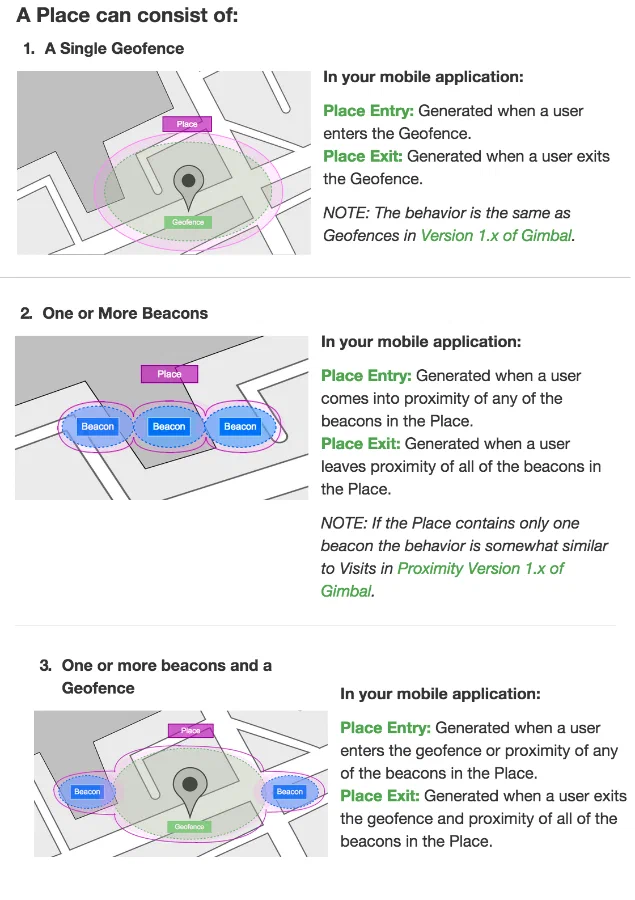
*Gimbal place definitions*
# Google Analytics
> Send user-level mobile engagement data from Airship to Google Analytics in real time.
Our Google Analytics integration sends user-level mobile engagement data from Airship to Google using a [Real-Time Data Streaming](https://www.airship.com/docs/reference/glossary/#rtds) (RTDS) connector.
> **Note:** This integration does not support all the event types and properties available in the Real-Time Data Stream. If you would like to combine non-supported Airship events with Google Analytics data, we recommend using Airship's [Google Cloud Storage integration](https://www.airship.com/docs/integrations/gcs/) and building reports in [Looker Studio](https://support.google.com/looker-studio/answer/6370352?hl=en#zippy=%2Cin-this-article).
## Google Analytics Integration Requirements
* **Accounts**
1. Google Analytics
1. Airship — Must include both:
* Messaging
* [Real-Time Data Streaming](https://www.airship.com/docs/reference/feature-packages/#data)
* **Mobile App**
* The Google Analytics Firebase SDK must be added to your mobile app.
* The Firebase App Instance ID must be shared.
## Associating the App Instance ID with a Channel ID
You must create custom identifiers that associate a Google Analytics App Instance ID with
the user's Airship [Channel ID](https://www.airship.com/docs/reference/glossary/#channel_id).
#### iOS Swift
```swift
UAirship.shared().analytics
.editAssociatedIdentifiers()
.addIdentifier("ga4_instance_id", Analytics.appInstanceID())
.apply()
```
#### Android Java
```java
FirebaseAnalytics.getInstance(this).getAppInstanceId().addOnCompleteListener(new OnCompleteListener"identifiers" key:
| Not sent if a campaign category is not included |
| `airship_direct_open` | Occurs when a user opens your app directly from a push notification. |
| Not sent if a campaign category is not included. |
| `airship_uninstall` | Occurs when a user uninstalls an Airship-integrated app in response to a push. |
| `airship_control` | Occurs when a device is excluded from a push because it was arbitrarily selected as a member of a control group. Membership in a control group indicates what would have happened if you did not send a message to a user at all. This occurs for A/B Test-related pushes only. | The campaign categories. | Not sent if a campaign category is not included. |
# Google Cloud Storage
> Store, analyze, and customize your mobile data.
[Google Cloud Storage](https://cloud.google.com/storage/)
is a secure, cloud-based storage service. The process below explains how to route events from Airship [Real-Time Data Streaming](https://www.airship.com/docs/reference/glossary/#rtds) into a Google Cloud Storage bucket.
## GCS Integration Requirements
This integration requires these accounts:
1. GCS
1. Airship — Must include both:
* Messaging
* [Real-Time Data Streaming](https://www.airship.com/docs/reference/feature-packages/#data)
## Creating a GCS Bucket
1. Log in to the [Google Cloud Platform console](https://console.cloud.google.com/).
1. Create a bucket. See [Create buckets](https://cloud.google.com/storage/docs/creating-buckets) in Google's *Cloud Storage* documentation.
1. Create a JSON Formatted Private Key. See [Cloud Storage authentication](https://cloud.google.com/storage/docs/authentication#generating-a-private-key) in Google's *Cloud Storage* documentation.
1. Download the private key and open the file. You will paste the private
key in the next step.
2. SMS Delivery reports are `CUSTOM` type events that use the `body.name` property to represent the status of your SMS delivery (as reported by the last-mile provider).
### Mapping Airship Event Properties to Mixpanel
| Airship Event Property | Mixpanel Event Property |
|---|---|
| `body.event_type` | `Specific Event Type` (The event `type` property is already called `Event Type`.) |
| `body.identifiers.msisdn` | `MSISDN` |
| `body.identifiers.sender` | `Sender` |
| `body.properties.inbound_message` | `Inbound Message` |
| `body.properties.keyword` | `Keyword` |
| `body.properties.outbound_message` | `Outbound Message` |
| `device.amazon_channel` | `Amazon Channel ID` |
| `device.android_channel` | `Android Channel ID` |
| `device.attributes.app_package_name` | `App Package Name` |
| `device.attributes.app_version` | `App Version` |
| `device.attributes.background_push_enabled` | `Background Push Notifications Enabled` |
| `device.attributes.device_model` | `Model` |
| `device.attributes.device_os` | `OS Version` |
| `device.attributes.iana_timezone` | `Timezone` |
| `device.attributes.locale_country_code` | `Country Code` |
| `device.attributes.locale_language_code` | `Language Code` |
| `device.attributes.locale_timezone` | `Timezone Offset` |
| `device.attributes.locale_variant` | `Language Variant` |
| `device.attributes.location_enabled` | `Location Services Enabled` |
| `device.attributes.location_permission` | `Location Permission` |
| `device.attributes.push_opt_in` | `Opted Into Push Notifications` |
| `device.attributes.ua_sdk_version` | `Airship SDK Version` |
| `device.attributes.web_browser_name` | `Browser` |
| `device.attributes.web_browser_type` | `Web Browser Type` |
| `device.attributes.web_browser_version` | `Web Browser Version` |
| `device.attributes.web_user_agent_string` | `Web User Agent String` |
| `device.channel` | `Channel ID` |
| `device.delivery_address` | `Delivery Address` |
| `device.device_type` | `Device Type` |
| `device.identifiers.AA_visitorID` | `Adobe Visitor ID` |
| `device.identifiers.address` | `Email Address` |
| `device.identifiers.com.urbanairship.aaid` | `Android/Amazon Ad ID` |
| `device.identifiers.com.urbanairship.gimbal.aii` | `Gimbal App Instance ID` |
| `device.identifiers.com.urbanairship.limited_ad_tracking_enabled` | `Limited Ad Tracking Enabled` |
| `device.identifiers.com.urbanairship.vendor` | `Apple Vendor ID` |
| `device.identifiers.GA_CID` | `Google Analytics Client ID`|
| `device.identifiers.IDFA` | `IDFA` |
| `device.ios_channel` | `iOS Channel ID` |
| `device.named_user_id` | `Named User ID` |
| `id` | `Event ID` |
| `offset` | `Event Offset` |
| `occurred` | `Time` |
| `type` | `Event Type` |
### Mapping Airship Tag Change Event Properties to Mixpanel
When Airship sends a tag change event to Mixpanel, Mixpanel reflects the `current` tags as event properties. Mixpanel uses the tag group as the property and the tags in the group as the value.
**Example tag change event**
```json
{
"id": "00000169-4a14-67b2-1ddd-d9e733622c3a",
"occurred": "2020-06-23T19:00:45.106Z",
"offset": "1000001260057",
"processed": "2020-06-23T19:00:47.094Z",
"type": "TAG_CHANGE",
"device": {
"ios_channel": "1ef235f0-03d5-1384-893e-a19b5cd0d110",
"channel": "1ef235f0-03d5-1384-893e-a19b5cd0d110",
"device_type": "IOS",
},
"body":{
"add": {
"crm": [
"partner",
"active"
],
"loyalty": [
"silver_member"
]
},
"current": {
"crm": [
"partner",
"active",
"new_user"
],
"loyalty": [
"silver_member",
"special_offers"
],
"device": [
"san_francisco",
"sports"
]
}
},
"type": "TAG_CHANGE"
}
```
From the example above, Mixpanel maps tag groups and tags as follows:
| Airship Event Property | Mixpanel User Property | Value |
|---|---|---|
| `body.current.crm` | `Airship crm` | `["partner", "active", "new_user"]` |
| `body.current.loyalty` | `Airship loyalty` | `["silver_member", "special_offers"]` |
| `body.current.device` | `Airship device` | `["san_francisco", "sports"]` |
# Movable Ink
> Movable Ink generates personalized visual content for Airship app audiences.
You can set up both inbound and outbound integrations with Movable Ink.
## Movable Ink Integration Requirements
This integration requires these accounts:
1. Movable Ink
* Stories subscription — *Required for outbound integration only*
1. Airship
* Messaging
* [Real-Time Data Streaming](https://www.airship.com/docs/reference/feature-packages/#data) — *Required for outbound integration only*
## Inbound Integration
Movable Ink helps you deliver highly relevant, personalized push notifications, Message Center messages, and in-app automations.
Contact [alliances@airship.com](mailto:alliances@airship.com) to get started with the Movable Ink inbound integration. Airship will help you set up your integration and create Message Center templates so you can use your Movable Ink campaigns in Airship.
To use Movable Ink with Airship, you must use your audience's `channel_id` or `named_user_id` identifiers as Movable Ink merge tags — the `mi_u` query parameter in Movable Ink. This helps ensure that each member of your audience receives personalized content.
To take advantage of Movable Ink, you'll insert blocks of content or *Creative Tags* from Movable Ink into your Airship messages. A Creative Tag is a snippet of HTML that includes business logic to render personalized, intelligent content in your Airship message.
### Use Cases
Movable Ink helps you personalize the look and feel of your message to suit each individual in your audience.
* **Merge sale-specific information in your messages:** Promote product-based messaging in your app after a user views content in a website or an email.
* **Target your audience contextually:** Send time-targeted messages to make sure your audience knows about upcoming events, weather, time-targeted offers, etc.
* **Offer behavioral recommendations:** Let your audience know about product substitutes or events tangential to their current interests to keep them engaged.
### Movable Ink Support in Airship
Movable Ink dynamically generates creative content in real time for your mobile app using Airship. This table lists many of the Movable Ink capabilities available for Airship apps.
> **Note:** If a Movable Ink capability is not listed in these tables, then it is fully supported for mobile messaging with Airship.
**Creative Optimizer**:
| Movable Ink capability | Rich push notification | In-App Automation/Message Center | Notes |
| --- | :---: | :---: | --- |
| Display A/B content | | ✓ | |
| Optimize | | ✓ | Use the Channel ID to optimize. Must deep link so Movable Ink can capture clicks and optimize the content. Cannot optimize based on conversions or revenue. |
{class="table-col-1-30"}
**Targeting Rules**:
| Movable Ink capability | Rich push notification | In-App Automation/Message Center | Notes |
| --- | :---: | :---: | --- |
| Date | ✓\* | ✓\* | \*Supported but not recommended because push notifications are cached upon receipt and do not refresh. |
| Day of Week | ✓\* | ✓ | \*Supported but not recommended because push notifications are cached upon receipt and do not refresh. |
| Query Parameters | ✓\* | ✓\*\* | \*If using Airship with Salesforce Marketing Cloud, your identifiers in Airship (`channel_id` or `named_user`) must match Salesforce's UUID and be passed through their connector.
`custom_event_type` = `other`
`event_name` = `{Airship event type}`
| Airship Event | mParticle Event |
|---------------------------|--------------------------------------------------|
| ATTRIBUTE_OPERATION | Set as User Attributes |
| CLOSE | Custom Event |
| CONTROL | Custom Event |
| CUSTOM | Custom Event |
| FIRST_OPEN | Custom Event |
| FIRST_OPT_IN | Custom Event |
| IN_APP_BUTTON_TAP | Custom Event |
| IN_APP_EXPERIENCES | Custom Event |
| IN_APP_FROM_DISPLAY | Custom Event |
| IN_APP_FROM_RESULT | Custom Event |
| IN_APP_MESSAGE_DISPLAY | Custom Event |
| IN_APP_MESSAGE_EXPIRATION | Custom Event |
| IN_APP_MESSAGE_RESOLUTION | Custom Event |
| IN_APP_PAGE_SWIPE | Custom Event |
| IN_APP_PAGE_VIEW | Custom Event |
| IN_APP_PAGER_COMPLETED | Custom Event |
| IN_APP_PAGER_SUMMARY | Custom Event |
| LOCATION | Custom Event
`custom_event_type = location` |
| MOBILE_ORIGINATED | Custom Event |
| OPEN | Custom Event |
| REGION | Custom Event |
| RICH_DELETE | Custom Event |
| RICH_DELIVERY | Custom Event |
| RICH_READ | Custom Event |
| SCREEN_VIEWED | Screen View |
| SEND | Custom Event |
| SEND_ABORTED | Custom Event |
| SEND_REJECTED | Custom Event |
| SHORT_LINK_CLICK | Custom Event |
| SUBSCRIPTION | Custom Event |
| TAG_CHANGE | Set as User Attributes |
| UNINSTALL | Uninstall |
| WEB_CLICK | Custom Event |
| WEB_SESSION | Custom Event |
# Purchasely
> Send Purchasely events to Airship and design personalized automations.
Purchasely helps you build and grow your mobile
revenue by streamlining in-app purchase integration. You can send Purchasely events as
[Custom Events](https://www.airship.com/docs/reference/glossary/#custom_event)
to Airship and design personalized [Automations](https://www.airship.com/docs/reference/glossary/#automation) based on your customers' purchase behavior.
## Purchasely Integration Requirements
* **Accounts**
1. Purchasely
1. Airship — Must include messaging
* **Airship project**
* The Airship SDK must use the same user identity as the Purchasely SDK.
## Configuring the Purchasely Integration
In Airship:
1. Next to your project name, select the dropdown menu (
), then **Settings**.
1. Under **Project settings**, select **Partner Integrations**.
1. Select **Purchasely**.
1. Select **Configure** for the inbound integration and follow the onscreen instructions to:
* Create [Custom Events](https://www.airship.com/docs/reference/glossary/#custom_event) and an authentication token. Purchasely uses the token to communicate with your project in Airship.
* Configure Airship as an external integration in Purchasely.
For additional detail, see [Purchasely's documentation](https://docs.purchasely.com/integrations/airship).
# Radar
> Track location data and generate contextual events using Radar event types.
[Radar](https://radar.io/) makes it easy to start tracking location data
with their iOS and Android SDKs, and generate contextual events from this data
using their different event types: Geofences, Insights, and Places.
Radar sends location data to Airship using our
[server-side Custom Events API](https://www.airship.com/docs/developer/rest-api/ua/operations/custom-events/).
Whenever location events are generated, Radar will send custom events and
properties to Airship. This data can then be used with the
Custom Event trigger in Automations and Sequences.
## Radar Use Cases
* **Media:** Trigger sending a notification to a user when they enter a place
within a specific category, e.g., a fitness venue, asking them to read your
latest article on Health & Wellness.
* **Retail:** Trigger sending a notification to a user when they enter one
of your store locations, telling them about a new product you are offering.
* **Dining:** Trigger sending a notification to a user when they enter a
specific geofence, offering them a 20% off coupon for your restaurant.
## Radar Integration Requirements
* **Accounts**
1. Radar — Enterprise account
1. Airship — Must include messaging
* **Airship project**
* The Airship SDK must use the same user identity as the Radar SDK.
## Configuring the Radar Integration
In Airship:
1. Next to your project name, select the dropdown menu (
), then **Settings**.
1. Under **Project settings**, select **Partner Integrations**.
1. Select **Radar**.
1. Select **Configure** for the inbound integration and follow the onscreen instructions to:
* Create [Custom Events](https://www.airship.com/docs/reference/glossary/#custom_event) and an authentication token. Radar uses the token to communicate with your project in Airship.
* (Optional) Create [Tag Groups](https://www.airship.com/docs/reference/glossary/#tag_group).
* Configure the Airship integration in Radar.
Radar will send custom events and properties to Airship for use with the Custom Event trigger. See the full list of [Radar Events](#radar-events).
## Using the Custom Event trigger {#trigger}
In the Setup step in an [Automation](https://www.airship.com/docs/guides/messaging/messages/sequences/create-automation/) or when configuring the trigger for a [Sequence](https://www.airship.com/docs/guides/messaging/messages/sequences/create/create/):
1. Select the Custom Event trigger.
1. Search for a Radar event, then select from the listed
results. Results are limited to events that occurred in the last 30 days. All [Radar events](#radar-events) have the prefix `radar` in the name. For example, `radar_geofence_entered`.
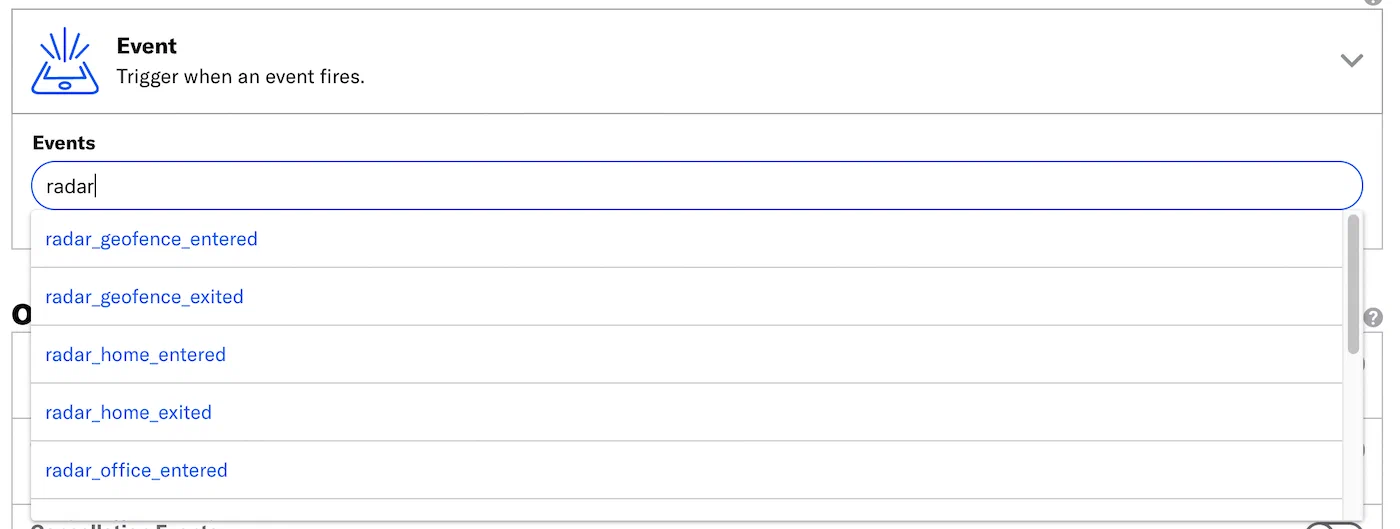
*Searching for Radar events for the Custom Event trigger*
1. (Optional) Select **Add Another** to add more Radar events. Multiple event are handled as a boolean OR.
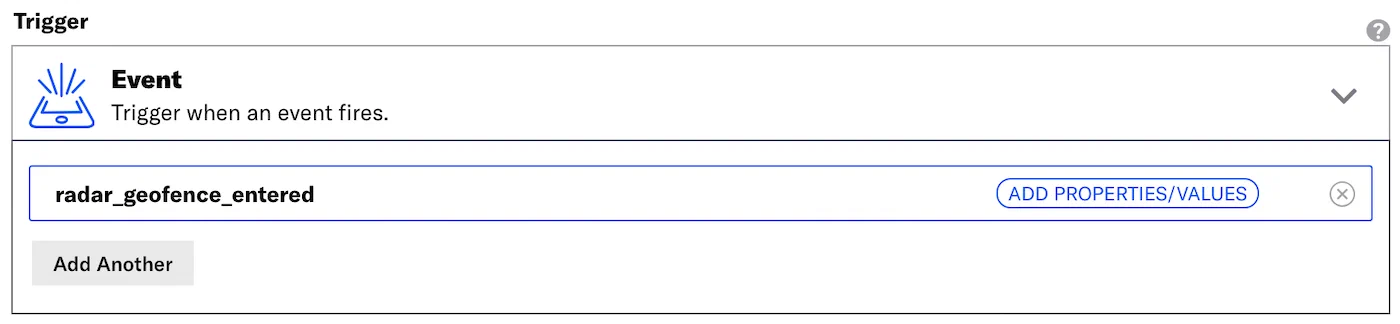
*radar_geofence_entered in the Custom Event trigger*
### Filtering Custom Events {#filter}
When configuring the Custom Event trigger, you can filter custom events using numeric values associated with those custom events, or by key/value properties attached to the events. Filtering events this way can help you more precisely target your audience.
> **Note:** The filter **does not** show events and event properties for custom events associated with [Named Users](https://www.airship.com/docs/reference/glossary/#named_user). You can still use events associated with named users as triggers, but you must enter their information manually.
Each Radar location event has [associated properties](#radar-events) that may be used as filters. For example, you can choose to trigger an automation or sequence when a user enters a Radar geofence (`radar_geofence_entered`) with a confidence property (`radar_confidence`) value of Medium.
1. Select **Add event properties** for the custom event.

*Adding event properties for a Radar custom event*
1. Select **Add property**.
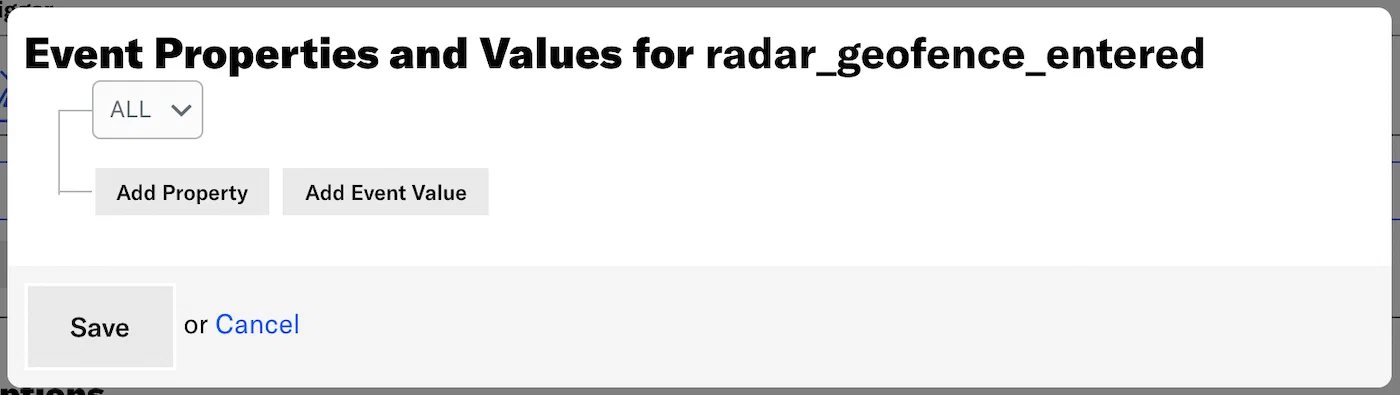
*Selecting Add property*
1. Select **Search for properties**, enter a search term, and select from the
listed results.
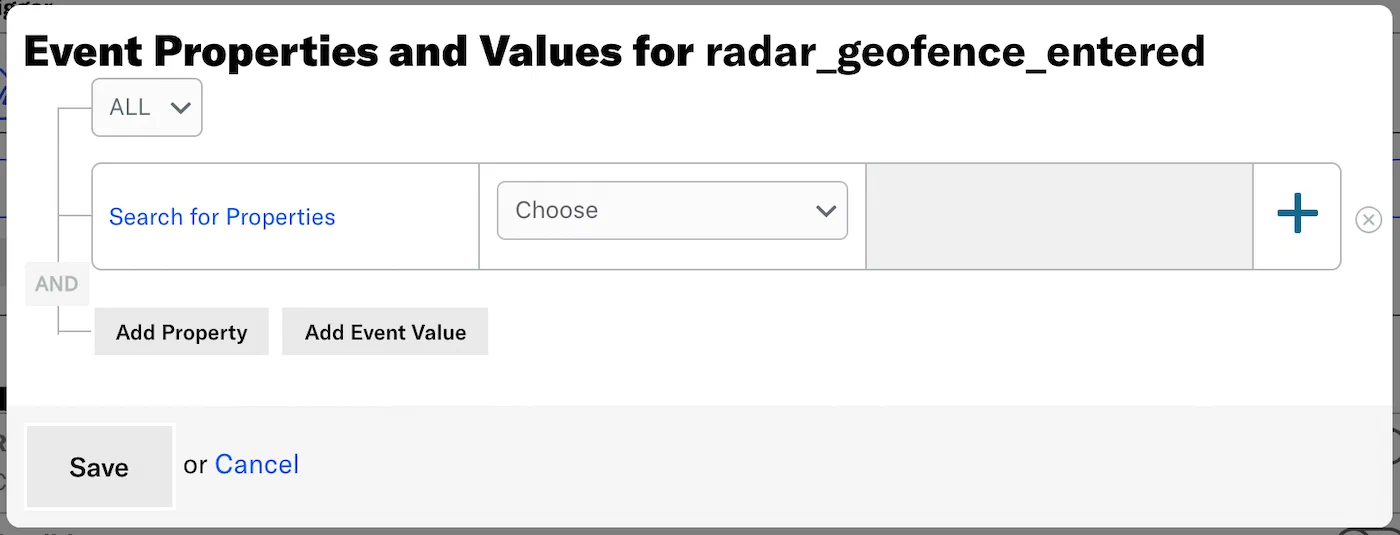
*Searching for Radar event properties*
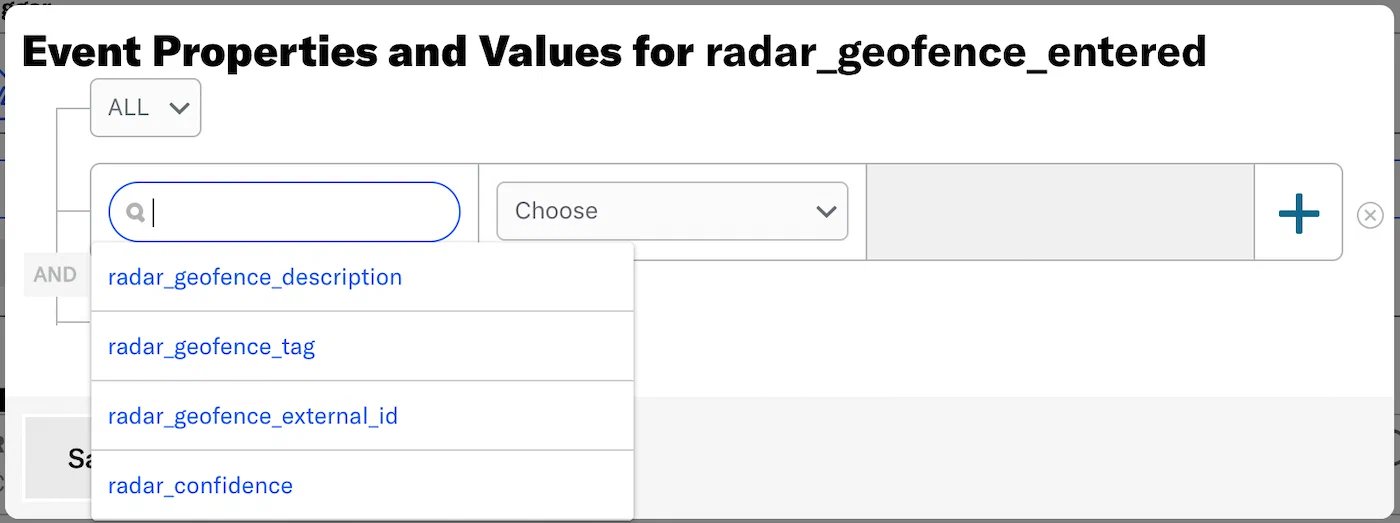
*Selecting a Radar event property from search results*
1. Set the property or value for your event filter and the operator determining how you want to evaluate the property or value. An operator will pre-populate for most properties. `Equals` is used for `radar_confidence` only.
1. (Optional) Add an alternative by selecting the plus icon () at the
end of a row.
1. Select **ALL** or **ANY** to determine how to evaluate multiple filters and alternatives within each filter:
1. Select **Save**.
## Radar Events and Properties {#radar-events}
Use the following terms when [searching for](#trigger) and
[filtering](#filter) Radar events. See [Radar's documentation](https://radar.io/documentation) for additional detail.
Each event is followed by its associated properties and each property's acceptable value.
### Radar Geofences
radar_geofence_entered
: radar_geofence_description: String
radar_geofence_tag: String
radar_geofence_external_id: String
radar_confidence: *Low*, *Medium*, or *High*
radar_geofence_exited
: radar_geofence_description: String
radar_geofence_tag: String
radar_geofence_external_id: String
radar_confidence: *Low*, *Medium*, or *High*
radar_duration: A number, in minutes
### Radar Insights
radar_home_entered
: radar_confidence: *Low*, *Medium*, or *High*
radar_home_exited
: radar_confidence: *Low*, *Medium*, or *High*
radar_office_entered
: radar_confidence: *Low*, *Medium*, or *High*
radar_office_exited
: radar_confidence: *Low*, *Medium*, or *High*
radar_traveling_started
: radar_confidence: *Low*, *Medium*, or *High*
radar_traveling_stopped
: radar_confidence: *Low*, *Medium*, or *High*
### Radar Places
radar_place_entered
: radar_place_name: String
radar_place_chain_slug: String
radar_place_chain_name: String
radar_place_categories: String
radar_place_facebook_id: String
radar_confidence: *Low*, *Medium*, or *High*
radar_place_exited
: radar_place_name: String
radar_place_chain_slug: String
radar_place_chain_name: String
radar_place_categories: String
radar_place_facebook_id: String
radar_confidence: *Low*, *Medium*, or *High*
radar_duration number: A number, in minutes
# Relay42
> Create meaningful customer relationships by transforming fragmented interactions into seamless journeys.
[Relay42](https://relay42.com/) Relay42 is an Orchestration Customer Data Platform (CDP) that empowers businesses to create meaningful customer relationships by utilizing smart technology to transform fragmented interactions into seamless journeys.
The Relay42-Airship server-to-server connector allows brand to send audience data from Relay42 to Airship as Custom Events. You can use these Custom Events to target your mobile app audience.
## Relay42 Integration Requirements
* **Accounts**
1. Relay42 — [Pro plan](https://relay42.com/platform)
1. Airship — Must include messaging
* **Airship project**
* [Named User](https://www.airship.com/docs/reference/glossary/#named_user) must be enabled for your project.
## Configuring the Relay42 Integration
In Airship:
1. Next to your project name, select the dropdown menu (
), then **Settings**.
1. Under **Project settings**, select **Partner Integrations**.
1. Select **Relay42**.
1. Select **Configure** for the inbound integration and follow the onscreen instructions to:
* Create an authentication token. Relay42 uses the token to communicate with your project in Airship.
* Configure the Airship integration in Relay42.
For additional detail, see [Relay42's resources](https://support.relay42.com/hc/en-us/articles/4403768464529).
# RevenueCat
> RevenueCat is a powerful and reliable in-app purchase server with cross-platform support.
You can use [RevenueCat](https://docs.revenuecat.com/docs/welcome) events to
send [Custom Events](https://www.airship.com/docs/guides/audience/events/custom-events/)
and trigger messages with Airship. You can design personalized
[Airship Automations and Sequences](https://www.airship.com/docs/guides/messaging/messages/sequences/about/) based on purchase behavior.
## RevenueCat Integration Requirements
* **Accounts**
1. RevenueCat — [Pro plan](https://www.revenuecat.com/pricing)
1. Airship — Must include messaging
* **Airship project**
* The Airship SDK must use the same user identity as the RevenueCat SDK.
## Configuring the RevenueCat Integration
In Airship:
1. Next to your project name, select the dropdown menu (
), then **Settings**.
1. Under **Project settings**, select **Partner Integrations**.
1. Select **RevenueCat**.
1. Select **Configure** for the inbound integration and follow the onscreen instructions to:
* Create [Custom Events](https://www.airship.com/docs/reference/glossary/#custom_event) and an authentication token. RevenueCat uses the token to communicate with your project in Airship.
* Configure the Airship integration in RevenueCat.
For additional detail, see [RevenueCat's documentation](https://docs.revenuecat.com/docs/airship).
# Salesforce Marketing Cloud
> Leverage Airship from within Salesforce Marketing Cloud.
Companies engage with their users to deliver positive brand experiences, support
their business goals, and build long-term relationships. You can coordinate all
your engagement campaigns within the Salesforce Marketing Cloud (SFMC) Journey Builder. And you can consume Airship's events in SFMC, adding Airship-gathered engagement data to your CRM system.
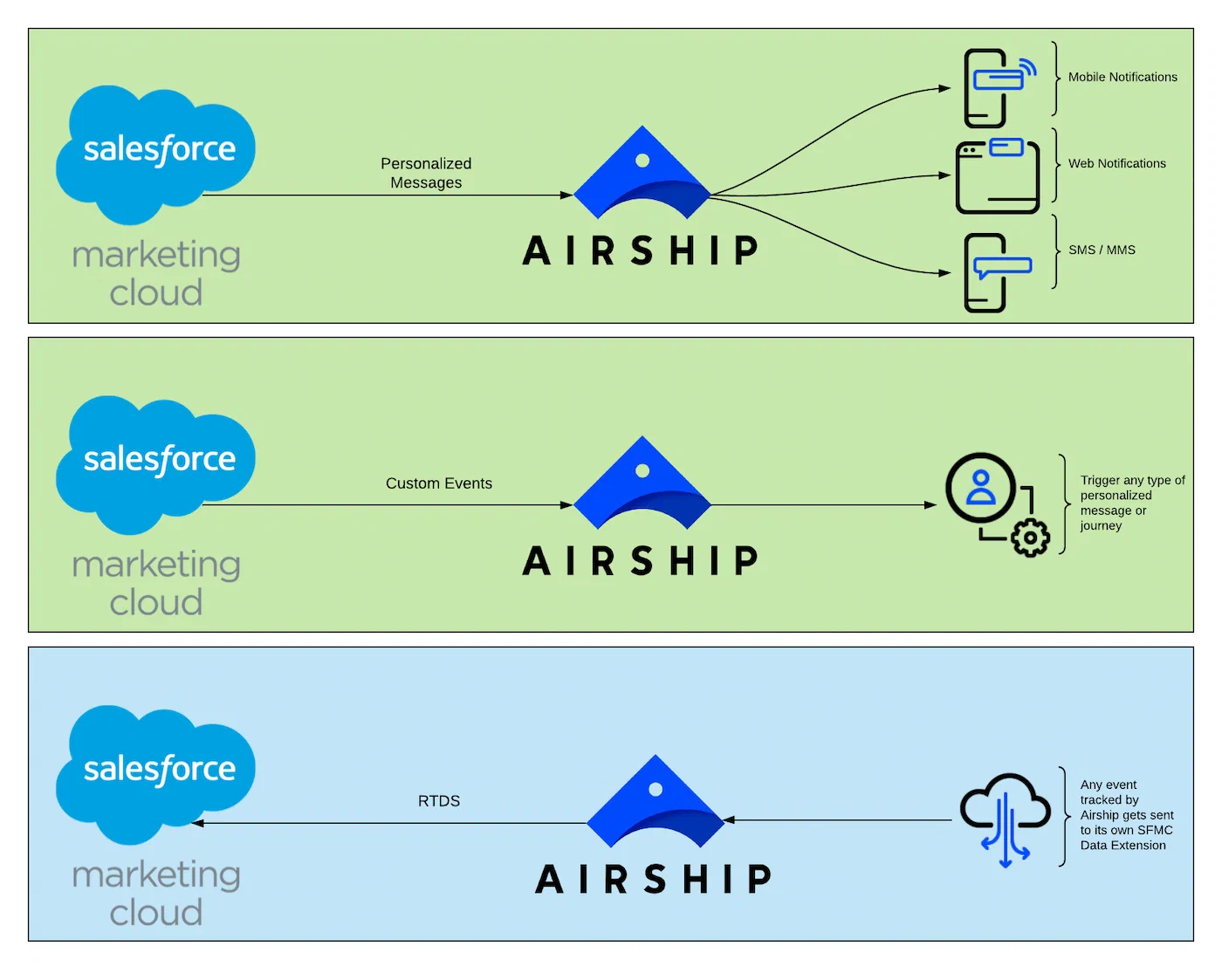
*Salesforce Marketing Cloud integration uses*
## Inbound integration
When you integrate Airship into SFMC's Journey Builder, you can send Airship App, SMS, and Web messages from an SFMC journey. You can also send [Wallet push notifications](https://www.airship.com/docs/guides/wallet/user-guide/notifications/push-notifications/), both to external IDs and pass IDs.
* **Create a compelling campaign in minutes** — Initiate campaigns with easy-to-use tools that don't require a development team. With Airship, you can add mobile, SMS, and web messaging to any customer journey that will deliver in-the-moment value to your app audience.
* **Create automated SFMC journeys triggered by cross-channel events** — Send targeted campaigns to onboard, activate, retain and re-engage your customers. Easily zero in on the insights necessary to drive targeted actions in other systems.
* **Use multiple Airship projects in SFMC** — Most companies have different Airship projects for different purposes. You can add all your projects to SFMC and use them in individual campaigns.
* **Add actions and extras to message payloads** — Do more with your messages by adding Actions (Deep Links, Landing Pages, Tagging, etc.) and Extras (key/value pairs available to the app upon direct open).
* **Re-engage users** — Use cross-channel marketing to re-engage users when they uninstall your app or convert on their mobile device or web browser.
For additional uses, see [Using the inbound integration with SFMC journeys](#using-the-inbound-integration-with-sfmc-journeys) below.
### Integration requirements
This integration is fairly flexible in terms of audience mapping. In the context of an individual Airship Activity, you can target an audience using either:
* A value from the Journey's Entry Source — This can be either a [Named User](https://www.airship.com/docs/reference/glossary/#named_user) or [Channel ID](https://www.airship.com/docs/reference/glossary/#channel_id)
* The Named User associated with the subscriber from the project configuration
Named Users map IDs from your CRM or another backend system (like SFMC) to device IDs. The Named User IDs you set must map to a data extension in SFMC. Airship cannot target devices if you do not set Named Users appropriately. See
[Associating Channels with Named Users](https://www.airship.com/docs/guides/audience/named-users/#associate) in the *Named Users* guide
to set the Named User ID for a device via the iOS SDK, Android SDK, or the
server-side API.
See [Intro to Channels](https://www.airship.com/docs/guides/getting-started/developers/channels-intro/) for details about Channel IDs.
### Configure Airship in SFMC
The steps for configuring Airship in SFMC are provided in the Airship dashboard:
1. Next to your project name, select the dropdown menu (
), then **Settings**.
1. Under **Project settings**, select **Partner Integrations**.
1. Select **Salesforce Marketing Cloud**. If the SFMC tile is not visible, please fill out our [interest form](https://www.airship.com/lp/airship-sfmc-integration/).
1. Select **Configure** for the inbound integration and follow the onscreen instructions to:
* Create [Tag Group](https://www.airship.com/docs/reference/glossary/#tag_group) `sfmc-integration` and an authentication token. All tags set from Salesforce appear in this tag group, and it used to reference Salesforce tags in the API. SFMC uses the token to communicate with your project in Airship.
* Configure the Airship integration in SFMC.
### Add Airship projects to SFMC
After configuring Airship in SFMC, add your Airship projects to SFMC. You can select the project that you want to send messages from when configuring activities in SFMC journeys.
In SMFC:
1. Hover over **AppExchange** and select **Airship**.
1. Select **New Project** or select the edit icon (
) to edit the settings for an existing Airship project.
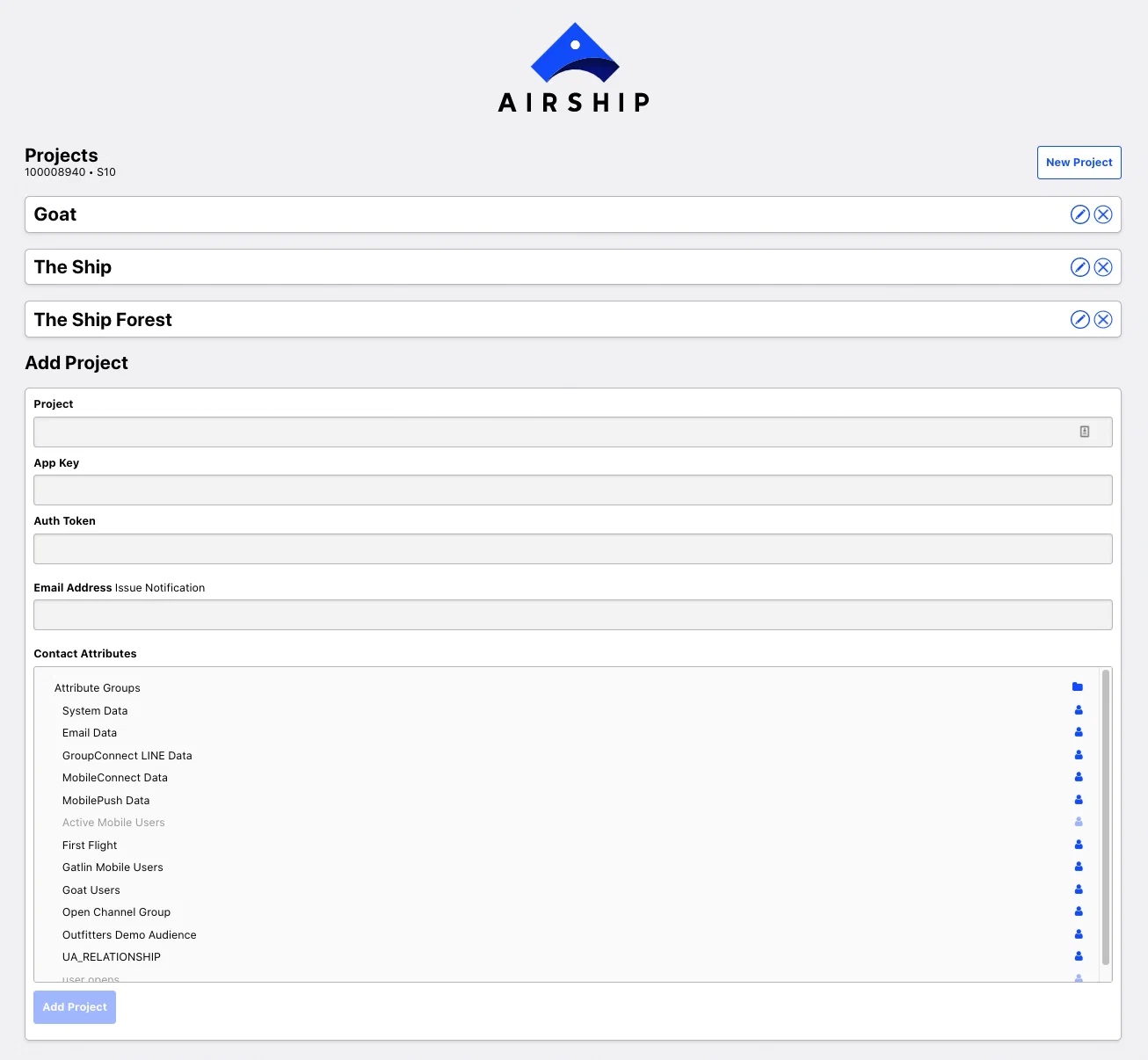
*Adding an Airship project to SFMC*
1. Configure for the project:
| Field | Description | Steps |
| --- | --- | --- |
| **Project** | The name of your Airship project | Enter the project name. |
| **App Key** | Your Airship project app key. You can find this in your Airship project in **Settings**. | Enter the app key. |
| **Auth Token** | The auth token you created when [configuring Airship in SFMC](#configure-airship-in-sfmc) | Enter the auth token. |
| **Email Address** | The address where SFMC should send notifications about send issues | Enter an email address. |
| **Contact Attributes** | The field in your Data Extension External Key that you want to map to your Airship Named Users | Navigate to the data extension containing the field you want to map. In **Named User**, select the field.
Changed position of `completed` field in **IN_APP_PAGER_SUMMARY** table. | ```sql
...
"app_defined_id" varchar comment 'An identifier defined by the application if the In-App Pager was created by the application logic, not Airship. If this field is present, the event body will not contain push_id, group_id, variant_id, or triggering_push fields.',
"completed" boolean comment 'Whether the user has reached the end of the pager.',
"context_reporting_context_content_types" variant comment 'The content types of the in-app automation.',
...
```
|
| **May 2023**
Made channel ID not required for **CUSTOM** table. Custom events sent to named users will not include a channel ID. | ```sql
alter table "CUSTOM"
alter "channel" drop not null;
```
|
| **Dec 2022**
Added `campaigns` to **IN_APP_MESSAGE_RESOLUTION** and **IN_APP_MESSAGE_DISPLAY** tables. | ```sql
alter table IN_APP_MESSAGE_RESOLUTION
add column "campaigns" variant comment 'An object listing the campaigns a push specification is associated with. The campaigns object includes an array of categories that must have between 1 and 10 elements, each of which is a string with a 64-byte and -character limit.';
alter table IN_APP_MESSAGE_DISPLAY
add column "campaigns" variant comment 'An object listing the campaigns a push specification is associated with. The campaigns object includes an array of categories that must have between 1 and 10 elements, each of which is a string with a 64-byte and -character limit.';
```
|
| **Sep 2022**
Added push attributes to **CUSTOM** table. | ```sql
alter table CUSTOM
add column "triggering_push_push_id" varchar comment 'The push ID of the push that triggered the custom event.'
add column "triggering_push_group_id" varchar comment 'The specific `push_id` and accompanying identifiers associated with an event. An associated push helps you trace an event to the original notification or operation. An associated push object may specify a `time`, if the push was a singular operation sent at a defined time. Otherwise, the object will include a `group_id` if the push was sent at a relative time (`best_time` or `local_time`) an automation pipeline, or another operation resulting in multiple `push_id`s'
add column "triggering_push_campaigns" variant comment 'An object listing the campaigns a push specification is associated with. The campaigns object includes an array of categories that must have between 1 and 10 elements, each of which is a string with a 64-byte and -character limit.'
add column "triggering_push_time" timestamp_tz comment 'The UTC time when the push occurred.'
add column "triggering_push_variant_id" varchar comment 'The ID of the variant that a push is associated with, if the push was a part of an A/B test (experiment).'
add column "last_delivered_push_id" varchar comment 'Identifies the last push notification the audience received before the event. Absent if the last push occurred more than 12 hours ago.'
add column "last_delivered_group_id" varchar comment 'Identifies a push specification delivered over an interval of time, e.g. multiple push_ids as part of the fulfillment of an automation pipeline or a push-to-local-time specification.'
add column "last_delivered_campaigns" variant comment 'An object listing the campaigns a push specification is associated with. The campaigns object includes an array of categories that must have between 1 and 10 elements, each of which is a string with a 64-byte and -character limit.'
add column "last_delivered_time" timestamp_tz comment 'The UTC time when the push occurred.'
add column "last_delivered_variant_id" varchar comment 'The ID of the variant that a push is associated with, if the push was a part of an A/B test (experiment).';
```
|
{class="table-col-1-20"}
# Export Lists from Snowflake
> Export Snowflake audience data for personalization and segmentation in Airship.
Sending Snowflake data to Airship capitalizes on existing, readily available tools to achieve the highest degree of flexibility and control, all while maintaining cost-effectiveness. Your data team uses Snowflake to generate valuable insights and audience segments by employing a tool they are already proficient in: SQL. You can expand on these existing processes to send data to Airship. This collaboration unlocks a multitude of potential use cases and drives a substantial improvement in personalization capabilities.
Follow these steps to create [Attributes](https://www.airship.com/docs/reference/glossary/#attributes) from Snowflake data. You can also leverage any of the supported features listed in [SFTP upload for CSV files](https://www.airship.com/docs/guides/audience/segmentation/sftp-upload/), including [Uploaded (Static) Lists](https://www.airship.com/docs/reference/glossary/#uploaded_list).
To use your Snowflake data directly, without copying or importing the data into Airship, see [Zero-copy data integration](https://www.airship.com/docs/guides/features/data-integration/zero-copy-data-integration/). To send Airship data to Snowflake, see the [Real-Time Data Streaming integration](https://www.airship.com/docs/integrations/snowflake/).
## Generating SFTP keys
Airship's SFTP implementation uses SSH key pairs for authentication. You must create a pair of keys: a private key for your client and a public key for Airship. Then you can add the public key to Airship use the private key from Snowflake.
In Airship:
1. Generate your key pair. Follow the steps in [Generate keys](https://www.airship.com/docs/guides/audience/segmentation/sftp-upload/#generate-keys) in *SFTP upload for CSV files*.
1. Add your public key, making sure to set the Purpose to `Attributes`. Follow the steps in [Add your public key to Airship](https://www.airship.com/docs/guides/audience/segmentation/sftp-upload/#add-your-public-key-to-airship) in *SFTP upload for CSV files*. Note the host, port, and username for use in the following SFMC steps.
## Creating a network rule and integration
In Snowflake, your setup may require the following.
**Create a network rule and external access integration**
```sql
-- This gets used in creating the external access integration
CREATE OR REPLACE NETWORK RULE airship_sftp_network_rule
TYPE = HOST_PORT
VALUE_LIST = ('sftp.airship.com:5222')
MODE= EGRESS
;
-- This gets used later creating the stored proc
CREATE OR REPLACE EXTERNAL ACCESS INTEGRATION sftp_airship_ext_int
ALLOWED_NETWORK_RULES = (airship_sftp_network_rule)
ALLOWED_AUTHENTICATION_SECRETS = (sftp_airship_attribute_cred)
ENABLED = true
;
```
## Storing the SFTP credentials
In Snowflake, store the private key in a `SECRET` type `password`. This is preferred because the tokens are encrypted.
**Store the credentials**
```sql
-- create secret credential object (removed the actual key in this example)
-- this creates an object with a username and password (it's a key in this case)
CREATE SECRET sftp_airship_attribute_cred
TYPE = password
USERNAME = 'OZzRx6y4Rm690T6KkReIuQ'
PASSWORD = '-----BEGIN RSA PRIVATE KEY-----
...
-----END RSA PRIVATE KEY-----
';
```
## Creating a function to retrieve the SSH authentication
In Snowflake, you can create a function to retrieve the credentials.
**Create a function**
```sql
CREATE OR REPLACE FUNCTION get_secret_username_password()
RETURNS STRING
LANGUAGE PYTHON
RUNTIME_VERSION = 3.9
HANDLER = 'get_secret_username_password'
EXTERNAL_ACCESS_INTEGRATIONS = (sftp_airship_ext_int)
SECRETS = ('cred' = sftp_airship_attribute_cred )
AS
$$
import _snowflake
def get_secret_username_password():
username_password_object = _snowflake.get_username_password('cred')
username_password_dictionary = {}
username_password_dictionary["Username"] = username_password_object.username
username_password_dictionary["Password"] = username_password_object.password
return username_password_dictionary
$$;
```
## Creating a sample attributes table
Next, create a sample SQL table for your Snowflake attributes. It's unlikely that attributes will be pulled from a single table formatted precisely like this. Nevertheless, it's a good place to start as it illustrates the functionality.
**Create a table**
```sql
-- create a table for attributes and insert a row or two
CREATE table sample_attributes (
named_user VARCHAR(100),
first_name VARCHAR(100),
last_name VARCHAR(100),
loyalty_id INT,
favourite_color VARCHAR(100),
tacos_desired INT
);
INSERT INTO sample_attributes VALUES ('8732eda2-c13c-4a2a-9123-fb5bf0bccffb', 'John', 'Smith', 60001, 'Green', 77);
INSERT INTO sample_attributes VALUES ('ba06daf2-66f8-43ce-a152-b0605b9b834e', 'Alice', 'Jones', 87301, 'Blue', 1);
```
## Creating a Stored Procedure
This example creates a very basic Stored Procedure that uploads the `sample_attributes` table above via SFTP to Airship. It doesn't use arguments, everything is hard coded, and it uses the [function above](#creating-a-function-to-retrieve-the-ssh-authentication) to fetch the credentials.
**Create a stored procedure**
```sql
CREATE OR REPLACE PROCEDURE upload_to_sftp()
RETURNS STRING
LANGUAGE PYTHON
RUNTIME_VERSION = 3.8
HANDLER = 'main'
EXTERNAL_ACCESS_INTEGRATIONS = (sftp_airship_ext_int)
PACKAGES = ('snowflake-snowpark-python','paramiko')
SECRETS = ('cred' = sftp_airship_attribute_cred)
AS
$$
import _snowflake
import paramiko
from snowflake.snowpark.files import SnowflakeFile
from io import StringIO
def main(session):
# use the function for grabbing the creds
sftp_cred = _snowflake.get_username_password('cred');
# convert the private key to a file-like object
private_key_file = StringIO(sftp_cred.password)
private_key = paramiko.RSAKey.from_private_key(private_key_file)
# grab the data from the sample attributes table
df = session.sql("select * from sample_attributes").toPandas()
df.to_csv('/tmp/out.csv',index=False)
# connect and upload via SFTP using Paramiko
ssh = paramiko.SSHClient()
ssh.set_missing_host_key_policy(paramiko.AutoAddPolicy())
try:
ssh.connect("sftp.airship.com",port=5222, username=sftp_cred.username, pkey=private_key)
sftp = ssh.open_sftp()
ret = sftp.put('/tmp/out.csv','/out.csv', confirm=False)
# confirm=False is important because Airship sftp doesn't support `ls`
return ret
except Exception as e:
return f" Error with SFTP : {e}"
$$;
```
## Verifying transfer
Run `call upload_to_sftp();`, then verify your data was successfully transferred to Airship. Select the **Audience** menu, then **Attributes**, then **Upload History**. For more information, see [Viewing Attributes upload history](https://www.airship.com/docs/guides/audience/attributes/managing/#viewing-upload-history) in *Managing Attributes*.
## Targeting users
You can now use the transferred data for targeting. See:
* [Targeting your audience using Attributes](https://www.airship.com/docs/guides/audience/attributes/targeting/)
* [Using Uploaded Lists](https://www.airship.com/docs/guides/audience/segmentation/audience-lists/uploaded/#using-uploaded-lists)
* [Segments](https://www.airship.com/docs/guides/audience/segmentation/segments/)
# Snowplow
> Send Real-Time Data Streaming events to Snowplow with our Amazon Redshift integration.
Snowplow helps you track all events across all channels to give you an
up-to-the-minute view of user behaviors. With the Airship [Real-Time Data Streaming](https://www.airship.com/docs/reference/glossary/#rtds)
integration you will have access to all your mobile data in addition to any
other data you want to collect via Snowplow. This enables you to have complete
control over your data warehouse. Amazon Redshift is used so your data
analysts can run custom queries and generate reports.
* Understand user lifecycle.
* Uncover activation behaviors that lead to long term users.
* Optimize user acquisition spend based on the highest performing source
that leads to conversions.
## Snowplow Integration Requirements
This integration requires these accounts:
1. Snowplow
1. Airship — Must include both:
* Messaging
* [Real-Time Data Streaming](https://www.airship.com/docs/reference/feature-packages/#data)
## Configuring the Snowplow Integration
[Contact Snowplow](https://snowplow.io/contact-us/) to set up this integration. For a list of events tracked, see [Snowplow's Airship integration documentation](https://docs.snowplow.io/docs/collecting-data/collecting-data-from-third-parties/urban-airship-connect/).
# Talon.One
> Use Airship's External Data Feeds to fetch personalized promotions and loyalty rewards from Talon.One.
Airship's [External Data Feeds](https://www.airship.com/docs/reference/glossary/#external_feed) can fetch personalized promotions and loyalty rewards from [Talon.One](https://www.talon.one/) at message send time. This allows you to deliver highly targeted offers to your users through Airship's messaging channels, with the promotion logic handled by Talon.One's powerful engine.
This integration approach provides the following capabilities:
* Fetch real-time promotion data from Talon.One when sending messages.
* Personalize messages with dynamic coupon codes and offers.
* Leverage Talon.One's promotion engine for eligibility and targeting.
* Maintain a single source of truth for promotions in Talon.One.
## Talon.One integration requirements
This integration requires the following:
* **Accounts**
1. Talon.One — The account must have permissions to manage API keys.
1. Airship — The account must include messaging.
* **External API** — See [External API requirements](https://www.airship.com/docs/guides/personalization/sources/external-data-feeds/#external-api-requirements) in the *External Data Feeds* guide.
You must have appropriate permissions in both systems.
## Configuring the integration
To set up the integration, you will create an API key and campaign in Talon.One and an External Data Feed in Airship. Then, you can reference the feed in your Airship messages.
### Create an API Key
In Talon.One:
1. Go to **Apps** and select the application you want to integrate with Airship.
1. Select **Settings**, then **Integration API Keys**.
1. Select **+ Create API Key**.
1. Enter a key name and set an expiration date.
1. For **Third-party integration**, select **Yes**.
1. For **Platform**, select **Customer Engagement Platform**.
1. Select **Create API Key**.
### Create a campaign
In Talon.One:
1. Go to **Apps** and select the application you want to integrate with Airship.
1. Select **+Create Campaign** and enable the **Coupons** option.
1. Select **Create Campaign**.
1. Copy the following values for use in Airship:
* Destination hostname
* Authorization key
* Customer engagement hostname
1. In the browser address bar, copy the URL to capture the Talon.One applicationId and campaignId. The URL also contains the destination hostname. For the example `https://internal.europe-west1.talon.one/applications/359/campaigns/7777`, these are the values for each section:
- `Customer-Engagement-Platform-Name` : `Airship`
- `Destination-Hostname` : Your destination hostname |
| **Object locations** | Add an object location for the data you want to access. Both the name and location should have value `coupon`. The identifier could be any value available in Airship, including [Named User](https://www.airship.com/docs/reference/glossary/#named_user) or any [Attribute](https://www.airship.com/docs/reference/glossary/#attributes). For example, perhaps there is a Loyalty ID with your end users in both platforms stored as an attribute. |
{class="table-col-1-30"}
1. Select **Save** to create the feed in your project.
## Using Talon.One data in Airship messages
You add your data feed to messages in two parts:
1. Formatting the message content
1. Determining how to handle the message if the feed fails
For full documentation, see [Using a feed in messages](https://www.airship.com/docs/guides/personalization/sources/external-data-feeds/#using-a-feed-in-messages) in *External Data Feeds*.
### Reference the feed in message content
The JSON response from Talon.One will look something like this:
```json
{
"ID": 20190408,
"ApplicationID": 398,
"CampaignID": 5671,
"Value": "EW-1BC2",
"StartDate": "2021-09-30T15:35:02.371569+02:00",
"ExpiryDate": "2024-10-03T15:35:02.371569+02:00",
"RecipientIntegrationID": "URN-GV8294NV",
"UsageLimit": 1,
"Attributes": {
"email": "user@example.com",
"country": "DE"
}
}
```
When creating message content, use the feed block syntax to access Talon.One data:
```handlebars
{{#feed "talon_promotions" as |data|}}
Here's your exclusive offer: {{data.Value}}
{{/feed}}
```
This should result in an alert with a personalized coupon code:

*An example coupon code from Talon.One data*
### Configure feed failure behavior
In the Delivery step of your message, under **External data feed options**, set the behavior that should occur if the feed fails:
* **Abort sending the message** — Use this option if the promotion is critical.
* **Send message without this data** — Use this option if you have fallback content.
## Additional resources
See [Talon.One documentation](https://docs.talon.one) for additional information, including [Create coupon](https://docs.talon.one/third-party-api#tag/Customer-engagement-platforms/operation/cep/createCoupon) in *Customer engagement platform*.
# Tealium
> Consume Tealium data and send Airship engagement data to Tealium.
Tealium is a Customer Data Platform (CDP). CDPs collect, store, and normalize large volumes of data while creating a persistent identifier that spans across data sets. You can use the inbound and source integrations together or separately.
Inbound Integration
: Use Tealium to set [Tags](https://www.airship.com/docs/reference/glossary/#tag), [Attributes](https://www.airship.com/docs/reference/glossary/#attributes), and deliver [Custom Events](https://www.airship.com/docs/reference/glossary/#custom_event) in Airship. This data is synced between Tealium and Airship using [Named User](https://www.airship.com/docs/reference/glossary/#named_user).
Once in Airship, customers can segment based on those tags, events, and custom event properties, as well as trigger Automations and Sequences. Personalization using attributes and custom event properties is also supported.
Source Integration
: Rich user-level App, SMS, Web, Email, and Open channel data is sent from Airship to Tealium using [Real-Time Data Streaming](https://www.airship.com/docs/reference/glossary/#rtds). Tealium then transforms Airship data into traits and audiences, unifying users and content across different platforms. You choose which RTDS events to send to Tealium.
## Tealium integration requirements
* **Accounts**
1. Tealium
1. Airship
* Messaging
* [Real-Time Data Streaming](https://www.airship.com/docs/reference/feature-packages/#data) — *Required for outbound integration only*
* **Airship project**
* [Named User](https://www.airship.com/docs/reference/glossary/#named_user) must be enabled for your project.
## Configuring the Tealium inbound integration
In Airship:
1. Next to your project name, select the dropdown menu (
), then **Settings**.
1. Under **Project settings**, select **Partner Integrations**.
1. Select **Tealium**.
1. Select **Configure** for the inbound integration and follow the onscreen instructions to:
* Create [Attributes](https://www.airship.com/docs/reference/glossary/#attributes), a [Tag Group](https://www.airship.com/docs/reference/glossary/#tag_group), and an authentication token. Tealium uses the token to communicate with your project in Airship.
* Add a new connector for Airship in Tealium.
## Configuring the Tealium source integration
To set up this integration, you will:
1. Configure your app to set the `tealium_visitor_id` on Airship events. See the Kotlin and iOS setup sections below for more information.
1. Add Airship to Tealium as a source and retrieve your Data Source Endpoint.
1. Set up the RTDS integration for Tealium in the Airship dashboard.
When you set up a Tealium RTDS integration, your events will contain a `tealium_visitor_id` key. This is the identifier Tealium uses to differentiate between unique events. As a fallback, you may want to set your Airship [Named User](https://www.airship.com/docs/reference/glossary/#named_user) value to `tealium_visitor_id` to ensure that events are matched within Tealium.
### Set the `tealium_visitor_id` on Airship events
**Kotlin SDK example**
```kotlin
// Initialize the Tealium library
TealiumConfig tealiumConfig = TealiumConfig(
application,
{ACCOUNT},
{PROFILE},
{ENVIRONMENT},
dataSourceId = {DATASOURCE_ID}, //optional
modules = mutableSetOf(VisitorService),
dispatchers = mutableSetOf(TagManagement, Collect)
);
Tealium tealium = Tealium.create("tealium_instance", tealiumConfig);
// Get the Tealium visitor ID
String visitorId = tealium.getVisitorId();
// Add the visitor ID to the current associated identifiers
Airship.getAnalytics()
.editAssociatedIdentifiers()
.addIdentifier("tealium_visitor_id", visitorId)
.apply();
```
See also: [Tealium Kotlin Identity Resolution documentation](https://docs.tealium.com/platforms/getting-started-mobile/identity-resolution/).
**Swift SDK example**
```swift
// Initialize the Tealium library
let config = TealiumConfig(account: {ACCOUNT},
profile: {PROFILE},
environment: {ENVIRONMENT},
datasource: {DATASOURCE})
let tealium = Tealium(config: config)
// Get the Tealium visitor ID
let visitorId = tealium.visitorId
// Add the visitor ID to the current associated identifiers
let identifiers = Airship.analytics.currentAssociatedDeviceIdentifiers()
identifiers.set(identifier: visitorId, key:"tealium_visitor_id")
Airship.analytics.associateDeviceIdentifiers(identifiers)
```
See also: [Tealium Swift Identity Resolution documentation](https://docs.tealium.com/platforms/getting-started-mobile/identity-resolution/).
### Add Airship to Tealium as a source
You will also retrieve your *Data Source Endpoint URL*.
1. Log in to [Tealium](https://my.tealiumiq.com/).
1. In the sidebar, select **Sources**, then **Data Sources**, which will take you to a page where you can add Airship as a data source.
1. Select **Add Source**.
1. Under **Communication**, select **Airship**.
1. Enter a name for your Airship source integration.
1. Select **Continue** until you reach the **Choose Event Specifications** page.
> **Note:** The event specifications currently do not support Airship-specific events. Tealium may add these in the future. For now, you can ignore the event specifications.
1. Select **Continue** to proceed to the **Get Code** page.
1. Copy the Data Source Endpoint URL. You will paste this in the Airship dashboard when setting up the RTDS integration.
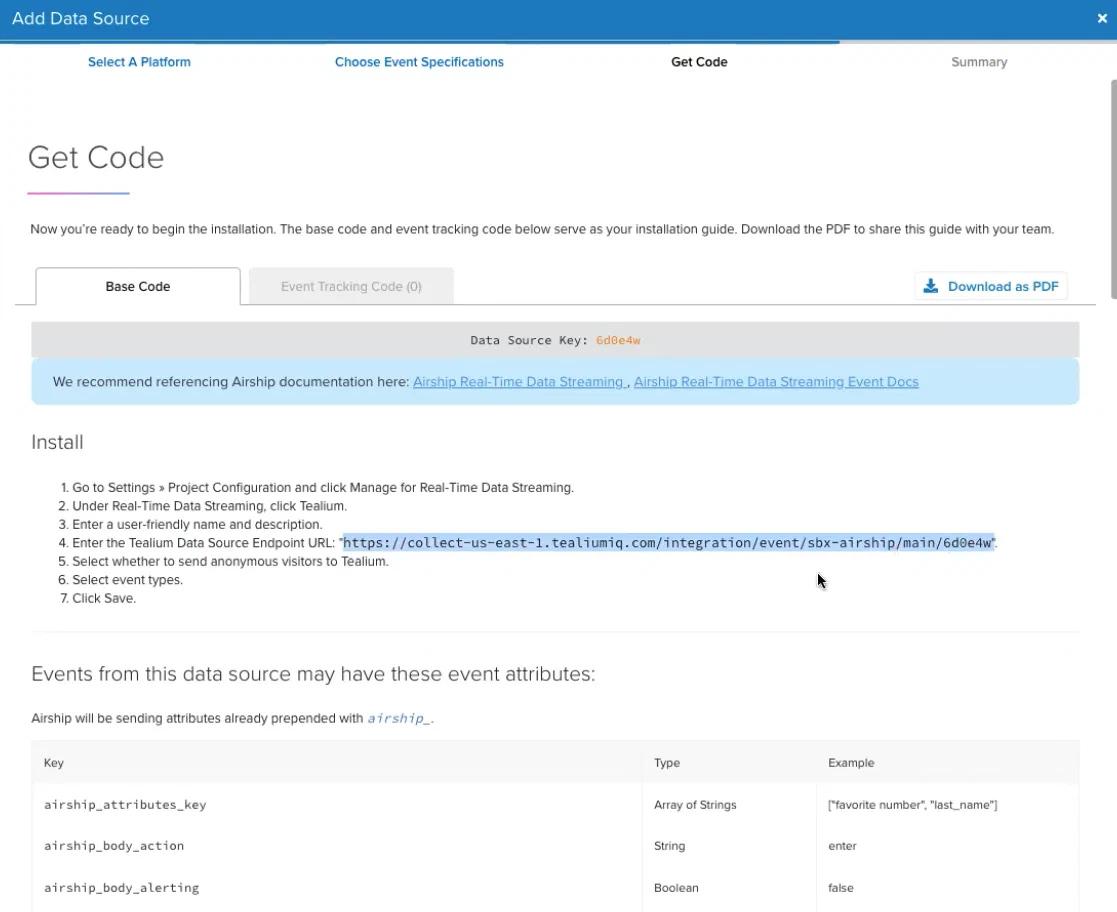
*Copying the Data Source Endpoint URL from Tealium*
> **Note:** The Install steps listed in the Tealium **Get Code** page are the same as provided in the next section on this page. Please read the steps for information not provided by Tealium.
### Set up a Tealium RTDS integration in Airship
You will need your Tealium Data Source Endpoint URL.
In Airship:
1. Next to your project name, select the dropdown menu (
), then **Settings**.
1. Under **Project settings**, select **Real-Time Data Streaming**.
1. Under **Real-Time Data Streaming**, select **Tealium**.
1. Follow the onscreen instructions to configure the integration.