Scene rollouts
A rollout is a method of limiting a Scene’s total or targeted audience by setting an adjustable percentage. ADD-ON
About rollouts
Gradually roll out your Scenes so you can effectively manage feedback volume, server constraints, or other concerns. For example, retailers can put this to work when announcing a new loyalty program or sales offer. Start with a limited audience, then increase it as your customer service team adapts to the changed workflow or as you add staff to handle the increased workload. Use the automated option to increase at a steady pace.
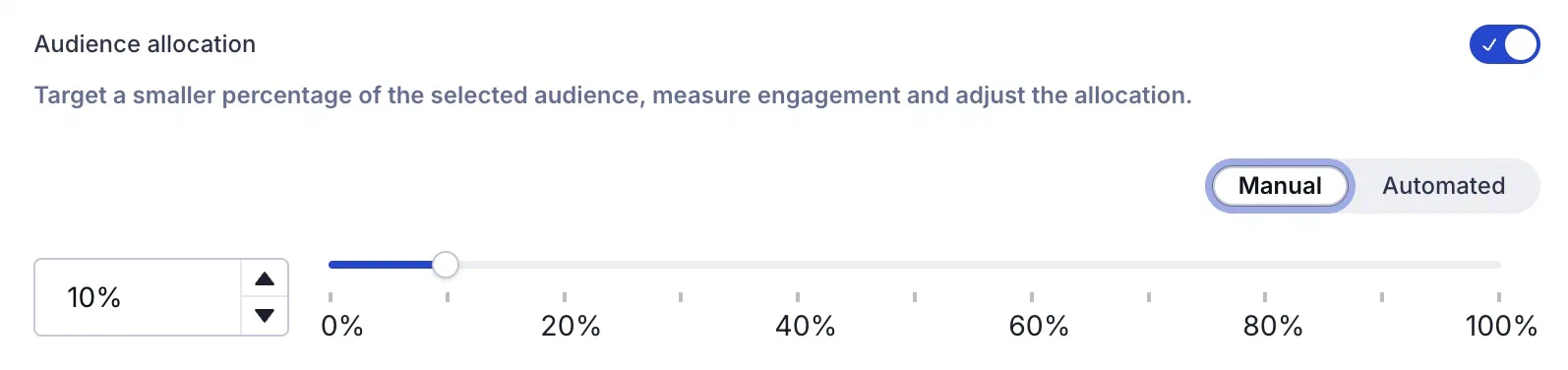
When configuring your audience, you can limit by percentage. For example, with a limit of 10%:
- When targeting all users, 10% of your total number of users are included in the audience.
- When targeting by conditions, 10% of the users who meet the set conditions are included in the audience.
Audience members are randomly selected. You can change the percentage at any time.
Automatic increase
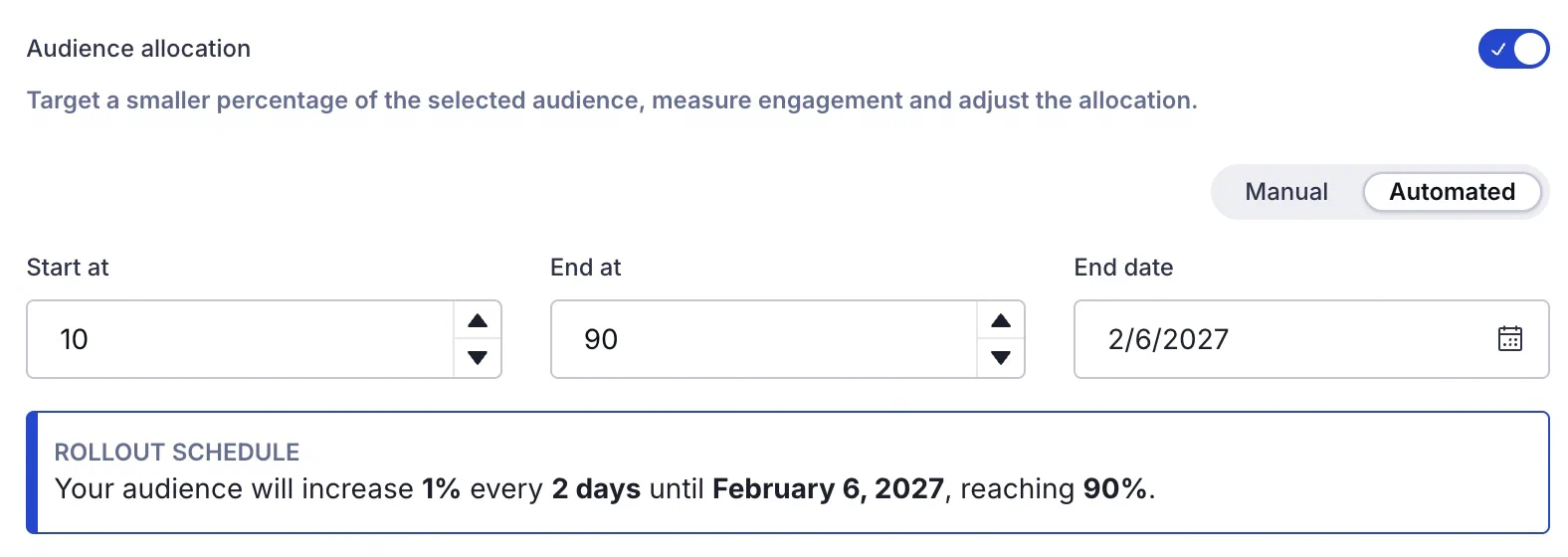
Instead of manually increasing the audience percentage, let Airship do it for you. Set starting and ending percentages and an end date, and your audience will increase at the same rate until your ending percentage is met.
Automated rollouts include the following:
- Plain-language summary — After entering your settings, a summary tells you exactly what will happen and when. For example, “Your audience will increase 2% every 1 day until November 10, 2026, reaching 100%.”
- Pause, cancel, and mode switching — Switching from automated to manual pauses the increase at its current percentage. Switching to automated starts a fresh schedule. As with any rollout, you can cancel it to restore the audience to 100%.
Reports
The day’s percentage appears in the Scene’s message report. If the setting was changed that day, it appears as a percentage range. See Engagement Over Time in the Performance section of Scene Reports.
Usage data is available in the dashboard. See View feature flag and Scene Rollout usage.
Get started with rollouts
Rollouts for Scenes require the Feature Flags add-on for your Airship plan. However, all AXP plans include one complimentary rollout to try the feature.
You can set up a rollout in the Audience step of a Scene.